EasyManua.ls Logo

Schumacher SC1322 - User Manual

Schumacher SC1322
28 pages
Print Icon
To Next Page IconTo Next Page
Loading...
0099001895-01
MODEL / MODELO / MODÈLE:
SC1322
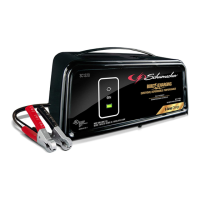
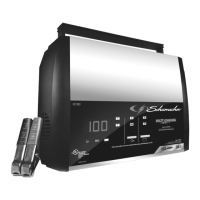
Automatic Battery Charger
Cargador de batería automático
Chargeur de batterie automatique
OWNERS MANUAL / MANUAL DEL USUARIO
MANUEL D’UTILISATION
PLEASE SAVE THIS OWNERS MANUAL AND READ BEFORE EACH USE.
This manual will explain how to use the battery charger safely and effectively.
Please read and follow these instructions and precautions carefully.
POR FAVOR CONSERVE ESTE MANUAL DEL USUARIO Y LEALO ANTES
DE CADA USO. En este manual le explica cómo utilizar el cargador de batería
de manera segura y conable. Por favor, lea y siga las siguientes instrucciones
y precauciones.
GARDER LE MANUEL D’INSTRUCTION ET LISEZ LE AVANT CHAQUE
UTILISATION. Ce manuel explique comment utiliser le chargeur de batterie
d’une façon securitaire et efcace. S’il vous plaît lisez et suivez ces instructions
et precautions.

Table of Contents

Questions and Answers

  • L
    Lisa BellAug 12, 2025
    What to do if my Schumacher SC1322 won't turn on?
    • J
      james15Aug 12, 2025
      If your Schumacher Battery Charger won't turn on when properly connected, here are a few things to check: 1. **AC Outlet:** Verify the AC outlet is working by checking for an open fuse or a tripped circuit breaker. 2. **Electrical Connection:** Inspect the power cord and any extension cords for loose connections. 3. **Battery Condition:** The battery itself might be defective, so have it checked.
  • M
    marymurphyOct 28, 2025
    Why is the red LED lit on my Schumacher SC1322?
    • A
      Alexander FoxOct 29, 2025
      If the red LED is lit on your Schumacher Battery Charger, it could indicate several issues: * The battery voltage might be too low after charging; have it checked or replaced. * In maintain mode, the output current may be too high for too long; have the battery checked or replaced. * Lack of progress is detected and battery voltage is too low; have the battery checked or replaced. * The battery’s initial voltage is too low and the total input is insufficient; have the battery checked or replaced. * The battery voltage drops too low in Maintain Mode; remove any loads on the battery, otherwise, have it checked or replaced. * The battery may be overheated; allow it to cool. * The battery might be too large or have a short circuit; have it checked or replaced. * The battery ca...

Summary

IMPORTANT SAFETY INSTRUCTIONS

SAVE THESE INSTRUCTIONS

Save instructions for safety and operation.

Charger Use Restrictions

Restrictions on charger use including children, environment, and damaged parts.

Electrical Safety

Precautions for cords, plugs, extension cords, and maintenance safety.

Battery Gas and Handling Safety

Warning about explosive gases and precautions for handling batteries.

PERSONAL SAFETY PRECAUTIONS

Work Area Safety

Safety measures for work area, tools, and avoiding sparks near batteries.

Personal Protective Measures

Wear protection, handle acid carefully, use correct battery types and condition.

PREPARING TO CHARGE

Battery Prep and Ventilation

Remove battery, ensure ventilation, clean terminals, check acid levels.

Manufacturer Guidelines

Follow manufacturer's specific precautions, rates, and instructions.

CHARGER LOCATION

Optimal Placement

Locate charger away from battery and ensure adequate ventilation.

DC CONNECTION PRECAUTIONS

Safe Clip Handling

Connect/disconnect clips with switches off, avoid touching clips.

FOLLOW THESE STEPS WHEN BATTERY IS INSTALLED IN VEHICLE

Cord Management and Clearance

Position cords away from moving parts and clear fan blades.

Grounding and Connection

Connect clips to ungrounded post and chassis/engine block.

FOLLOW THESE STEPS WHEN BATTERY IS OUTSIDE VEHICLE

Battery Connection Procedure

Connect cable to negative post, then clips to battery/cable end.

Marine Battery Handling

Marine batteries must be removed and charged on shore.

GROUNDING AND AC POWER CORD CONNECTIONS

AC Power Requirements

Use grounded 120V outlet; avoid ungrounded systems and adapters.

Extension Cord Use

Guidelines for using extension cords: pins, wiring, wire size.

ASSEMBLY INSTRUCTIONS

Cord Preparation

Remove cord wraps and uncoil cables before use.

CONTROL PANEL

LED Indicators

Explanation of LED indicators: Clamps Reversed, Charging, Charged.

Battery Type Selection

How to select battery type (STD, AGM) using the button.

OPERATING INSTRUCTIONS

Charging in Vehicle

Step-by-step guide for charging battery while it is in the vehicle.

Charging Outside Vehicle

Step-by-step guide for charging battery when removed from vehicle.

Charging Modes Explained

Automatic, Aborted, Desulfation, Completion, and Maintain modes.

MAINTENANCE AND CARE

Cleaning and Storage

How to clean clamps/case and proper storage of the charger.

TROUBLESHOOTING

Normal Operation Indicators

Explanation of clamps not sparking and LEDs turning off briefly.

Power and Setting Issues

Troubleshooting charger not turning on or voltage setting issues.

Red LED Indicator Issues

Causes and solutions for the red LED being lit during operation.

SPECIFICATIONS

BEFORE RETURNING FOR REPAIRS

LIMITED WARRANTY

Schumacher SC1322 Specifications

General IconGeneral
BrandSchumacher
ModelSC1322
CategoryBattery Charger
LanguageEnglish

Related product manuals