EasyManua.ls Logo

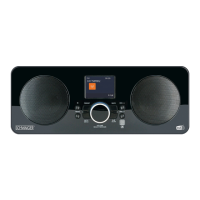
Schwaiger DAB 650 - REMOTE CONTROL

Schwaiger DAB 650
Print Icon
To Next Page IconTo Next Page
To Previous Page IconTo Previous Page
Loading...
MUTE
36
USER GUIDE
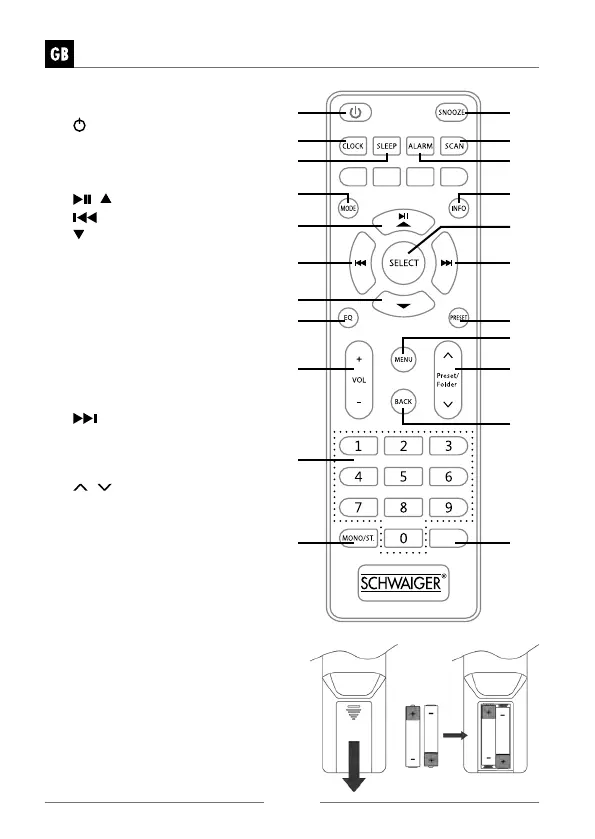
REMOTE CONTROL
1. STANDBY BUTTON
2. CLOCK BUTTON
3. SLEEP BUTTON
4. MODE BUTTON
5.
/ BUTTON
6. BUTTON
7. BUTTON
8. EQ BUTTON
9. VOLUME + / − BUTTON
10. Number BUTTONS
11. MONO/ST. BUTTON
12. SNOOZE BUTTON
13. SCAN BUTTON
14. ALARM BUTTON
15. INFO BUTTON
16. SELECT BUTTON
17.
BUTTON
18. PRESET BUTTON
19. MENU BUTTON
20. PRESET/FOLDER
/ BUTTON
21. BACK BUTTON
22. MUTE BUTTON
Battery Replacement
for the Remote Control
1. Open the battery cover.
2. Insert 2 x AAA battery (not included).
Make sure to match the (+) and ( - )
ends of the battery with the (+) and
( - ) ends indicated in the battery
compartment.
3. Close the cover
1 12
13
17
18
20
22
21
19
14
15
16
2
8
9
10
11
5
7
6
3
4

Table of Contents