37
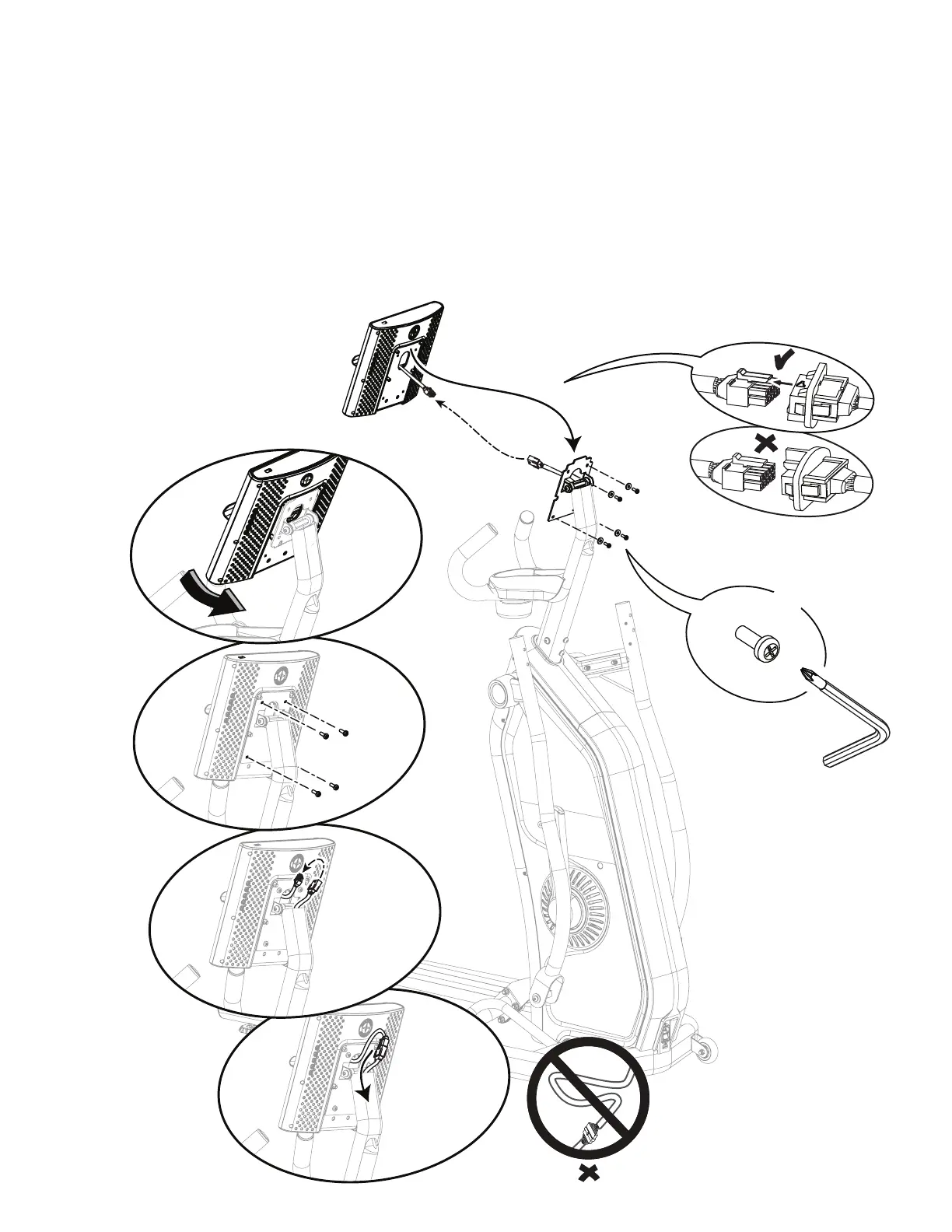
5. Tilt the new Console to install the wide tab at the top
of the Console Mount Bracket. Route the Console cable
through the bracket.
6. Attach the Console to the Console Mount Bracket
beforeconnectingthecables.Startlowerscrewsrst,
then tighten all screws. Connect the Console cable to the
Console Mast cable. Align the clips on the cable connectors
andmakesuretheconnectorslock.Pushtheextrawire
down into the Console Mast.
NOTICE: Do not cut or pinch the cables.
#2
X4



 To Next Page