EasyManua.ls Logo

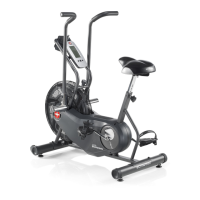
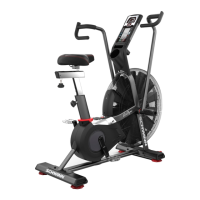
Schwinn AD7 AirDyne - User Manual

Schwinn AD7 AirDyne
63 pages
Print Icon
To Next Page IconTo Next Page
Loading...
1
Schwinn
®
AD7 AirDyne
®
Bike Service Manual
8014178.083118.B
Service Manual
Nautilus, Inc., (800) NAUTILUS / (800) 628-8458, www.NautilusInc.com - Customer Service: North America (800) 605-3369, csnls@nautilus.com |
outside U.S. www.nautilusinternational.com | © 2016 Nautilus, Inc. | Schwinn, the Schwinn Quality logo, and AirDyne are trademarks owned by or
licensed to Nautilus, Inc., which are registered or otherwise protected by common law in the United States and other countries. Polar® is a registered
trademarks of its owner.
Table of Contents
Section Code Section Page Number
1 Important Safety Instructions 2
1 Safety Warning Labels and Serial Number 3
1 ReadingtheProductSpecicationLabel 3
1 Specications 3
1 Maintenance 4
1 Locking the Fan Assembly / Storage 5
1 Moving the Machine 5
1 Leveling the Machne 6
1 Replacing the Console Batteries 6
1 Troubleshooting 7
1 Console Service Mode 9
1 Console Error Codes 10
1 Maintenance Parts Exploded View 11
1 TorqueSpecications 12
1 Replacement Procedure Skill Level 12
Mechanical Procedures 13
2 Belt Tension Adjustment 13
Part Replacement 17
3 Pedals 17
4 Water Bottle Holder 19
5 Console 21
6 Console Mast 24
7 Transport Wheels 27
8 Levelers 29
9 Seat Post 31
10 Handlebar Arms and Foot Pegs 33
11 Crank Arm Assembly 35
12 Shrouds and Footpad 37
13 Fan Cage 39
14 Linkage Arms 41
15 RPM Sensor (Speed Sensor) 44
16 Drive Belt and Fan Assembly 47
17 Rear Idler Pulley 55
18 Crank Link Assembly 58
19 Power Inlet 61
8014236.083118.B

Questions and Answers

  • T
    Thomas LopezAug 18, 2025
    Why won't my Schwinn Exercise Bike console turn on?
    • M
      Mrs. Sara SmithAug 18, 2025
      If your Schwinn Exercise Bike console isn't powering on, there are several things you can check: * If your bike uses an AC adapter, ensure it's properly plugged into a functioning wall outlet and that the connection at the unit is secure and undamaged. Replace the adapter or connection if damaged. * If it uses batteries, make sure they are installed correctly and try replacing them with a new set. * Inspect the data cable for any visible damage like crimps or cuts, and replace it if necessary. * Also, ensure the data cable is securely connected and oriented properly, with the small latch on the connector lined up and snapped into place. * Finally, check the console display for any signs of damage, such as cracks, and replace the console if damaged.
  • M
    Miss Kelsey CollierAug 20, 2025
    What to do if my Schwinn AD7 AirDyne console shuts off while in use?
    • N
      Norman WardAug 20, 2025
      If your Schwinn Exercise Bike console shuts off or enters sleep mode while you're using it, check the data cable integrity to ensure all wires are intact; replace the cable if any wires are cut or crimped. Also, ensure the data cable is securely connected and oriented properly, making sure the small latch on the connector lines up and snaps into place.
  • J
    Jennifer MartinezAug 23, 2025
    What to do if the speed displayed is always “0” or stuck in pause mode on my Schwinn AD7 AirDyne Exercise Bike?
    • M
      Madison LaneAug 23, 2025
      If the speed displayed on your Schwinn Exercise Bike is always “0” or stuck in pause mode, ensure that the data cable is connected to the back of the console and the main frame assembly. Also, make sure the speed sensor magnets and the speed sensor are in place. This requires fan cover removal.
  • E
    ekellerAug 26, 2025
    Why is there no speed/RPM reading on my Schwinn Exercise Bike?
    • R
      Robert BradyAug 26, 2025
      If you're not getting a speed or RPM reading on your Schwinn Exercise Bike, first check the data cable for any cuts or crimps and replace it if damaged. Ensure the cable is securely connected and properly oriented, with the latch snapped in place. Also, check the speed sensor magnet position and ensure the magnets are in place on the fan assembly (this requires fan cover removal). Finally, inspect the speed sensor assembly to ensure it is aligned with the magnets and connected to the data cable; realign if necessary, and replace the sensor or connecting wire if damaged.
  • J
    John BellAug 28, 2025
    How to fix inaccurate speed display on Schwinn AD7 AirDyne Exercise Bike?
    • C
      Christopher WrightAug 28, 2025
      If the speed displayed on your Schwinn Exercise Bike is not accurate, check the speed sensor magnet position, ensuring the speed sensor magnets are in place on the fan assembly. Note that this requires fan cover removal.
  • J
    Jenny GregoryAug 30, 2025
    How to stop clicking sound when pedaling Schwinn Exercise Bike?
    • M
      Matthew CarlsonAug 30, 2025
      To address a clicking sound when pedaling your Schwinn Exercise Bike, start by removing the pedals, ensuring there is no debris on the threads, and then reinstall the pedals. You may also need to check the fan alignment, referring to the “Adjust the Belt Tension” procedure in the Service Manual.
  • W
    William WilliamsSep 2, 2025
    How to fix loose pedals or difficult pedaling on Schwinn Exercise Bike?
    • C
      Christopher JacksonSep 2, 2025
      If you're experiencing loose pedals or difficult pedaling on your Schwinn Exercise Bike, check the pedal-to-crank connection to ensure the pedal is tightened securely to the crank arm and that the connection is not cross-threaded. Additionally, check the crank arm-to-axle connection to ensure the crank arm is tightened securely to the axle (screw torque = 60 N.m.). If the left crank arm still feels loose with correct torque and the crank link shaft is moving with the crank arm, replace the crank link assembly.
  • C
    Caleb AlexanderSep 4, 2025
    How to fix seat post movement on Schwinn Exercise Bike?
    • A
      Amanda BrownSep 4, 2025
      To fix seat post movement on your Schwinn Exercise Bike, ensure the adjustment pin is locked into one of the seat post adjustment holes and that the locking knob is securely tightened.
  • K
    Kelsey WagnerSep 7, 2025
    How to stop handlebar arms from clicking or ticking on Schwinn AD7 AirDyne?
    • F
      Felicia JohnsonSep 7, 2025
      To stop handlebar arms from clicking or ticking during movement on your Schwinn Exercise Bike, ensure that the screws at the base of the handlebar arms are tightened securely (screw torque = 40 N.m.).
  • J
    Jennifer StewartSep 9, 2025
    What to do if Schwinn AD7 AirDyne Exercise Bike unit rocks or isn't level?
    • C
      Cheryl GravesSep 9, 2025
      If your Schwinn Exercise Bike rocks or doesn't sit level, check the leveler adjustment. The leveling feet can be turned in or out to level the bike. Also, check the surface under the unit, as adjustment may not compensate for extremely uneven surfaces; move the bike to a level area if necessary.

Summary

Schwinn AD7 AirDyne Safety Guidelines

Schwinn AD7 AirDyne Troubleshooting and Diagnostics

Common Issue Resolution

Troubleshoot common problems like console errors, speed issues, and sensor malfunctions.

Console Service Mode and Error Codes

Access and utilize the console's service mode and understand error code 'Err 1'.

Schwinn AD7 AirDyne Parts and Specifications

Torque Specifications and Skill Levels

Essential torque values for fasteners and required skill levels for repair procedures.

Schwinn AD7 AirDyne Component Replacement Procedures

Adjusting Drive Belt Tension

Step-by-step guide to adjust the drive belt tension for optimal performance.

Pedal Replacement Guide

Instructions for removing and installing new pedals on the bike.

Console Replacement Procedure

Detailed steps for removing and replacing the bike's console unit.

Crank Arm Assembly Replacement

Procedure for removing and installing crank arm assemblies.

Drive Belt and Fan Assembly Replacement

Detailed steps for replacing the drive belt and the entire fan assembly.

Schwinn AD7 AirDyne Specifications

General IconGeneral
Resistance TypeAir
Display TypeLCD
Heart Rate MonitoringTelemetry enabled
Drive SystemSingle-Stage Belt Drive
PedalsStandard
Display FunctionsTime, RPM, Speed, Distance, Calories, and Heart Rate
SeatPadded
Maximum User Weight350 lbs (159 kg)

Related product manuals