7
OPERATION
6
■ Top Number Display — Continuously displays your
speed in MPH.
■ Bottom Number Display — Scans through the
following functions.
■ Time — The TIME feedback function is displayed
automatically when the computer is turned on. TIME
tells you exactly how long you have been working out
in minutes and seconds (Fig. 7).
☞
PRESS THE SELECT BUTTON
■ Distance — The DISTANCE feedback function keeps
track of the distance you have accumulated during your
workout in miles (Fig. 8).
☞
PRESS THE SELECT BUTTON
■ Calories — The CALORIES feedback function displays
your approximate calories burned (Fig. 9).
☞
PRESS THE SELECT BUTTON
■ RPM — The RPM feedback function records your
revolutions per minute (Fig. 10).
☞
PRESS THE SELECT BUTTON
■ Scan — The SCAN feedback provides you with a con-
tinuously changing display as it rolls through each of
the individual feedback functions. The word SCAN
appears in the lower right side of the display.
■ Reset — You can RESET and clear your computer of
recorded data by pushing the ON/RESET button.
HOW TO USE THE DX 900
®
COMPUTER
FIG.7
RPMDIST. CALOR.
TIME
▲
FIG.10
TIME RPMDIST. CALOR.
▲
FIG.8
TIME RPMCALOR.
DIST.
▲
FIG.9
TIME RPMDIST.
CALOR.
▲
20
8:42
20
4.8
20
36
20
72
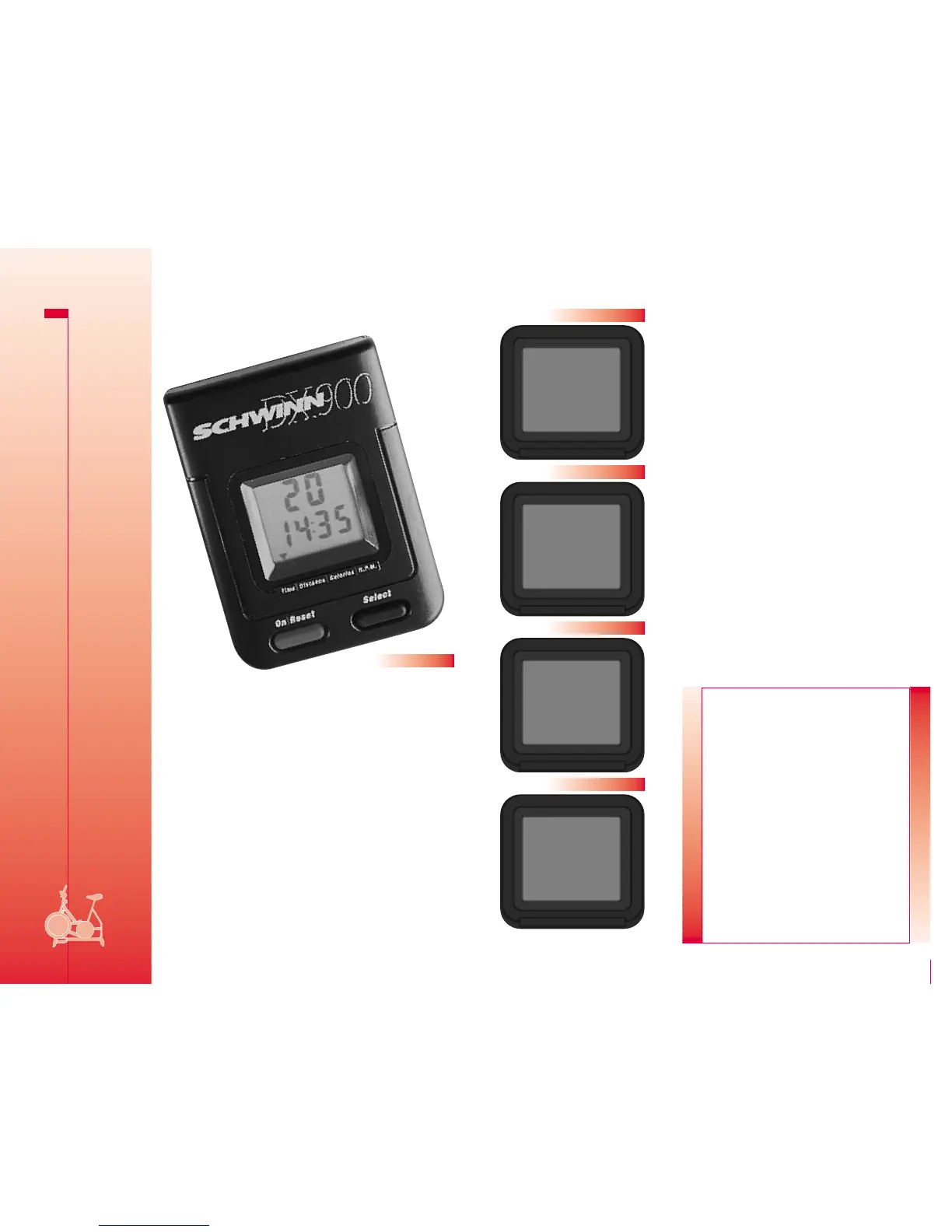
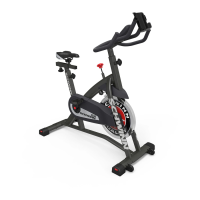
The on-board computer features multi-feedback functions
and an easy-to-read LCD display to keep track of your workout
performance and progress. By taking a few moments to fully
understand the computer operation and functions, you will get
more pleasure, motivation and value from your DX 900 Exercise
Bike workouts. It’s really very easy.
With just two buttons, you can control all of the functions in
your on-board computer during your workout (Fig. 6).
■ On/Reset
–
The ON/RESET button turns the computer on
and resets when you want to clear the computer of recorded
data. You can also activate the computer by simply turning the
bike’s pedals. If the bike is left unused, the computer will
automatically shut itself off after five minutes.
■ Select
–
The SELECT button lets you select any of the
four available feedback functions or scan mode. Each
individual feedback function is displayed on the LCD display
and highlighted by its particular graphic icon. Each time
you push the SELECT button the computer will switch to
a new feedback function.
FIG.6
FITNESS
SAFEGUARDS
Dismounting the unit
WARNING! The flywheel momentum of the DX 900
Bike will keep the pedals turning even after the
rider stops pedaling. DO NOT ATTEMPT TO DISMOUNT
THE BIKE OR REMOVE YOUR FEET FROM THE PEDALS
UNTIL THE PEDALS HAVE COMPLETELY STOPPED. Turn
resistance knob clockwise until the flywheel stops,
or pull up on the resistance knob for quicker stop-
ping. Failure to follow these instructions may lead
to loss of control and serious personal injury.
There are three ways to stop the DX 900 Bike pedals.
1. Pedal slower until you come to a complete stop.
2. Increase the resistance by turning the resistance
adjustment control clockwise until you come to a
complete stop.
3. Engage the emergency brake by pulling upward
on the resistance control knob until you come to a
complete stop.




 To Next Page