SCIFIT • Scientific Solutions for Fitness • SCIFIT • Scientific Solutions for Fitness • SCIFIT
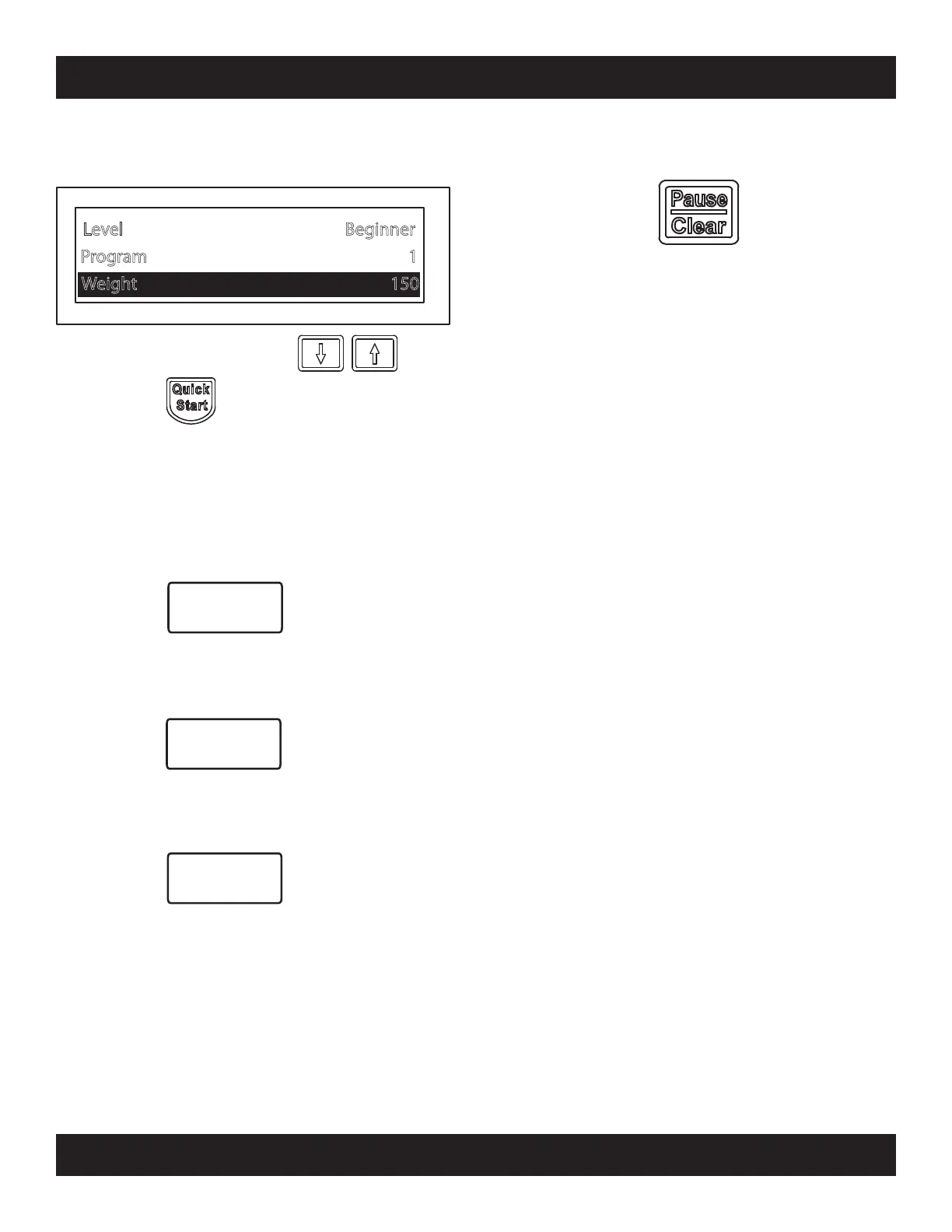
Enter user w eight w ith the k eys,
then press and begin exercise
Program 1
Level Beginner
Weight 150
Training Cont’d
Additional Key Features
CHANGE
VIE
W
When activated a count down will display on the
screen for the user to prepare to pedal faster for a
small duration of time. This time duration can be
increased or decreased in the “User Set-up”.
SCIFIT has also included extra user friendly key
features the user may use during a workout.
Allows the user to change the viewing fomat of the
workout profile and data displayed on the LCD
screen during the workout.
FAN
The console contains two 3-speed cooling fans that
can be activated by the user at anytime.
Power
Burst
If at anytime the user may want to pause during a
workout, this may done by pressing the
[Pause/Clear] key. The screen workout will then
minimize and provide the user three options
1. Continue - Maximizes the workout screen and
continues the workout where the
user had stopped.
2. Change - Returns to a sub-menu where
information may changed that was
previously entered by the user.
3. Stop - Exits the workout and returns to the
main menu.
Note: The console will reset to the main menu after
a short period of time if no selection is made.
31
PROGRAM INSTRUCTIONS


 To Next Page