
EasyManua.ls Logo

SciQuip INCU-C series - User Manual

SciQuip INCU-C series
24 pages
Print Icon
To Next Page IconTo Next Page
Loading...
User’s Manual
This Manual applies to:
Models: INCU-90C, INCU-160C, INCU-270C, INCU-430C
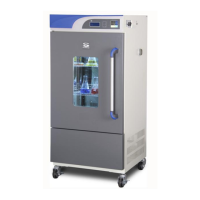
INCU-C series
Economic Cooled
BOD Incubator

Questions and Answers

  • D
    Derek NewmanJul 26, 2025
    How to troubleshoot SciQuip Accessories incubator when it does not work or has no display?
    • C
      Charles GeorgeJul 26, 2025
      If your SciQuip Accessories incubator isn't working and the display is blank, first ensure the power supply is properly connected and the outlet has power. Next, check that the power switch on the right side of the incubator is turned on. If it still doesn't work, the internal fuse may be broken and needs replacing with a new one of the same specification. If these steps don't resolve the issue, it could indicate a malfunction in the power box circuit, in which case you should notify your distributor for repair.
  • A
    Ashley HuffmanJul 31, 2025
    Why is my SciQuip Accessories incubator temperature alarm going off?
    • M
      Mary MooreJul 31, 2025
      If your SciQuip Accessories incubator temperature alarm is going off, it might be because the unit hasn't reached the required constant temperature yet; give it some time to stabilize. Also, check the alarm parameter settings against the operating procedure and adjust if necessary. If the problem persists, there may be a malfunction in the heating system, and you should contact your distributor for repair.
  • E
    Eric McculloughAug 6, 2025
    What to do if the real temperature is lower than the set temperature on SciQuip Accessories incubator?
    • B
      burtonericaAug 6, 2025
      If the real temperature (PV) on your SciQuip Accessories incubator is lower than the set temperature (SV), triggering a low-temperature alarm, first ensure the equipment has reached a constant temperature by waiting and observing. If the issue continues, the temperature deviation alarm value might be too small and needs to be reset. If you're still experiencing problems, there could be an issue with the heater, so notify your distributor for repair. Also, if you are in programme mode, turning off the alarm function is strongly recommended.
  • R
    Raymond SchmidtAug 12, 2025
    Why does the screen display nothing or show distortions on my SciQuip Accessories incubator?
    • K
      Kimberly TerryAug 12, 2025
      If the screen display on your SciQuip Accessories incubator shows nothing, strokes, or distortions, it might be due to high-frequency interference. Try to eliminate the source of disturbance and restart the operation. If the issue persists, it could indicate a microprocessor failure, and you should notify your distributor for repair.
  • M
    matthewblackwellAug 19, 2025
    How to fix a fluorescent lamp that doesn't work in SciQuip Accessories?
    • B
      Brittany PerezAug 19, 2025
      If the fluorescent lamp in your SciQuip Accessories incubator isn't working, the lamp tube may be broken and needs replacement. Also, check the starter to see if it's loose or broken; tighten or replace it as necessary.

Summary

Incubator Safety Instructions

Critical Safety Warnings

Critical safety warnings regarding potential damage and personal injury.

Optimal Performance and Placement Guidelines

Environmental and Placement Precautions

Instructions on unit placement, air circulation, and avoiding environmental interference for best performance.

Incubator Performance Features

Incubator Technical Specifications

Incubator Control Panel Overview

Control Panel Layout and Indicators

Overview of the control panel, including screen, buttons, and indicator lights.

Control Panel Button Functions

Detailed explanation of each button's function on the control panel.

Control Panel Status Indicators

Explanation of various status indicators displayed on the LCD screen.

Incubator Preparation and Start-up

Setting the Incubator Control Mode

Constant Temperature Control Mode Setup

Setting Temperature (Fixed Mode)

Procedure to set the desired temperature in the constant control mode.

Setting Timer (Fixed Mode)

Instructions for configuring the timer function for constant temperature operations.

Programmable Control Mode Setup

Temperature Change Graph

Graphical representation of cooling/heating time for specific models.

Additional Incubator Function Settings

Over Temperature Alarm Configuration

Configuration of the threshold for over-temperature alarms and deviation.

Real Time Clock Configuration

Procedure to set the internal clock for accurate timekeeping.

Power-Off Recovery Function

Description of the automatic recovery function after a power failure.

Cooling and Defrosting System Settings

Configuration options for the cooling system and automatic/manual defrosting.

Manual Defrosting Procedure

Instructions for performing manual defrost cycles.

Graphic Chart Recording Interval

Setting the time interval for recording data points on the graphic chart.

Print Timer and Communication Channel Options

Configuration of print interval or communication channel settings for optional features.

Motor Fan Speed Adjustment

Adjusting the fan speed for optimal air circulation and sample preservation.

Incubator Operation and Switch Off

Electric Inputs and Outputs Diagram

Incubator Temperature Calibration

High Temperature Point Calibration

Procedure to calibrate temperature at a high set point.

Incubator Troubleshooting Guide

SciQuip INCU-C series Specifications

General IconGeneral
Humidity RangeUp to 95% RH
O2 Range1% to 21%
Chamber Volume80L, 240L
Dimensions (W x D x H)Varies by model
WeightVaries by model (e.g., 80L: approx. 45kg)