12
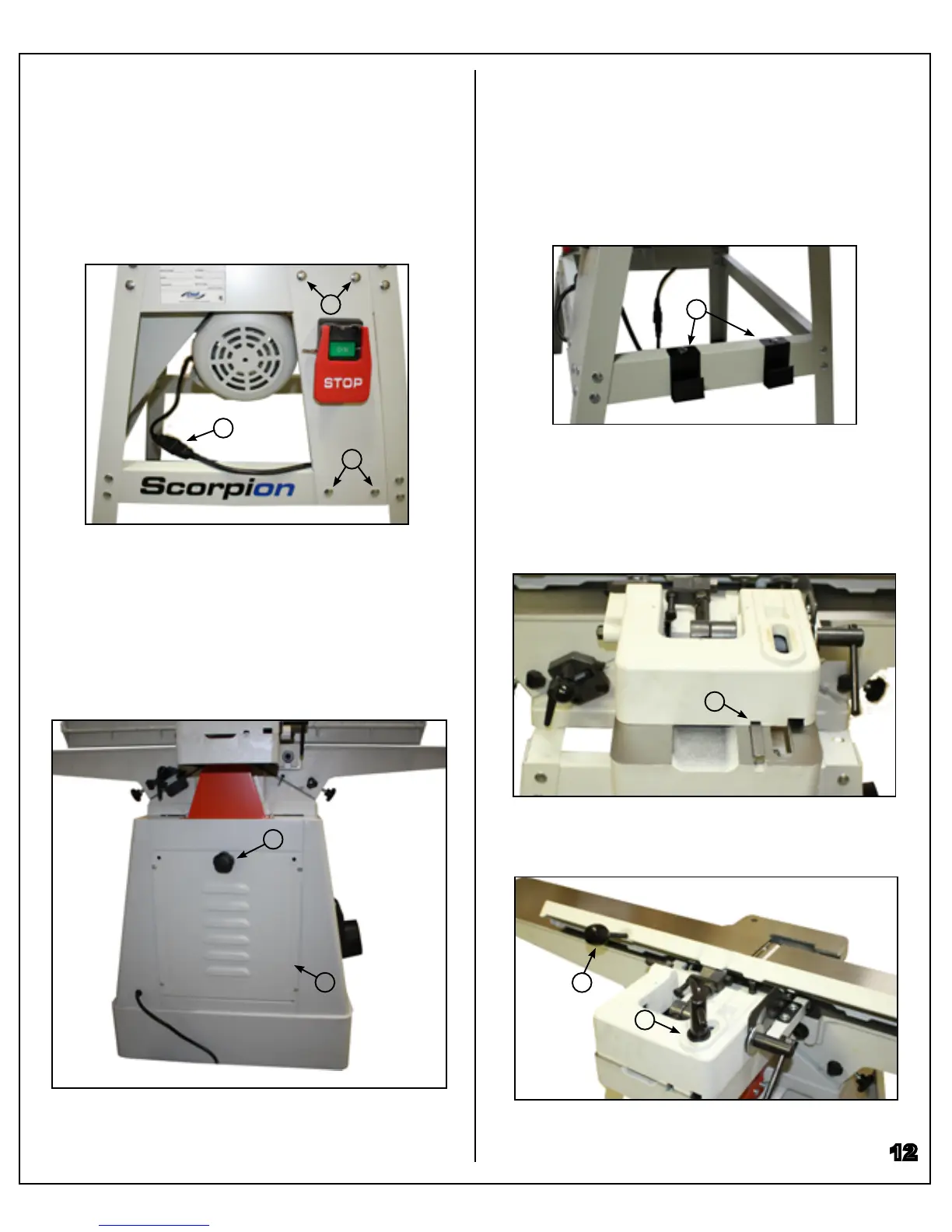
Installing the Switch
J075
Attach the switch using short carriage bolts, at wash-
ers, and hex nuts (A). Then, connect the power cord
from the motor to the inlet plug on the switch (B).
Installing the Base Door
J100
Attach the base door to the base using Phillips screws
and at washers (A). Use the door’s knob (B) to lock the
door in place.
B
A
A
Installing the Fence
Slide the fence onto the jointer so that the jointer’s guide
bar slides into the fence’s T-slot (A).
Install the fence lock handle through the jointer’s oval
slot (B), and the fence tilt lever into the fence’s threaded
hole (C).
Installing Storage Brackets
J075
Attach the push-block storage brackets to the stand’s
cross brace using short carriage bolts, at washers, and
hex nuts (A).
A
A
B
C
A
B



 To Next Page