9
Mounting the Motor
Do not fully tighten the motor’s bolts during assembly.
Secure them after the jointer is mounted and pulleys
aligned.
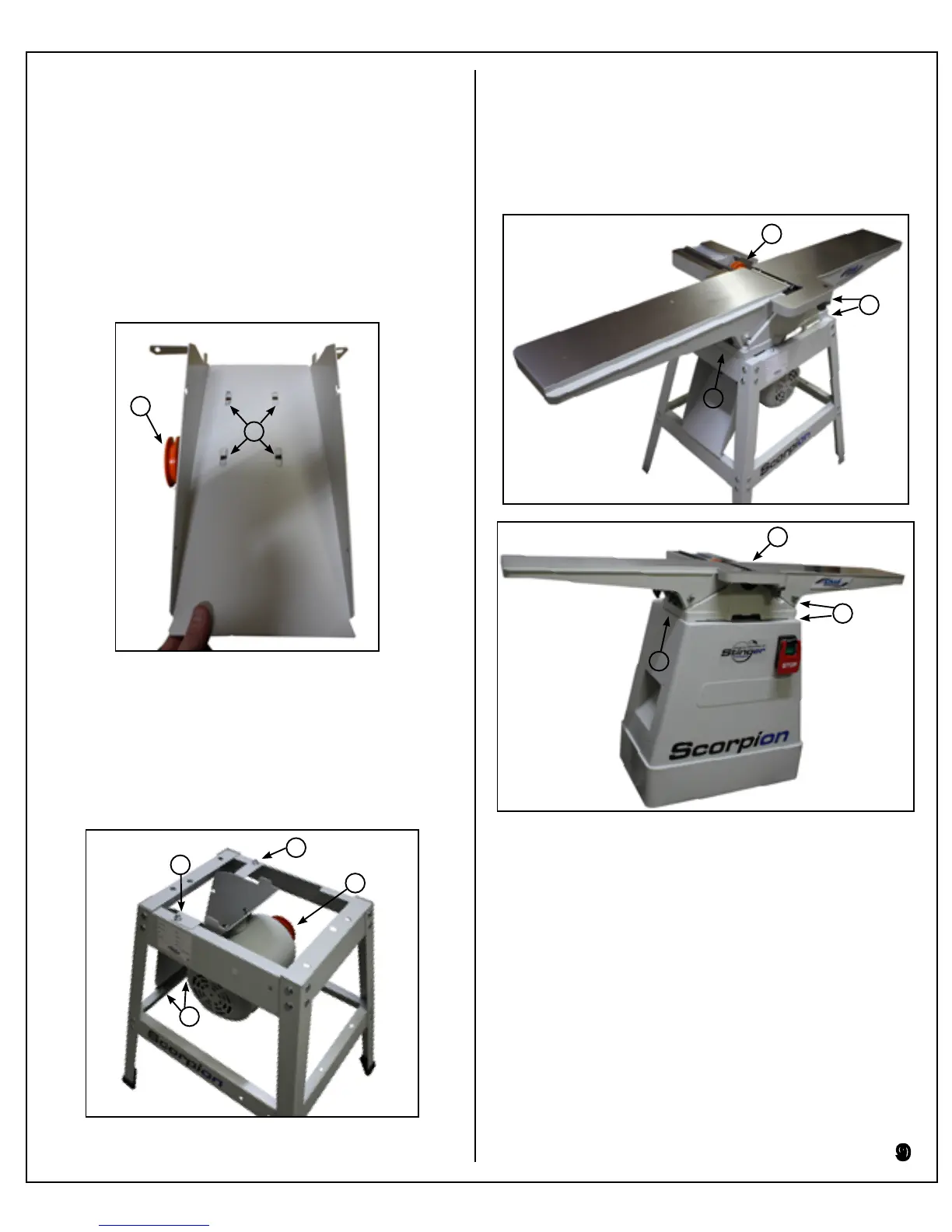
Mount the motor to the mounting plate as shown below
with the motor pulley to the left (G) using long carriage
bolts, at washers, lock washers, and hex nuts (H).
Mount the motor in approximately the centre of the
mounting holes.
While supporting the motor, hang it from the stand so
that the pulley is at the rear (I). Secure the mounting
plate to the stand’s front and rear top brace (J), and to
the lower side brace (K) using short carriage bolts, at
washers, and hex nuts.
Fully tighten these bolts once the motor is in place.
Have a partner help lift the jointer onto the stand/base.
Orient the jointer so that its pulley faces the rear (A).
G
H
I
J
J
K
Mounting the Jointer
A
B
B
B
B
A
J075
J100
Align the three mounting holes (B), and thread ange
bolts and lock washers from the underside, but do not
fully tighten. The pulleys must be aligned and ten-
sioned before tightening the jointer mounting bolts.


 To Next Page