19
Rotating Inserts
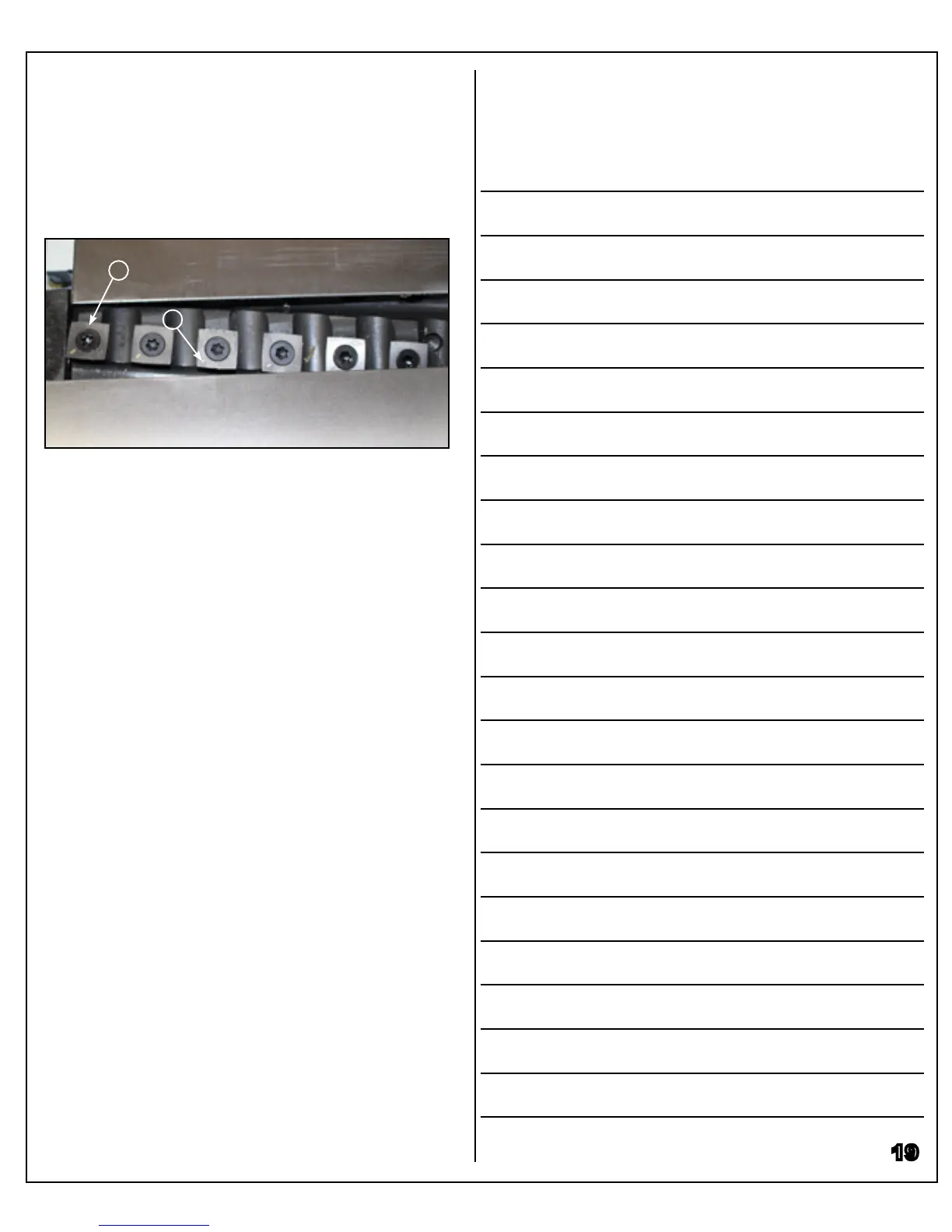
Loosen the torx screw that holds the insert in place
(I), rotate the insert 90°, and re-tighten the torx screw.
There is a mark in one corner of the insert (J) to indi-
cate how many times each insert has been rotated.
I
Replacing Inserts
When all four insert edges are worn, the individual
insert must be replaced. Remove the torx screw that
holds the insert in place (I), and remove the cutterhead
insert. Clean all dust and debris from the cutterhead
body before installing a new insert. Any buildup of
debris on the cutterhead body will put the insert out of
alignment and aect performance.
Notes
J


 To Next Page