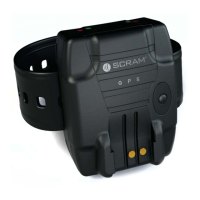
SCRAM GPS
Quick Reference Guide
10
5. Click the Show button.
All points visited during the selected time period are
listed.
CLOSING TASKS
INACTIVATE OFFENDER/UNASSIGN SCRAM
GPS BRACELET
1. On the Dashboard page, click the link of the offender’s
name.
The ‘Profi le Summary’ pop-up window appears.
2. Click the Device Information link.
3. In the Device Confi guration section, click the
Unassign button.
A message box appears.
4. Click the OK button to close the message box.
5. Click the Profi le tab.
The offender’s Profi le panel appears.
6. Select the ‘Inactive’ option in the Status drop-down
list.
An ‘Inactivation Reason’ pop-up window appears.
7. Select the reason for inactivation and click the
Inactivate Offender button.
8. Click the Save button.
REMOVE SCRAM GPS BRACELET
To remove the bracelet from the offender’s lower leg:
1. Fully insert a 5/16 inch fl at-blade screwdriver into one
of the tab-release slots, located on the back plate, to
tear through the thin plastic partition.
2. Twist the screw driver at least 180 degrees until you
hear a loud click, indicating that the back plate tab
has broken.



 To Next Page