- 58 -
SCS Compact - Operating instructions
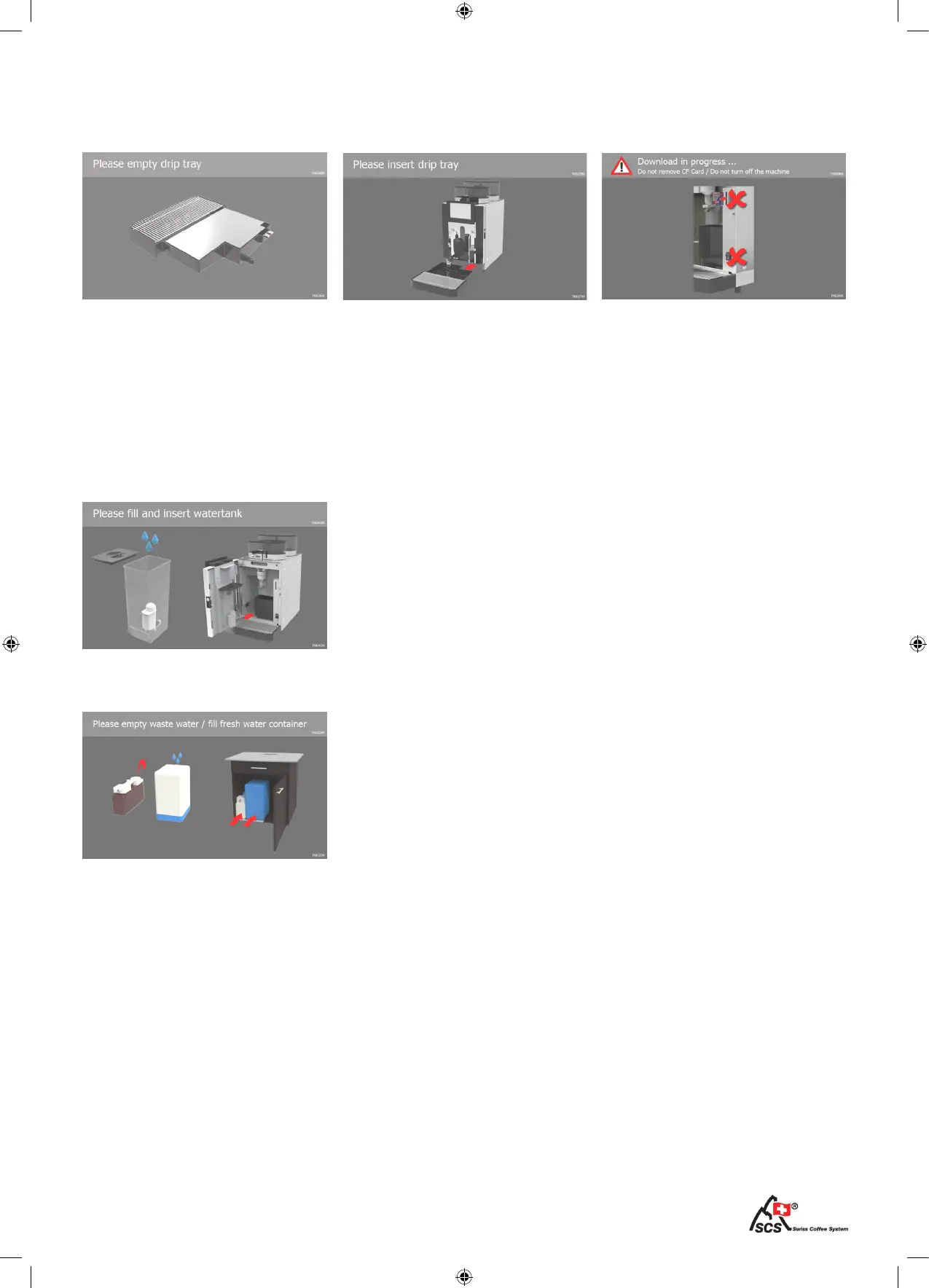
When this message appears, the waste water container is full and/
or the fresh water container is empty. Always check both cont-
ainers when this message is indicated.
Empty the waste water tank and ll the fresh water tank.
Installations with water self supply
System messages III
When the drip tray is full, no pro-
ducts can be dispensed. Remove
the drip tray carefully, empty and
clean it. Insert the tray beneath the
coffee machine.
The drip tray is missing or not in-
serted correctly. Insert the drip tray
again.
The drip tray is full Insert the drip tray
Attention: Download in progress.
Do not switch-off the coffee ma-
chine. Do not remove the memory
card.
Attention: Download in progress
The message appears when water tank is empty. Product dispen-
sing is blocked.
Only with the water tank option


 To Next Page