Home
SCS
Digital Camera
WF-100PCX
Page 5
SCS WF-100PCX - Page 5
33 pages
Manual
Save Page as PDF
To Next Page
To Next Page
To Previous Page
To Previous Page
Loading...
(Some
Android devices
may not let you connect to the
camera, please see the
Troubleshoot Guide
8.
2
)
6.
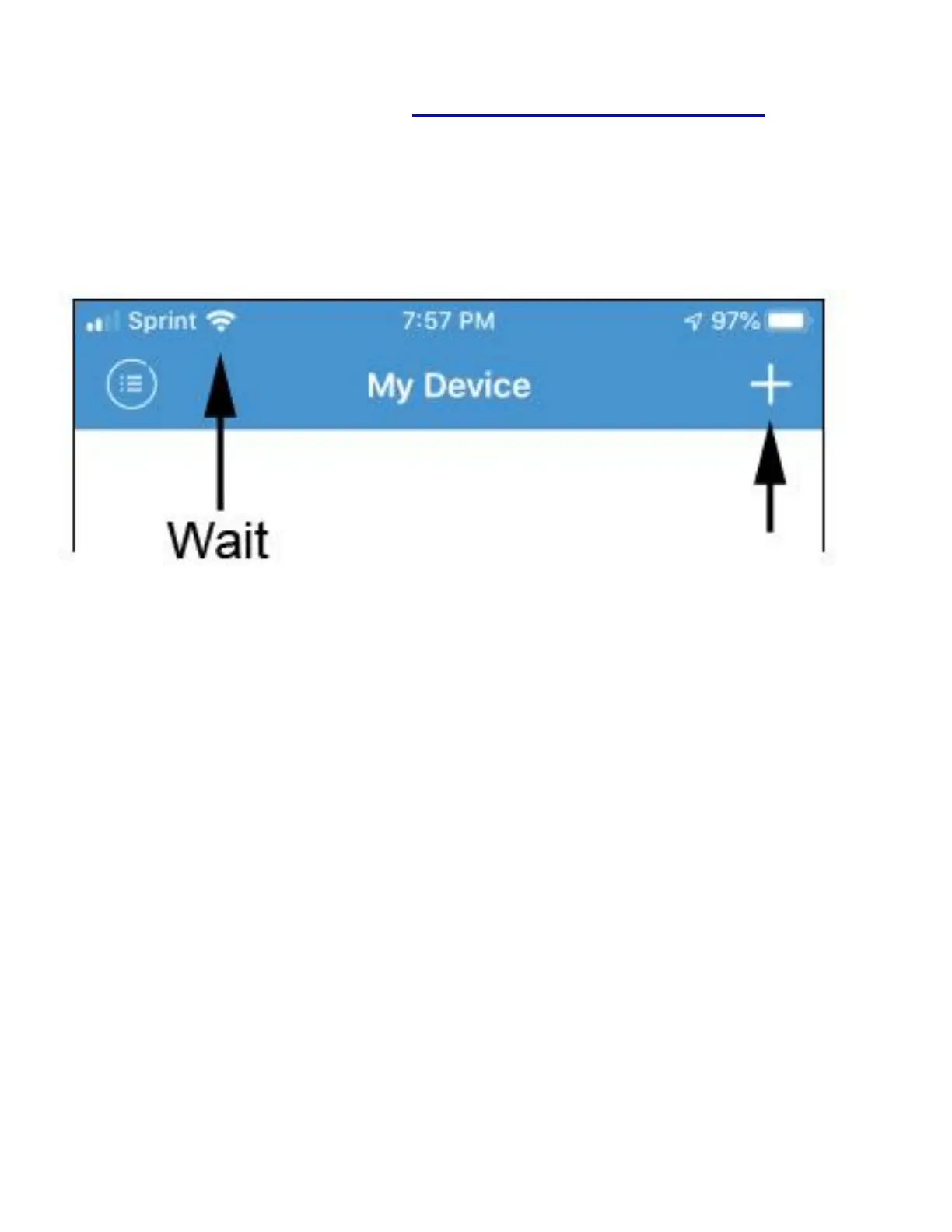
Open the
app,
wait until the
WiFi icon
appears
.
T
he
n click on the +
icon:
7.
You must choose ‘
Manual add’
then
8.
Search c
amera from LAN.
4
6
Table of Contents
Main Page
Default Chapter
2
Table of Contents
2
Part A: Installation
3
Part B: Troubleshoot Guide
12
Part C. Important Features
18
Adding Multiple Devices
18
Moving and Resetting the Camera
19
LED Indicator Status
20
Part D. Using the App
21
SD (TF) Recording
22
SD (TF) Recording Playback
23
Spot Recording
24
Main Screen Overview
25
Settings Explained
26
Part E. PC Recording & ONVIF
32



 To Next Page