
 Need help?
Do you have a question about the Sea Tel ST24 and is the answer not in the manual?
Describes how to navigate the Graphical Antenna Control Panel (GACP) using touch screen icons and navigation buttons.
Provides a flowchart for selecting and targeting a specific satellite for tracking.
Emphasizes inventorying all system components and reporting discrepancies before installation.
Discusses considerations for choosing the optimal mounting location for the antenna radome assembly.
Details the process of using a template to mark and drill the radome mounting location.
Guides on using a template to mark and cut out the mounting location for the GACP.
Explains how to determine and route necessary cables for system interconnection based on the System Block Diagram.
Covers connecting the antenna M&C coax and IF coaxes and securing the radome to the mounting surface.
Details connecting the GACP and securing it to the mounting location.
Guides the user through the initial 6-step configuration process for the ST24 Antenna System.
Identifies and describes the function of each port and indicator on the GACP.
Explains the main elements and functions accessible from the GACP's home screen.
Describes navigation to and functions within the Satellites main menu page.
Details how to select and target satellite presets from the GACP interface.
Explains how to access and edit parameters for preset satellites on the GACP.
Displays current satellite information and tuning parameters on the GACP.
Provides access to advanced options and manual GPS entry from the GACP.
Allows manual control of antenna movement (Azimuth, Elevation, Polarity).
Describes how to perform various system tests on the PCU or GACP.
Covers checking the built-in GPS status and manual entry of vessel location.
Displays GACP/PCU configuration, software versions, and antenna serial number.
Outlines the limited warranty terms and coverage for the ST24 Series systems.
Provides contact details for Sea Tel and guidance on contacting the agent/dealer for service.
Details the simple cleaning procedure for the radome surface.
Instructions for recalibrating the GACP touch screen if icons are unresponsive.
A table to help diagnose and resolve common symptoms and potential faults in the system.
Step-by-step guide for installing and aligning a replacement Ku-Band circular receive LNB.
Instructions for retrofitting an existing ST24 with an Auto Polarization feed assembly.
Specifies the total dry weight of the ST24 system.
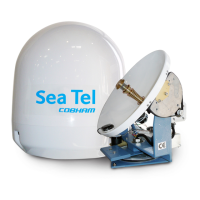
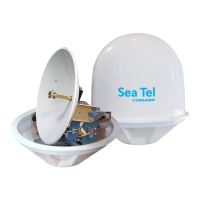
Provides dimensions, mounting details, and wind resistance for the radome.
Details antenna specifications including size, feed type, and polarization capabilities.
Lists available LNB types, their part numbers, and frequency ranges.
Describes the size, features, and connectors of the Pedestal Control Unit.
Outlines the type, stabilization accuracy, motors, and motion ranges of the pedestal.
Details the specifications of the internal satellite identification and tracking receiver.
Provides dimensions, display details, and port specifications for the BDE.
Specifies the voltage, current, and transient protection for the system.
Lists operating and storage conditions, including temperature, humidity, wind, and corrosion resistance.
Refers to drawing 132500 for the overall system configuration.
Refers to drawing 132370 for the general assembly details of the ST24.
Refers to drawing 132766 for the system's block diagram.
Refers to drawing 132765 for the antenna system schematic.
Refers to drawing 132903 for the radome installation template.
Refers to drawing 132230-1 for the GACP installation template.
Refers to drawing 133491 for the ST24 installation arrangement.
 General
| Antenna Type | Parabolic |
|---|---|
| Power Handling | 200 W |
| Impedance | 50 ohms |
| Antenna Diameter | 24 inches |
| Reflector Size | 24 inches |
| Tracking | Automatic |
| Polarization | Linear |
| Connector Type | N-type |
| Wind Survival | 100 mph |







 To Next Page