EasyManua.ls Logo

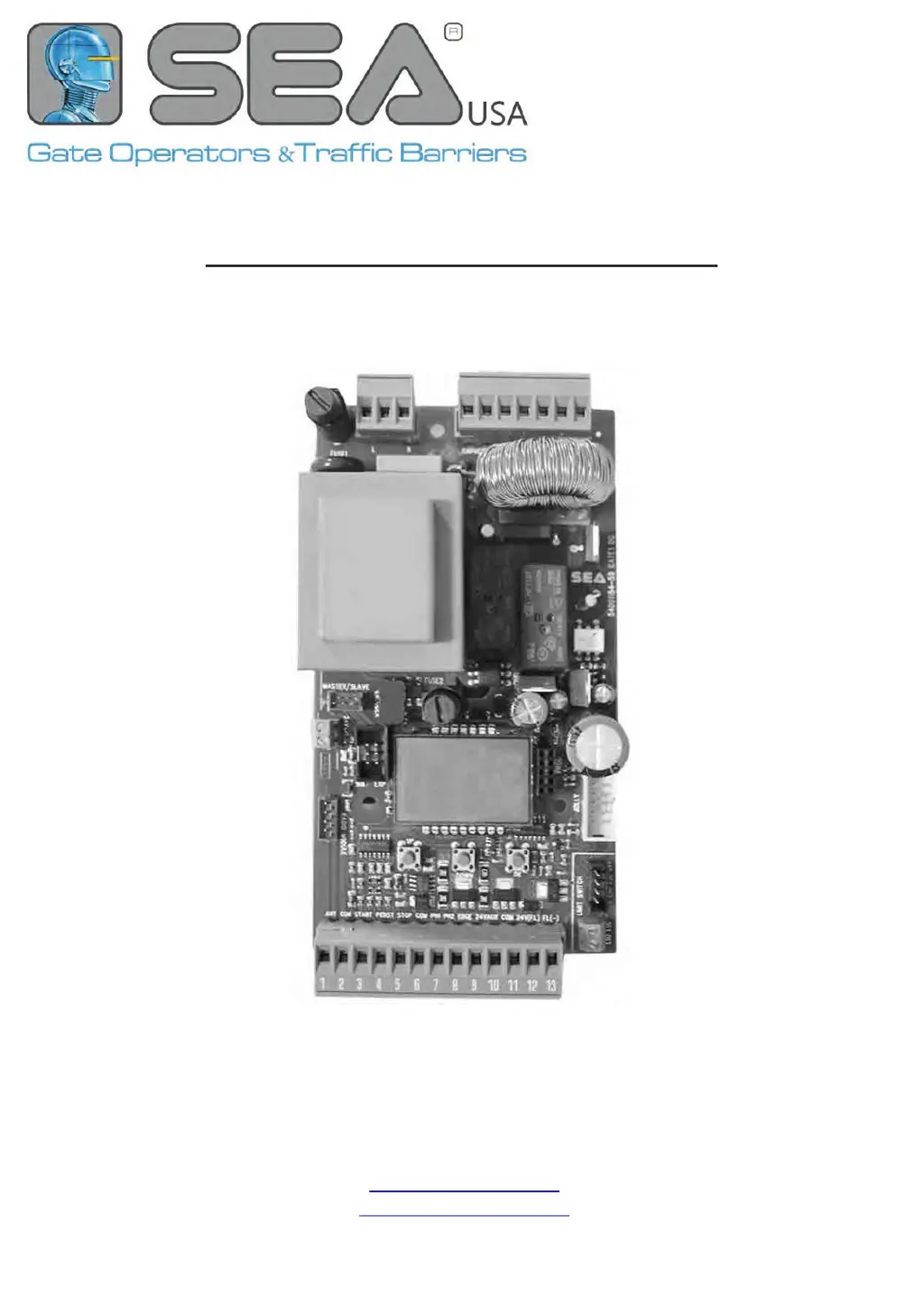
SEA GATE 1 DG R2BF - User Manual

SEA GATE 1 DG R2BF
44 pages
Print Icon
To Next Page IconTo Next Page
Loading...
67410179
REV. 13 - 042020
ED
CONTROL UNIT FOR SLIDING GATES SWING GATES ARRIERS AND GARAGE DOORS
SEA USA Inc.
10850 N.W. - 21st - unit 160 - Doral - MIAMI
Florida (FL) - 33172 - USA
Telephone - ++1-305.594.1151 ++1-305.594.7325
Toll free: 800.689.4716
www.sea-usa.com
sales@sea-usa.com

Other manuals for SEA GATE 1 DG R2BF

Questions and Answers

  • G
    Glenda FletcherSep 6, 2025
    What to do if SEA GATE 1 DG R2BF gate doesn't have power to close or reach limit switch?
    • C
      cburkeSep 6, 2025
      If the SEA Control Unit gate doesn't have power to close or reach the limit switch, it might be because slow down is not possible for that site due to a heavy gate, inclination, or not a new installation. In this case, put Slow Down in OFF.
  • A
    ajonesAug 25, 2025
    What to do if the SEA GATE 1 DG R2BF photoelectric sensor does not stop or reverse the gate?
    • L
      Laura Harmon PhDAug 26, 2025
      If the photoelectric sensor isn't stopping or reversing the gate, first check the photoelectric sensor wiring. Retest that obstructing the photoelectric sensor causes the moving gate to stop and potentially reverse direction. If the wiring is correct, the photoelectric sensor may be defective and need replacement. Retest after replacement to ensure proper function. Another potential cause is that the photoelectric sensors are installed too far apart; in this case, move them closer together or consider using edge sensors instead.
  • J
    Jessica WongAug 26, 2025
    Why doesn’t SEA Control Unit gate close in automatic logic during pause?
    • M
      Michael LarsonAug 26, 2025
      If your SEA Control Unit gate isn't closing automatically during pause, even with a loop/photo set as start, ensure that "START IN PAUSE" is turned ON in the menu. Additionally, verify that the photo/loop input is correctly set as the delay pause time within the photo/loop menu.
  • M
    Monica TaylorSep 15, 2025
    What to do if SEA Garage Door Opener does not respond to a wired control/command (example: Open, Close, etc.)?
    • B
      brownrachelSep 15, 2025
      If your SEA Garage Door Opener doesn't respond to a wired control/command, check all open and close inputs for any that might be stuck. Also, check if the stop button is stuck, and ensure the reset button is not stuck. Finally, check all entrapment protection device inputs for a stuck sensor.
  • S
    stephencervantesNov 23, 2025
    Why doesn’t my SEA GATE 1 DG R2BF gate respect slow down points?
    • K
      Kelsey RomeroNov 23, 2025
      If your SEA Control Unit gate isn't slowing down as expected, several factors could be at play. If the encoder is activated, you should check the encoder parameters in the menu; "Encoder Par" should range from a low value +/- 10 (gate completely closed) to "Encoder tot" (gate completely opened). If the movement of Ipar isn't linear within the range (+/-10 - Encoder tot), the encoder may be defective. Alternatively, the mechanical clutch might be loose and require tightening. Also, the slow down space might be too wide, requiring a reduction. If a potentiometer is activated, verify its parameters in the menu; "I Par" should range from "I. CH." (gate completely closed) to "I.AP." (gate completely opened). If the movement of I par isn't linear within the range (I.AP. - I.CH.), the potentiomet...
  • S
    Steven MccormickSep 12, 2025
    What to do if SEA Control Unit operator does not respond to a wired control/command (example: Open, Close, etc.)?
    • N
      Nicholas HoganSep 12, 2025
      If your SEA Control Unit operator isn't responding to a wired command like Open or Close, here's what to check: * Ensure none of the Open and Close inputs are stuck. * Verify the Stop button isn't stuck. * Check the Reset button. * Inspect all Entrapment Protection Device inputs for any sensors that might be stuck.
  • W
    William LangSep 2, 2025
    Why doesn't the edge sensor stop or reverse the SEA Control Unit gate?
    • S
      santosdylanSep 2, 2025
      If the edge sensor isn't stopping or reversing the SEA Control Unit gate, it could be due to incorrect wiring or a defective sensor. Check the edge sensor wiring and retest that activating the edge sensor causes the moving gate to stop and reverse direction. If the wiring is correct, the edge sensor may be defective, replace it and retest.
  • M
    Michael GilesSep 19, 2025
    What to do if SEA Garage Door does not fully open or fully close when setting limits?
    • J
      jordanlawrenceSep 19, 2025
      If the SEA Garage Door does not fully open or fully close when setting limits, use manual disconnect, manually move the gate, and ensure it moves easily limit to limit, repairing the gate if needed. The gate must move easily and freely through its entire range, limit to limit.
  • B
    Billy PorterAug 29, 2025
    What to do if the SEA Gate Opener gate doesn’t move while the motor is running?
    • P
      Phillip LambertAug 29, 2025
      If the SEA Gate Opener gate doesn’t move while the motor is running: * The motor might be in the released position: Re-lock the motor. * There might be an obstacle: Remove the obstacle.
  • C
    cheyenneramirezAug 29, 2025
    Why doesn’t the SEA Gate Opener close automatically?
    • D
      denisemirandaAug 29, 2025
      If your SEA Gate Opener isn’t closing automatically, it could be due to: * The pause time being set too high: Adjust the pause time. * The control unit being in semi-automatic logic: Set the pause parameter to a value other than OFF.

Summary

IMPORTANT SAFETY INFORMATION

General Safety Precautions

General safety rules for installation and use of the gate operator.

GENERAL SAFETY AND INSTALLATION GUIDELINES

Installation Instructions

Key instructions for safe and correct installation of the gate operator.

UL 325 STANDARDS AND NOTICES

UL 325 Changes

Modifications to UL 325 standards affecting gate operators.

ENTRAPMENT PROTECTION AND GATE CLASSES

UL 325 Entrapment Protection

Requirements for entrapment protection devices per UL 325.

CONNECTIONS AND JUMPERS

Device Connections

Detailed guide for connecting external devices to the control unit.

CONNECTIONS ON CN1

START, PARTIAL OPENING, and STOP Inputs

Wiring for basic START, PARTIAL OPENING, and STOP inputs.

Photocell Connections

Wiring and setup for photocell safety sensors.

MORE CN1 CONNECTIONS

Safety Edge and 10 K Photocell

Wiring for safety edge and 10K photocells.

CN4;CN5 CONNECTIONS

Synchronized Photocell Connection

Connecting synchronized photocells for safety.

CN6;CN7 AND CMS CONNECTIONS

Limit Switch Connections

Connecting pre-wired and non-pre-wired limit switches.

BASIC MENU FUNCTIONS

INPUT STATUS CHECK AND MANAGEMENT

INPUT MANAGEMENT MENU

WORKING TIMES SELF-LEARNING PROCEDURES

Self-Learning Methods

Procedures with limit switches and general steps.

ADVANCED SELF-LEARNING METHODS

Sensor-Based Self-Learning

With encoder, potentiometer, or amperometric sensor.

OPERATING LOGICS AND PASSWORD

Operating Logic Modes

Explanation of different operating logic modes.

RECEIVERS AND REMOTE CONTROLS

REMOTE CONTROLS PROGRAMMING

GATE 1 DG R2 BF MENU FUNCTIONS TABLE

MENU FUNCTIONS TABLE (continued)

SPECIAL MENU FUNCTIONS TABLE

SPECIAL MENU FUNCTIONS TABLE (continued)

ALARMS AND FAULT DIAGNOSIS

TROUBLESHOOTING GUIDE

TROUBLESHOOTING GUIDE (continued)

SEA GATE 1 DG R2BF Specifications

General IconGeneral
BrandSEA
ModelGATE 1 DG R2BF
CategoryControl Unit
LanguageEnglish

Related product manuals