DOCS-010 Manual, SeaBotix Inc. Users, 200 Series – 18 Mar 09 - Rev B - Page 23 of 52
Below the camera angle indicator is the temperature display (11). This reading gives the
external temperature. The temperature sensor works both in the water and in the air. This
value can be displayed in either centigrade or Fahrenheit. To change the setting or
calibrate the temperature, see the Menu section 2.3.3.2.
2.2.5 Time and Date
At the right of the display are the date (7) and the time (12). This information is preset at the
factory and can easily be changed to the time zone in which the LBV is being operated.
Refer to section 2.3.3.1 for setting of the date and the time.
2.3 Menus
The LBV has a variety of menus to allow the user to configure the LBV, calibrate the LBV
and run diagnostics. To enter the main Menu, press the PRGM key on the membrane
keypad on the OCU.
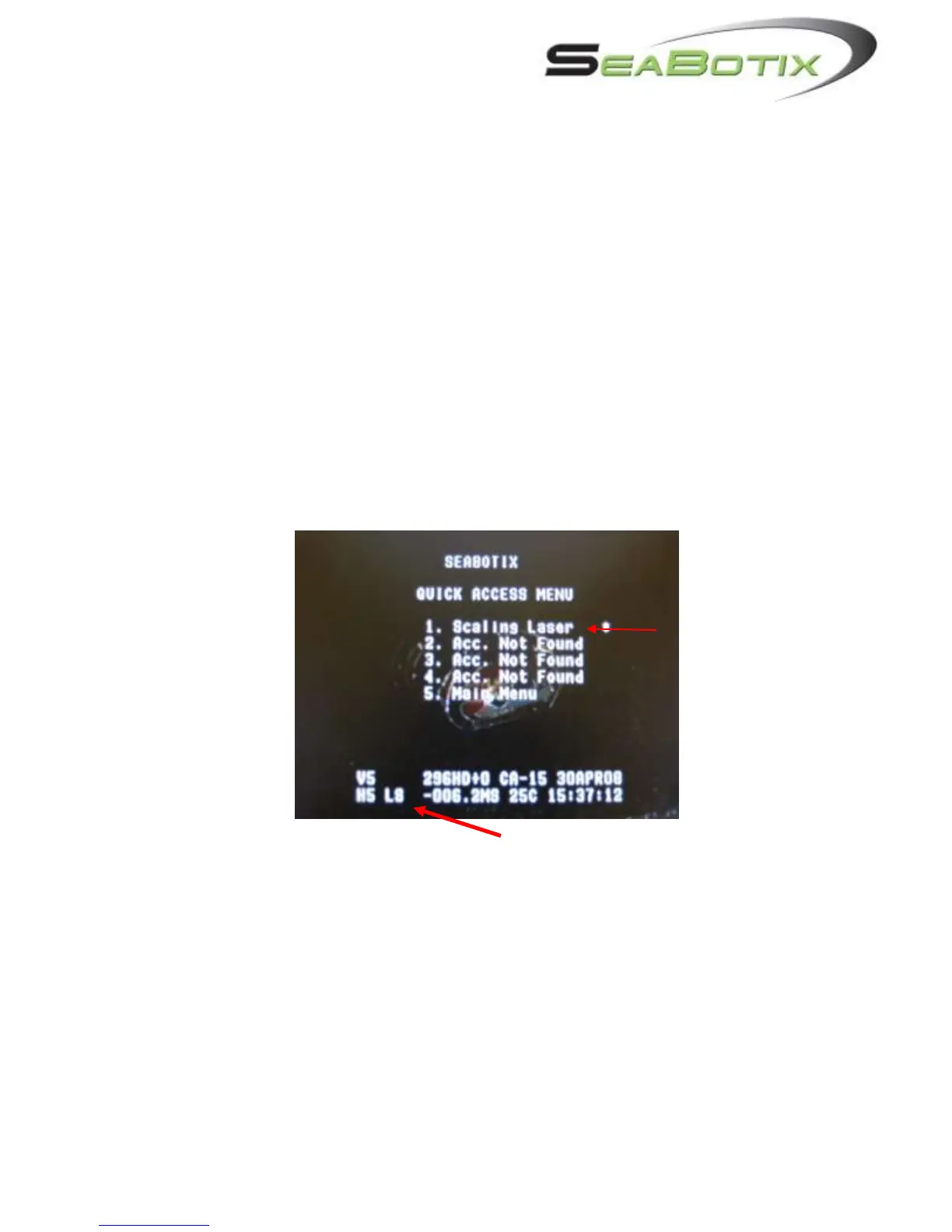
2.3.1 Quick Access Menu
Note: Accessories will appear when present. The scaling laser is used here as an example.
1. Acc. Not Found
a. Pressing the 1 key will enable the Accessory + and – keys to operate an
optional accessory. When fitted, the accessory title will appear in
placement of Acc. Not Found.
2. Acc. Not Found
a. Pressing the 2 key will enable the Accessory + and – keys to operate an
optional accessory. Same as 1.
3. Acc. Not Found
a. Pressing the 3 key will enable the Accessory + and – keys to operate an
optional accessory. Same as 1. and 2.
4. Acc. Not Found


 To Next Page