Connect Backup Plus Desktop to your
computer
Your Backup Plus Desktop is compatible with computers that feature a USB port.
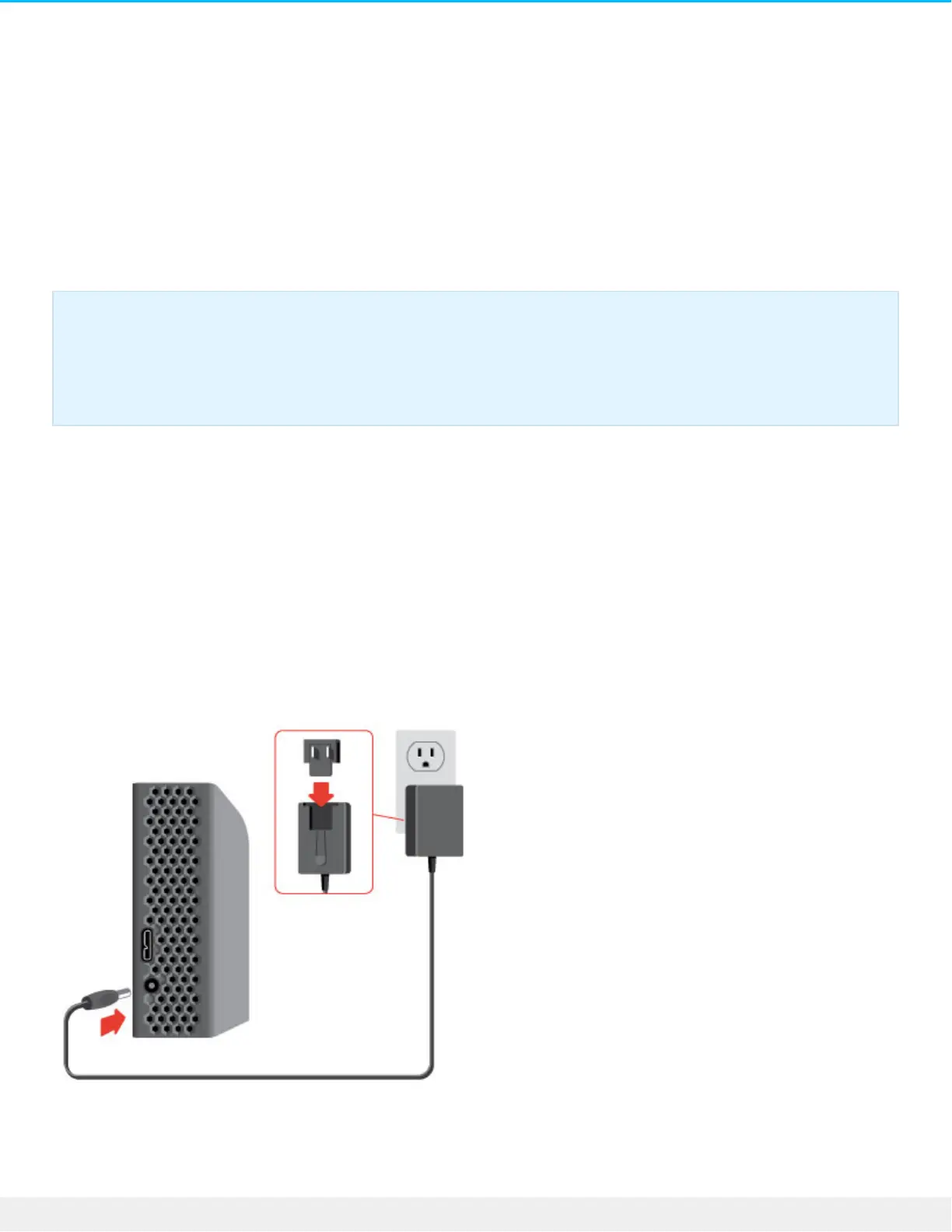
Step 1 - Connect to a power outlet
Attach one end of the included power cable to Backup Plus Desktop and the other end to a working power
outlet. The LED turns on when the device receives power.
Power adapters can vary by region. Therefore, make certain to only use the power cable included with your
Seagate Backup Plus Desktop. Attaching third-party or other Seagate power cables with incorrect voltage can
damage Backup Plus Desktop.
Step 2 – Connect to your computer
Important info regarding USB connections: Your Seagate drive is shipped with a SuperSpeed
USB 3.0 cable to ensure maximum data transfer performance when connected to a compatible
USB 3.0 port. The cable also works when connected to a USB 2.0 port, but drive performance is
limited to USB 2.0 transfer rates.











 To Next Page