Geng Started
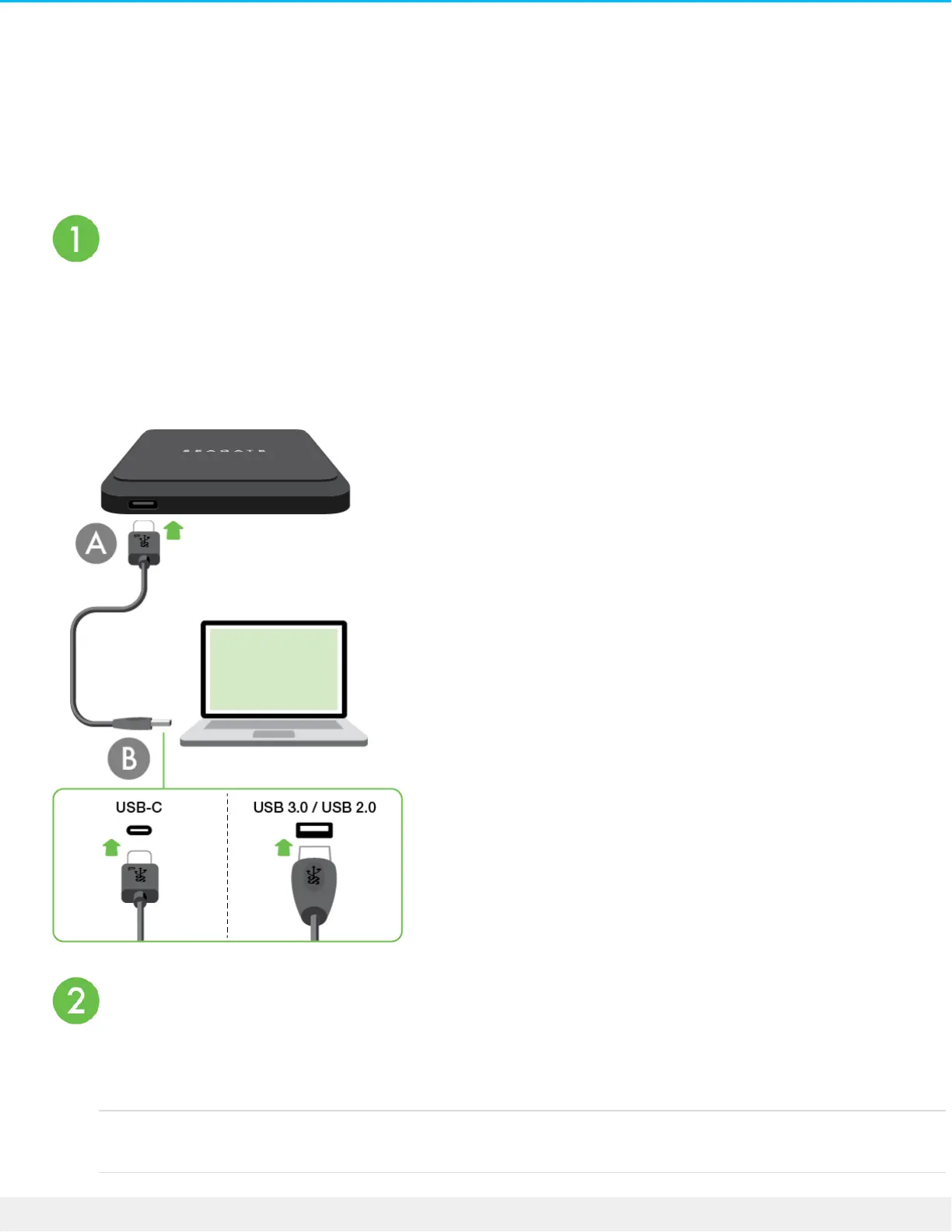
Connect the USB cable
Confirm the type of USB port on your computer, then choose the appropriate cable to connect your device.
Use the USB-C to USB-C cable if your computer has a USB-C port. If your computer does not have a USB-C
port, use the USB-C to USB-A cable.
Set up Seagate BarraCuda Fast SSD
The setup process lets you:
Register your Seagate BarraCuda Fast
SSD
Get the most from your drive with easy access to information
and support.










 To Next Page