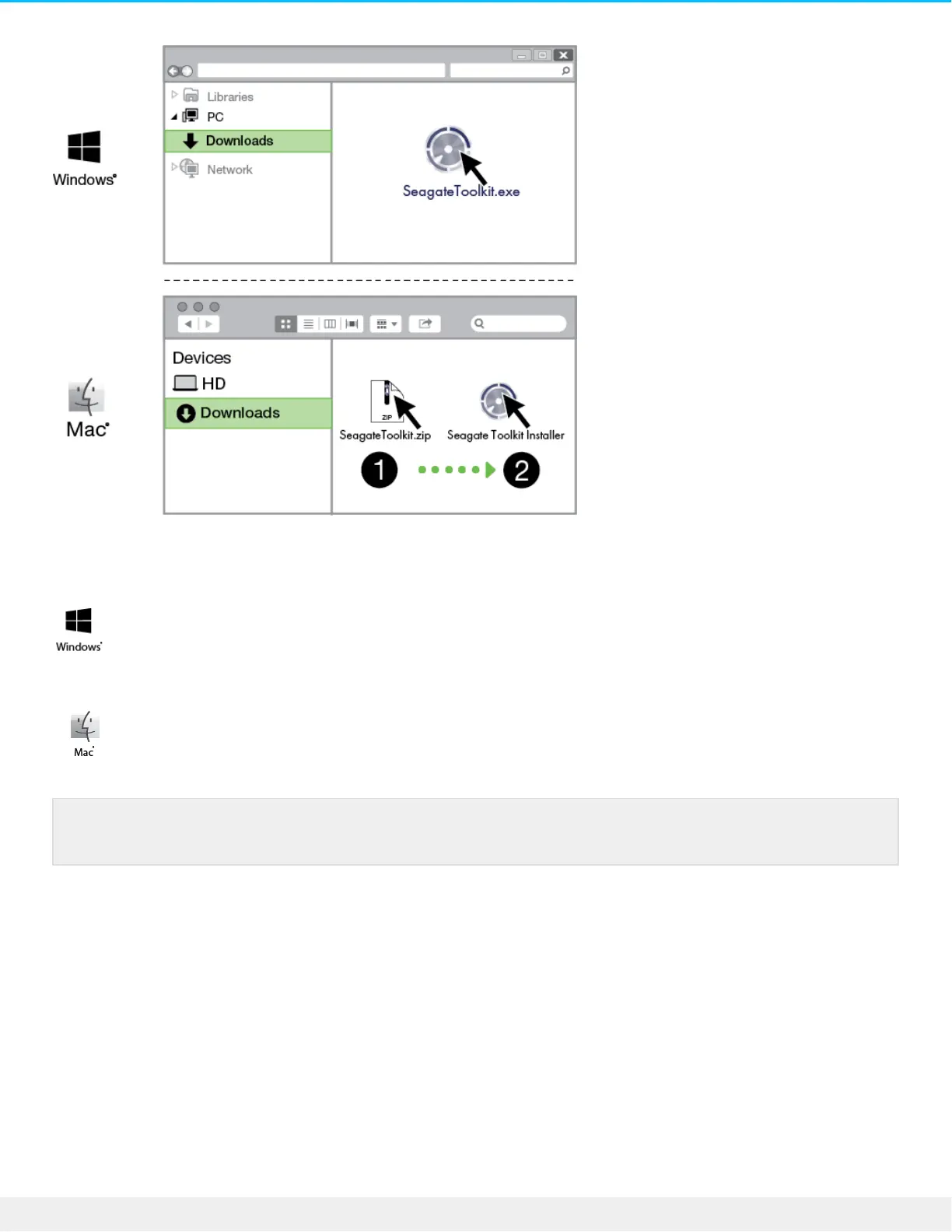
Using a file manager such as Finder or File Explorer, go to the folder where you receive downloads.
Click on the SeagateToolkit.exe file to launch the application.
Open the SeagateToolkit.zip file. Click on the Seagate Toolkit Installer to launch the application.
Storage format
Seagate BarraCuda Fast SSD is preformatted exFAT for compatibility with both Windows and Mac
computers. If you use the drive with only one type of computer, you can optimize file copy performance by
formatting it in the native file system for your operating system. See Optional Formatting and Partitioning for
details.
Disconnecng the drive
In order to avoid file system corruption, it’s important to unmount Seagate BarraCuda Fast SSD’s volumes
Your computer must be connected to the internet to install and run Toolkit.










 To Next Page