Introducon
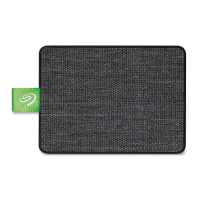
Seagate Ultra Touch is the ultimate way to store photos, videos, and music from your computer or
compatible Android device.
For common questions and answers about your drive, see Frequently Asked Questions or visit Seagate
customer support.
Box content
Seagate Ultra Touch
USB-A (USB 3.0 & 2.0) cable
USB-C adapter
Minimum system requirements
Ports
Connect your Seagate Ultra Touch to a computer with a USB-A (USB 3.0 or 2.0) or USB-C port.
You can also connect Seagate Ultra Touch to compatible Android mobile devices with a USB-C port. Use the
included adapter for the USB-C connection.
Operang system
Windows® 7 or higher
macOS® 10.12 or higher
Android 8.0 or higher
Minimum free disk space
600MB recommended
Important —Save your packaging. If you experience problems with your device and want to
exchange it, the device must be returned in its original packaging.








 To Next Page