8
III.
Setting up the camera
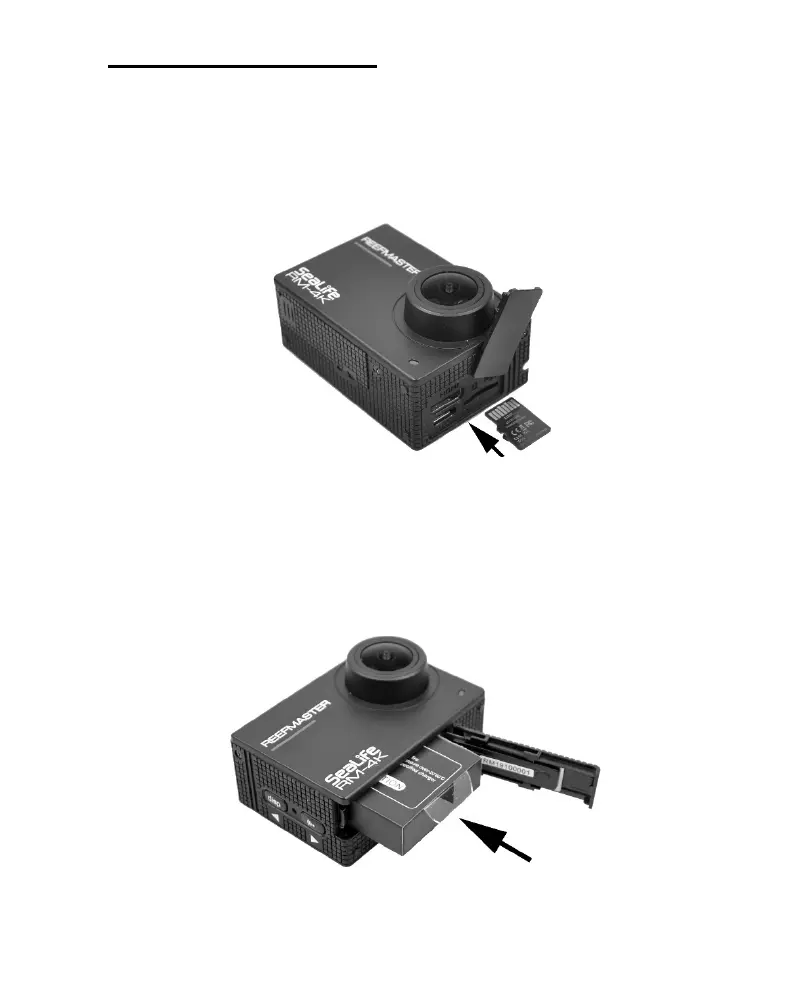
Inserting the memory card
Recommend 128GB Micro SDXC with V30 (U3) Video Speed Class.
1. Open the USB/Memory Card cover and insert the memory card with
contacts facing the lens.
2. Push down with fingernail or small coin until card locks into place.
To remove the memory card, push down and release until card ejects.
Inserting the battery
1. Slide the battery door to the side until the spring-loaded door opens
and insert the battery with contacts facing down nearest the lens.
2. Close the battery door and slide inward to lock.



 To Next Page