Overview • 71
17-10-07-653-100_01-2020B
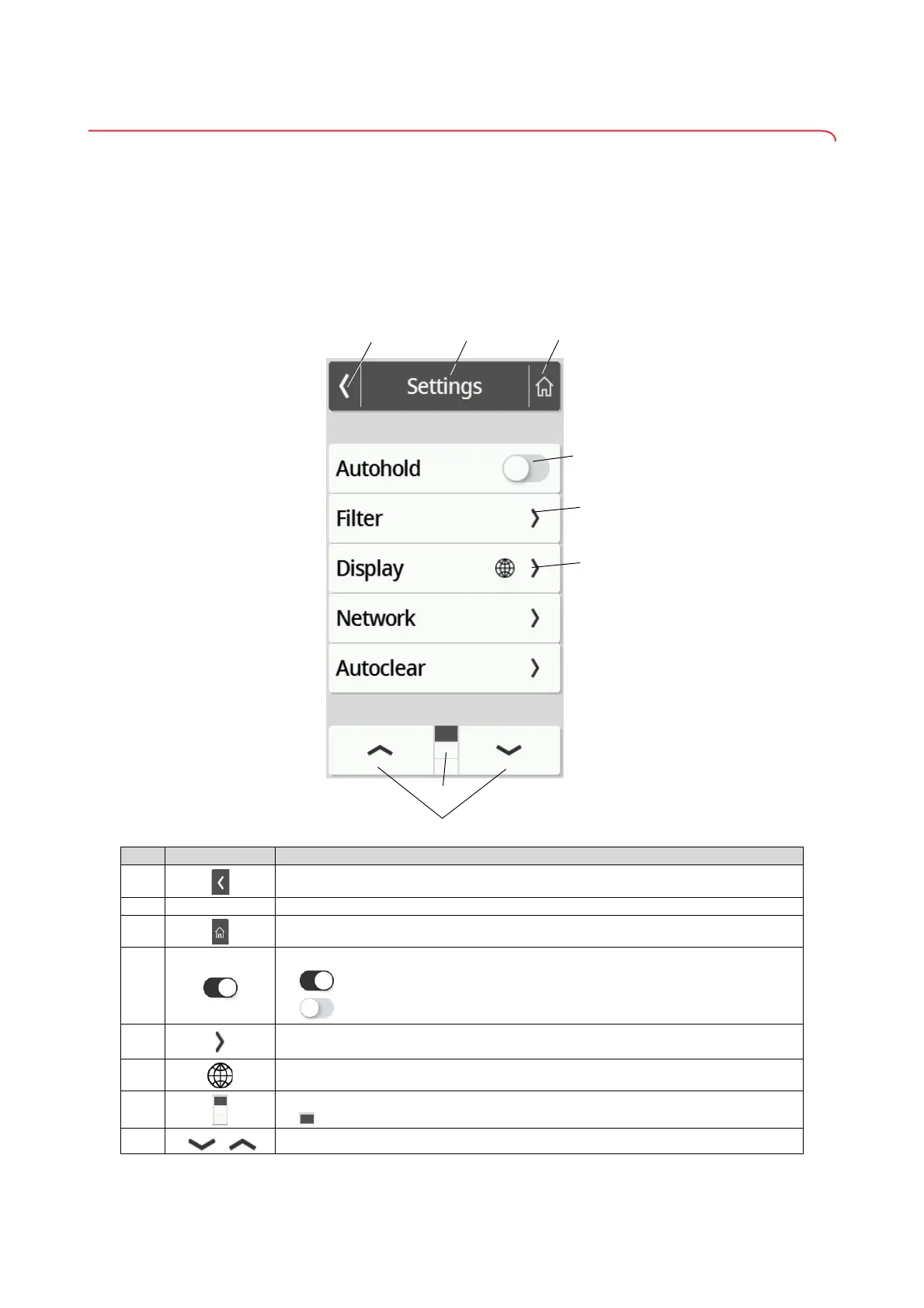
4.3 Symbols on the multifunctional display (menu)
This section contains information about the display content for configuration
and administration. Information about the display content for measuring
mode is available here: ➔ Symbols on the multifunctional display (menu),
page 71.
The configuration options in the menu are dependent on the device mode
selected:
➔ Changing the device mode, page 88
➔ Functions/device mode, page 109
Symbol Description
A
Back to the higher menu level
B
Header Indicates the current menu level
C
Back to the main screen
D
• Press: Activate/deactivate function
• Function activated
• Function deactivated
E
• Submenu available
• Setting options available
F
Keys with this symbol lead to the Display\Language menu item
G
• Pages per menu level; here: 3
• Current page is displayed; here: Page 1
H
• Select page in the menu



 To Next Page