70 • seca 651/650
17-10-07-653-100_01-2020B
D
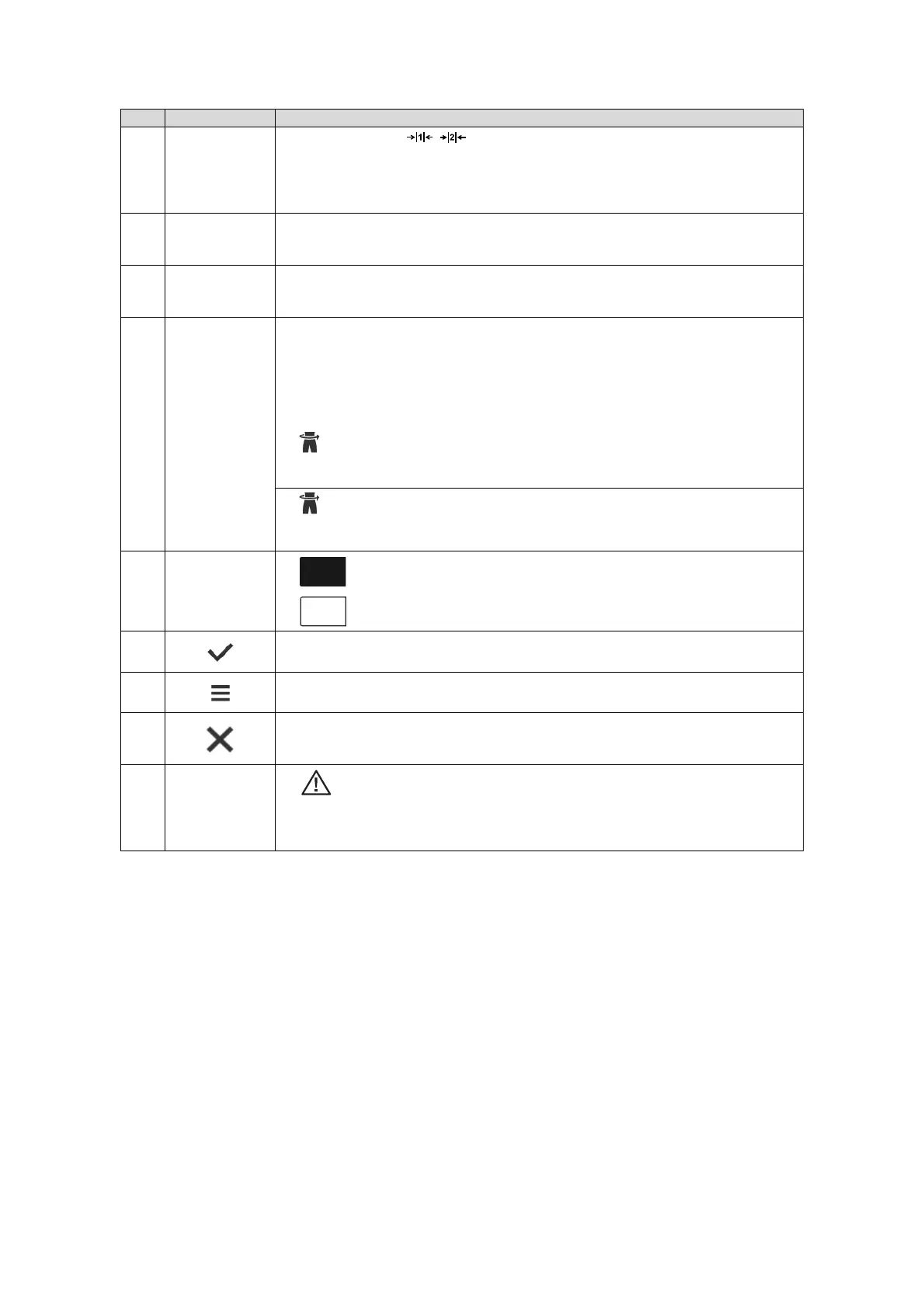
Weighing
technology data
• Weighing ranges: ,
• Max: Maximum load per weighing range
• e: Graduations (calibrated models)
• d: Graduations (non-calibrated models)
• Min: Minimum load per weighing range
E
Display field
Weight
Weight, units:
• Kilograms
• Pounds (non-calibrated models)
F
Display field
Height
Height, for manual input: Press display; units:
•Centimeters
• Feet/inch(es) (non-calibrated models)
G
Display field
“Body-Size-
Indicator”
Available indicators:
• BMI: Body Mass Index (kg/m
2
)
• BSA: Body Surface Area (m
2
)
- BSA (Dubois)
- BSA (Haycock)
- BSA (Mosteller)
•: Waist circumference
• Switch Body-Size-Indicator: Press display field
• BMI/BSA are calculated automatically when the weight and height are available
• : Enter waist circumference
• Function can be activated/deactivated in the menu ➔ Selecting BMI/BSA/Waist
circumf., page 91
H
Additional
functions
• Additional function activated (here: Hold)
• Additional function deactivated
I
• Confirm measuring results and send to EMR System
• Confirm manual inputs
J
• Press briefly: Open menu ➔ Configuration, page 88
• Press and hold (approx. 5 seconds): ➔ Changing the device mode, page 88
K
• Clear measuring results
• Clear manual inputs
• Cancel automated procedures
L
Extended
weighing
functions
• : Non-verifiable function active
• Hold
: Hold function active
• NET
: Tara or Pre-tare function active
• PT
: Pre-tare function active
Item Display element Description



 To Next Page