Overview • 69
17-10-07-653-100_01-2020B
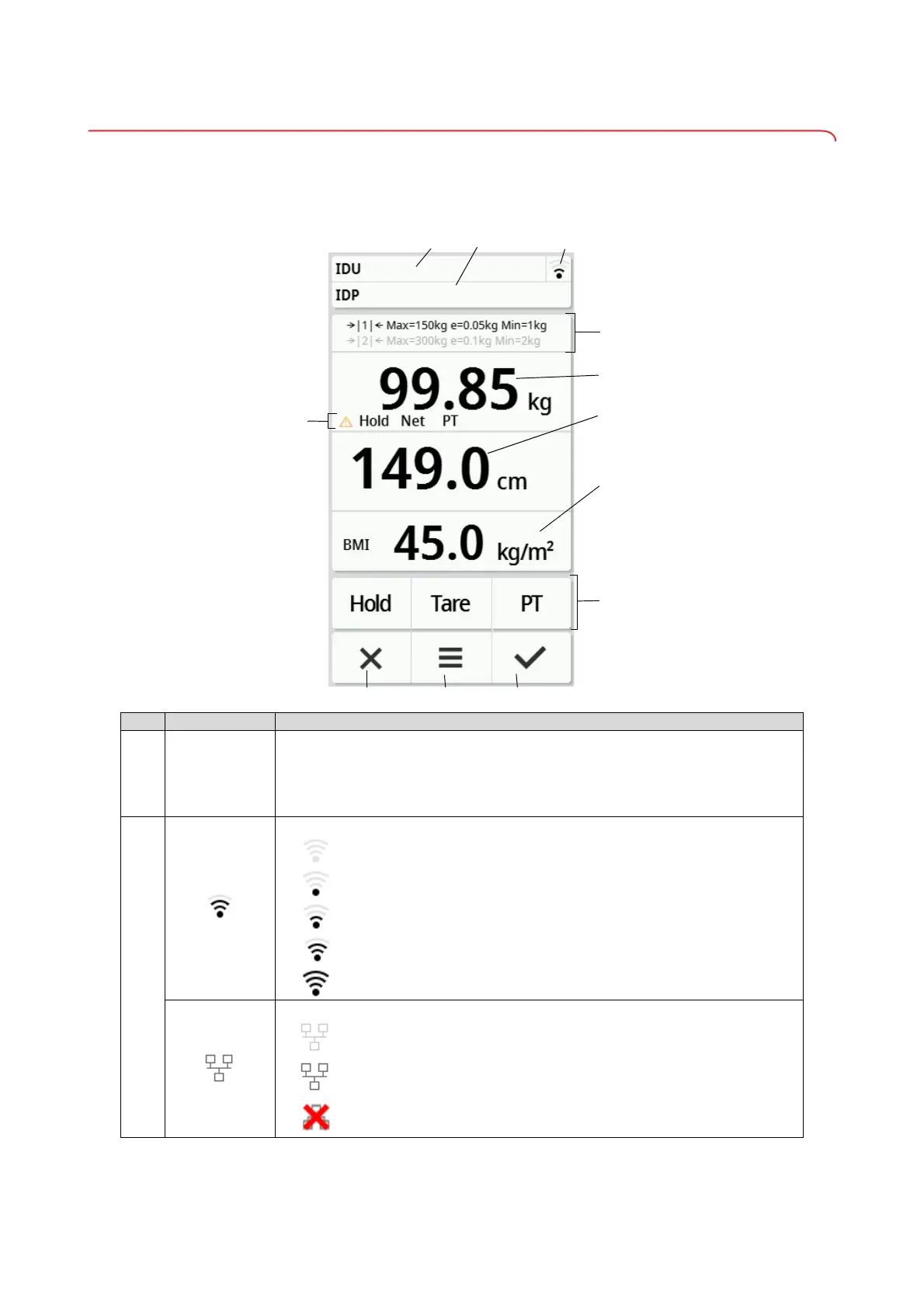
4.2 Symbols on the multifunctional display (main screen)
This section contains information about the display content in measuring
mode. Information about the display content for configuration and administra-
tion is available here: ➔ Symbols on the multifunctional display (menu),
page 71.
Item Display element Description
A
B
IDU
IDP
Only on connection to an EMR System (via
seca connect 103):
• IDU: User name
• IDP: Name and date of birth of the patient
• Press the area to display the IDs in enlarged form
• Not available on connection to
seca analytics 125
C
WiFi connection status display:
• WiFi activated, no signal
• Signal very weak
• Signal weak
• Signal good
• Signal optimal
LAN connection status display:
• Deactivated
• Activated
• Not available



 To Next Page