68 • seca 651/650
17-10-07-653-100_01-2020B
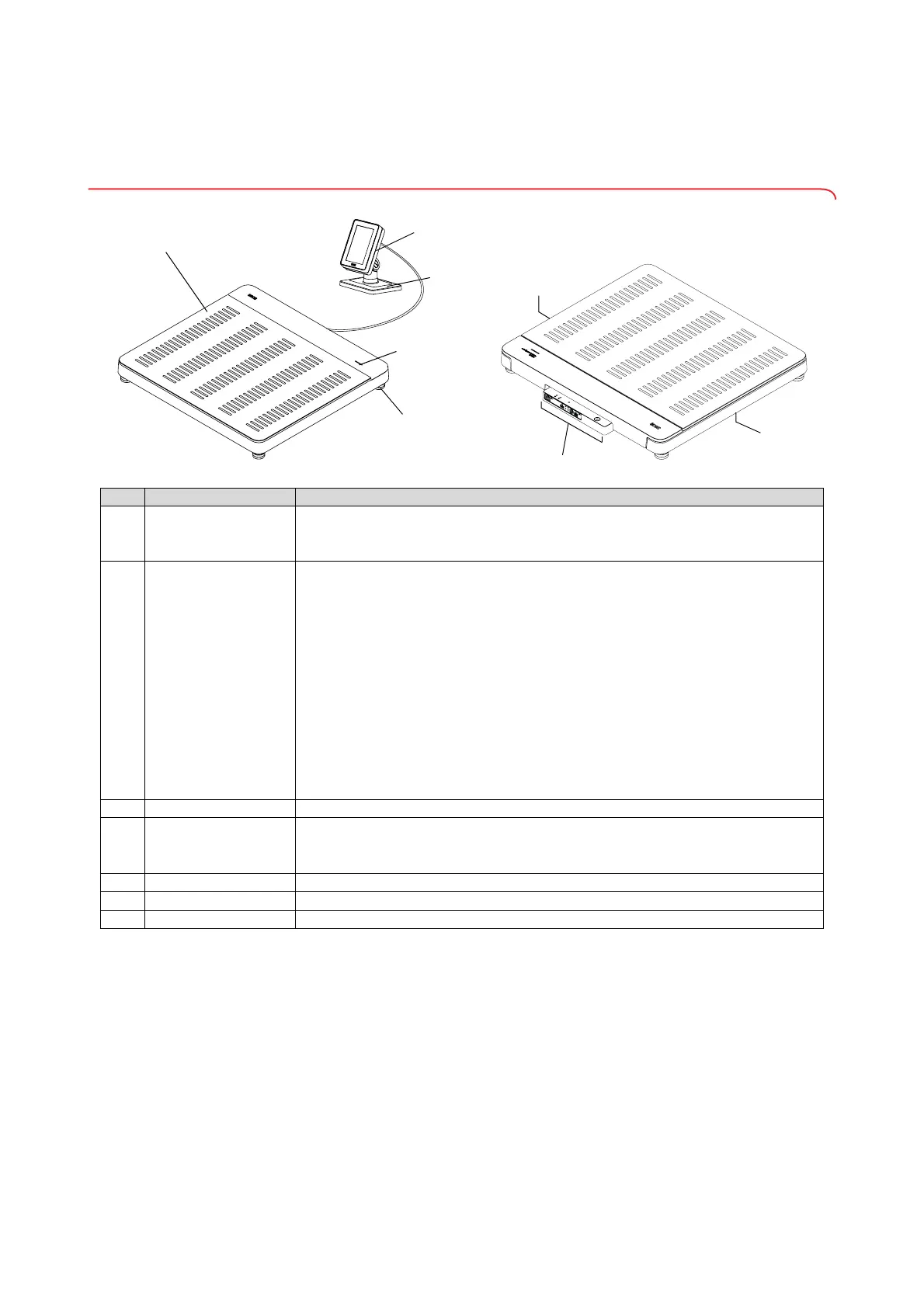
4. OVERVIEW
4.1 Controls
Item Device component Description
1
Weighing platform
• Bears the weight of the patient
•For extensions:
seca 464 adapter set required ➔ Optional accessories and spare
parts, page 111
2
Workflow LED
Indicates the status of data recording and data transmission (requirement:
Connection to the
seca connect 103 software)
• Illuminated in green: Measurement procedure active
• Flashing green (approx. 5 seconds): Measuring results being sent to the EMR
System (depending on setting)
• Illuminated in green (approx. 5 seconds): Measuring results successfully sent to the
EMR System (depending on setting)
• Illuminated in red (approx. 5 seconds): Error during data transmission or
measurement procedure
NOTE
The data recorded and transmitted are specified in the
seca connect 103
software. If you have any queries, contact your administrator or hospital
technician
3
Foot screw 4 pcs, for precise alignment of the device
4
Multifunctional display
Central control and display element
• ➔ Symbols on the multifunctional display (main screen), page 69
• ➔ Symbols on the multifunctional display (menu), page 71
5
Positioner Used to position the multifunctional display on a table or for mounting on a wall
6
Connection panel
Used for power supply and data transmission ➔ Interfaces, page 75
7
Recessed handle Used for transporting over short distances (2 pcs)



 To Next Page