Servicing • 105
17-10-07-653-100_01-2020B
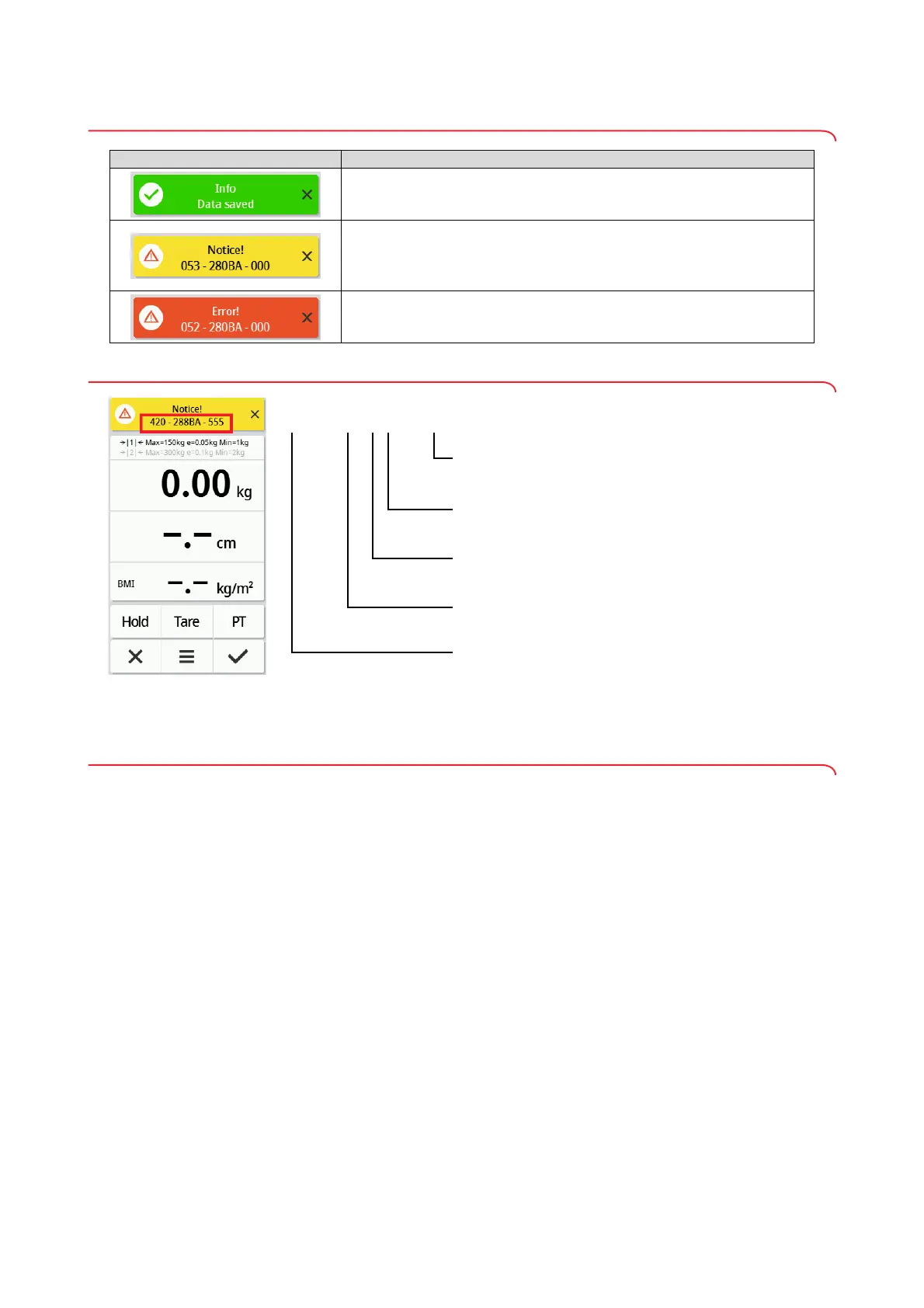
10.4 Display message traffic light system
10.5 Error codes
11.SERVICING
11.1 Calibrated scales (read off calibration counter and GAL value)
We recommend having your device serviced prior to verification.
NOTICE!
Incorrect measurements as a result of poor servicing
► Have servicing and repairs carried out exclusively by seca Service or
by an authorized service partner.
or by
Have an authorized technician perform verification according to national legal
regulations.
Verification is necessary whenever one or more verification seals are dam-
aged or the contents of the verification counter no longer match the number
on the applicable verification counter sticker. If verification seals are dam-
aged, contact seca Service directly.
Verifications may only be performed by authorized agencies. To guarantee
this, the scale is equipped with a verification counter to record any change in
verification-related data. The GAL value used by the device can also be read
off.
If you want to check whether the scale has been properly verified, proceed as
follows:
Symbol Description
Green:
Action successful, e.g. data submitted to EMR System or
seca analytics 125 software
Yellow:
Incorrect operation or malfunction, can be remedied by the user with the aid
of the error tables in these instructions for use ➔ Troubleshooting,
page 102.
Red:
Device error that cannot be remedied by the user. Inform seca Service.
420 - 288BA - 555
Firmware version of the assembly concerned; here:
Index “A”
Model number; here:
seca mBCA 555/554 scale
Hardware version of the assembly concerned; here:
Index “B”
Error number; here: 420 = no connection to the server
Assembly concerned; here: 288 = interface module



 To Next Page