Model 797 17
GB
Power supply
The scale is powered exclusively by batteries. The scale works independently of the
mains, which is very handy for mobile use.
The LC display has a low power consumption – 80.000 weighing operations can be per-
formed with one set of batteries. When the battery voltage is no longer adequate,
bAtt
appears in the display.
– Carefully turn over the scale so that the
base of the scale is accessible.
– Push the battery compartment closure
towards “Battery” and open the cover.
– Connect the cable to the holder and
batteries.
– Place the holder in the battery com-
partment.
– Close the cover and then turn the scale
back up the right way.
Fitting the column
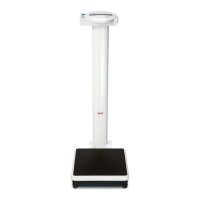
The column and display head are fitted to the weighing platform.
– Guide the connecting cable through
the opening.
– Place the column in the recess. The
display should be legible for people
standing on the scale.
– Screw the column to the weighing plat-
form from underneath.
If necessary, lay the scale carefully on
its side to tighten up the screws.
– Connect the plug of the connecting
cable to the rear of the scale.
– Then place the scale upright again.


 To Next Page











