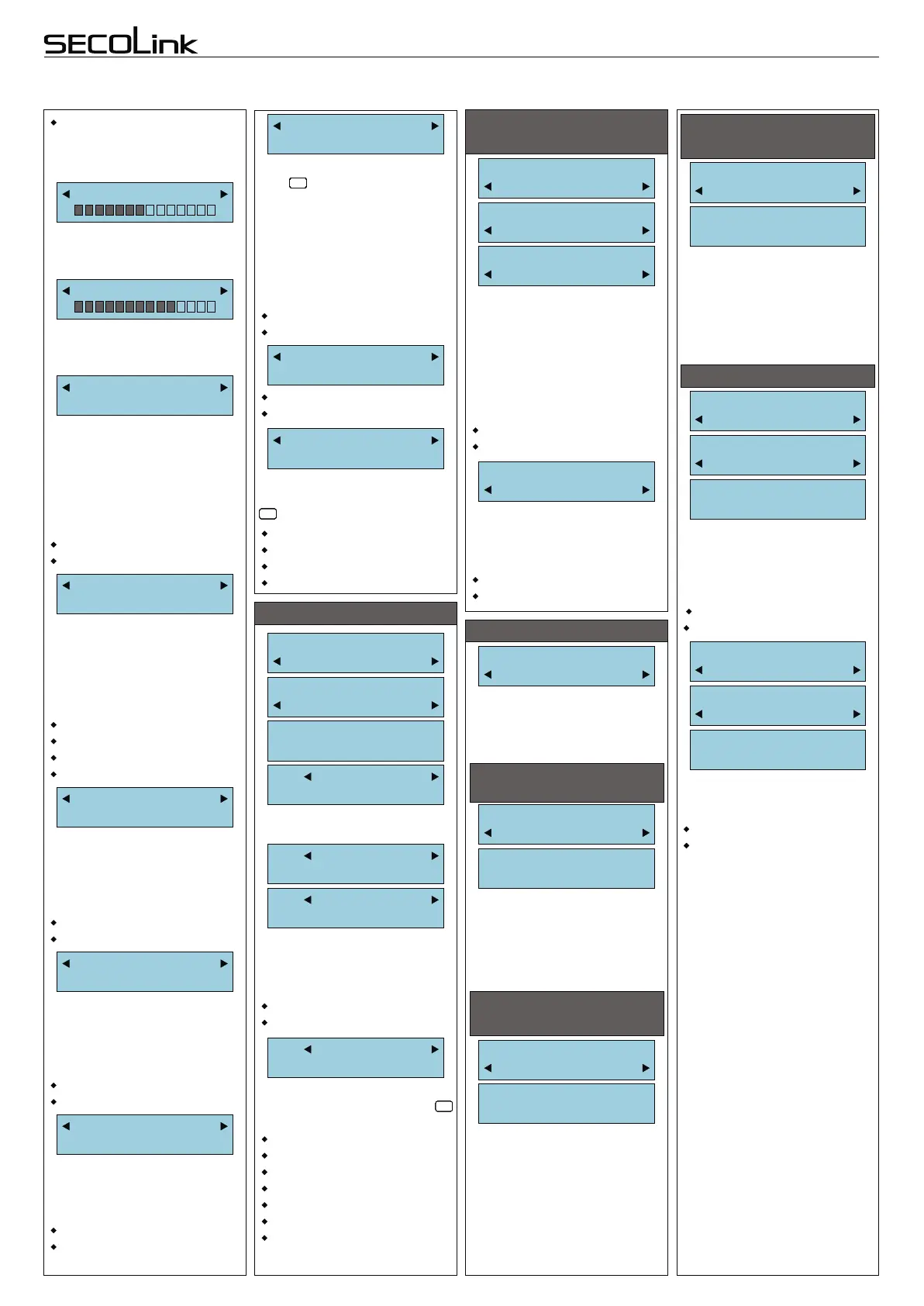
Loud
Silent
An interface type mainly is
associated with view of the
main screen.
More details about each
interface type can be found in
the short user manuals.
Interface Type
Simple
The sound level of the
keypad buzzer can be
modified to suit user need. It
changes the chime and
keypad key press sound level.
The level of Entry/Exit delay,
alarm sound remain the same.
Sound
Loud
The illumination level of the
LCD can be modified to suit
user needs.
The contrast level of the LCD
can be modified to suit user
needs.
LCD Backlight
Contrast
Short programming manual - basic information
Intruder alarm system
System with KM20B, KM20BT keypads
Date format
DD/MM/YYYY
DD/MM/YYYY
YYYY-MM-DD
PIN length
Fixed 4 digits
Fixed 4 digits
Fixed 5 digits
Fixed 7 digits
Variable
Options:
Timers
Main Menu:
Options
T01 Name
Timer 01
TIMERS (optional step)
Timers:
PIN:****
It is recommended to give a
reasonable name to timer.
T01 Name
Timer 01
T01 TMR On Time
00:00 Disabled
T01 Name
Timer 01
T01 TMR OffTime
00:00 Disabled
T01 Name
Timer 01
T01 Schedule
-------
Scroll to the day of the week
you want to assign. Press
key to assign day to timer.
Monday
Tuesday
Wednesday
Thursday
Friday
Saturday
Sunday
#
!
#
!
#
!
#
!
#
!
#
!
To program the timer On/Off
time use the 24-hour clock.
Timer will be in use when it will
be enabled.
Enabled
Disabled
SECURITY SETTINGS
(optional step)
This setting allows to enable
or to disable access to special
user menu, where installer
with his PIN can reset 1st user
PINs to default. If this option is
enabled 1st user has right to
reset all enabled user PINs to
default too.
SYSTEM PROGRAMMING BY KEYPAD (continued)
Hide troubles
No
When trouble is active and
key is pressed twice the
“Trouble” LED starts to blink
fast (hiding the trouble).
If parameter is set to “Yes”,
then the troubles will be
hidden until the trouble
disappears, otherwise trouble
will be hidden for 30 seconds
CLRCLRCLRCLRCLRCLRCLRCLRCLRCLRCLRCLRCLRCLRCLRCLRCLR
Yes
No
When PIN length is fixed,
then isn’t necessary to press
after entering the PIN.
ENTENTENTENTENTENTENTENTENT
Service Mode:
System Setup
Service Mode:
SecuritySettin
PIN Resetting
Disabled
Enabled
Disabled
Duress
Disabled
This setting allows to enable
or to disable duress code
(Duress code = X1, X2, X3, X4
when X4 = X4 + 1).
Enabled
Disabled
RESTORE PROJECT
Project Loading:
Open USB Port
Service Mode:
Project Loadin
PROJECT LOADING
PROJECT LOADING
TO/FROM PC
This menu entry is used
fordata transfer inside the
system (from CP to KM20 and
vice versa) or from/to PC.
Project Loading:
From CP to KM2
From CP to KM20
Processing...
Status “Processing...” means
that system is busy. Wait until
the system will finish this
procedure.
Note: Control panel PAS-
808 does not send names of
partitions, zones, PGM
outputs, users and timers.
PROJECT LOADING
FROM CP TO KM20
Open USB Port:
Ready...
Status “Ready...” means
that system is ready for data
upload or download.
Status “Processing...” means
that system is busy. Wait until
“Ready...” shows up.
Project Loading:
From KM20 to C
From KM20 to CP
Processing...
Status “Processing...” means
that system is busy. Wait until
the system will finish this
procedure.
It is recommended to make
this procedure each time after
modules registration.
PROJECT LOADING
FROM KM20 TO CP
Project Loading:
Restore Project:
Restore Projec
Main settings
Restore Project?
ENT=Yes, CLR=No
This menu entry allows to
restore the part of system
settings to default. All names,
reporting settings, user
settings remains not changed.
Yes
No
Page 9
Yes = show the prompt.
No = do not show prompt.
This parameter enables
showing the trouble memory
with slowly flashing “Trouble”
LED.
Yes = show trouble memory.
No = do not show trouble
memory.
Prompt ChgTime
Yes Asian
Use trbl. memo
No
This parameter enables
hiding the prompt “Date and
Time To correct press [ENT]”
after systems power up (for
Asian interface only).
Yes
No
Simple - for 1 partition only
Asian
Baltic
Advanced
This parameter enables
hiding date and time on the
main screen, instead of it the
brand name of product is
displayed.
Show Date&Time
No Asian
LCD and keypad key
backlight goes Off if no keys
are pressed in 15 seconds.
Auto
Project Loading:
Restore Project:
Restore Projec
Full project
Restore Project?
ENT=Yes, CLR=No
This menu entry allows to
restore all system settings to
default.
Yes
No



 To Previous Page