EasyManua.ls Logo

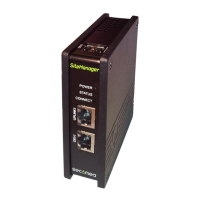
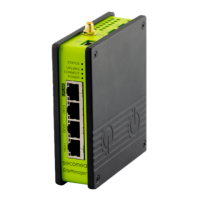
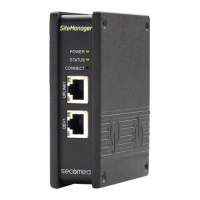
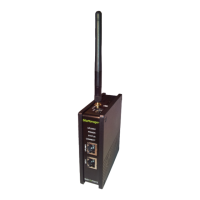
Secomea SiteManager 3429 - User Manual

Default Icon
12 pages
Print Icon
To Next Page IconTo Next Page
Loading...
Page 1 of 12
This document describes how to operate the I/O ports of the SiteManager.
This document is supplementary to the “SiteManager Initial Contactleaflets
and the SiteManager product data sheets. These publications can be found
on the Secomea web site.
Version 2.0, April 2013
SiteManager™ xx29/xx39
Working with I/O Ports

Other manuals for Secomea SiteManager 3429

Question and Answer IconNeed help?

Do you have a question about the Secomea SiteManager 3429 and is the answer not in the manual?

Summary

Introduction and Power Considerations

SiteManager Power and Grounding

Explains power application between GND and +V, and GND/Shield potentials.

Digital Input Ports

Digital Input Port Electrical Specifications

Describes input port voltage levels, states, and pull-up resistor.

Input Port Default Functionality

Details default assignment of Input port 1 to toggle GateManager Access.

Low-Side Switching Input Example

Illustrates connecting a switch between Input 1 and GND for remote access control.

High-Side Switching Input Example

Shows circuitry for a 24V relay connected to Input 1 for high-side switching.

Changing Input 1 Default Functionality

Explains how to change the default action of Input 1 in the GateManager menu.

Configuring Input Port Email Alerts

Guides on setting up email alerts triggered by input ports via GateManager.

Configuring Input Port SMS Alerts

Details configuring local SMS alerts triggered by input ports on SiteManagers with 3G.

Digital Output Ports

Digital Output Port Electrical Specifications

Explains SiteManager output ports as "open drain" and voltage/current limits.

Output Port Default Functionality

Describes default actions for Output port 1 and Output port 2.

Low-Side Switching Output Example

Shows connecting SiteManager output ports to low-side switching inputs without external components.

High-Side Switching Output Example

Illustrates using a 5V or 24V relay for high-side switching with SiteManager outputs.

Changing Output 2 Default Functionality

Explains how to configure Output 2 to signal GateManager connection status.

Secomea SiteManager 3429 Specifications

General IconGeneral
BrandSecomea
ModelSiteManager 3429
CategoryGateway
LanguageEnglish

Related product manuals