Need help?
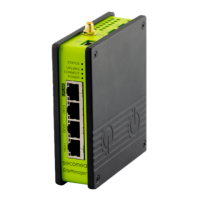
Do you have a question about the Secomea TrustGate 300 Series and is the answer not in the manual?
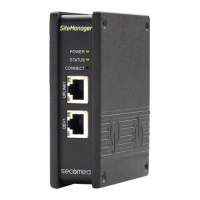
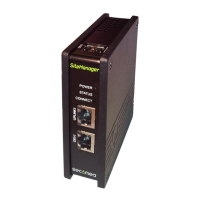
This document outlines the procedure for resetting a Secomea appliance, such as a TrustGate or a SiteManager, to its factory default settings. The primary function of this guide is to provide users with the necessary steps to clear all existing configurations and revert the device to its original state, which is particularly useful for troubleshooting, re-purposing, or preparing a device for a new deployment.
The core usage feature described is the ability to perform a factory reset via a serial interface. This method is crucial when the appliance's password is unknown or when access to the WEB GUI Maintenance menu is not possible. The process involves connecting a computer to the appliance using a standard null-modem cable, then interacting with the device through a terminal application like HyperTerminal. The guide provides detailed pin layouts for the DB9 Female to Female null-modem cable, ensuring users can establish the correct physical connection.
To initiate the reset, users must power off both their PC and the appliance, connect them with the serial cable, and then power them back on. Once the terminal application is running, users need to set specific communication parameters, which vary depending on the appliance model. The document categorizes these parameters by device type, specifying baud rates, data bits, stop bits, and parity settings for different TrustGate and SiteManager models. For instance, SIG5, SIG5e, TrustGate 5/160/260, and various SiteManager models (1029/1039/2029/2129/3034/3129/3134/3229/3239) utilize a serial connection with 19200 baud, 8 bits, 1 stop bit, and no parity. TrustGate60/61 models require 38400 baud, 8 bits, 1 stop bit, and no parity. Newer models like TrustGate232R/363R/460R use 115200 baud, 8 bits, 1 stop bit, and no parity, with specific instructions to use the "Serial" port for 300 series and the "Console" port for 400 series.
A key usage feature is the command-line interaction within the terminal. After establishing the connection and ensuring a prompt (>) appears, users are instructed to type "reset" followed by Enter, then "Yes" to confirm, and finally "reboot" followed by Enter to complete the process. This sequence ensures that the configuration is wiped and the device restarts with its default settings. The default username and password for a newly reset appliance are "admin" for both, although a note advises that if the Appliance Launcher was used previously, the password might have been set to the device's MAC address.
The guide also highlights a specific usage feature for "All other SiteManagers" where a serial agent might be configured, causing console messages to be "muted" (ConMute). In such cases, users are instructed to press the Ctrl key while rapidly typing "kkk" to activate the console menu. This demonstrates an advanced troubleshooting feature for specific scenarios.
Maintenance features primarily revolve around the ability to restore the device to a known good state. By performing a factory reset, users can effectively resolve configuration issues, remove unwanted settings, or prepare the device for a fresh setup. This is a fundamental maintenance operation that ensures the longevity and adaptability of the appliance. The guide implicitly suggests that regular backups of configurations are advisable if users wish to restore specific settings after a reset, as the reset process clears all existing data.
The document concludes with important notices regarding publication and copyright, emission and agency compliance (EMI/EMC, CE Marking, FCC Part 15 Class A), trademarks, and a disclaimer. These sections provide crucial context for the device's regulatory compliance and intellectual property, reinforcing the professional nature of the product and its documentation. The disclaimer also clarifies the limitations of liability and warranty, which are standard for technical documentation. Overall, the guide serves as a practical, step-by-step manual for a critical maintenance operation, ensuring users can effectively manage and restore their Secomea appliances.
 General
| Model | TrustGate 300 Series |
|---|---|
| Connectivity | Ethernet, Cellular (optional) |
| Category | Gateway |
| LAN Interfaces | 4 x Gigabit Ethernet |
| Security | Firewall |
| Remote Access | Yes |
| Supported Protocols | IPsec |
| Power Supply | 12-48 VDC |
| Mounting | DIN rail |
| Certifications | CE, UL |

 To Next Page