Warning software hyperterminal is
not the part of the package! It is also
not a part of a regular operating
system and must be additionally
installed. The recommended
software are PuTTY, ZOC terminal
etc.
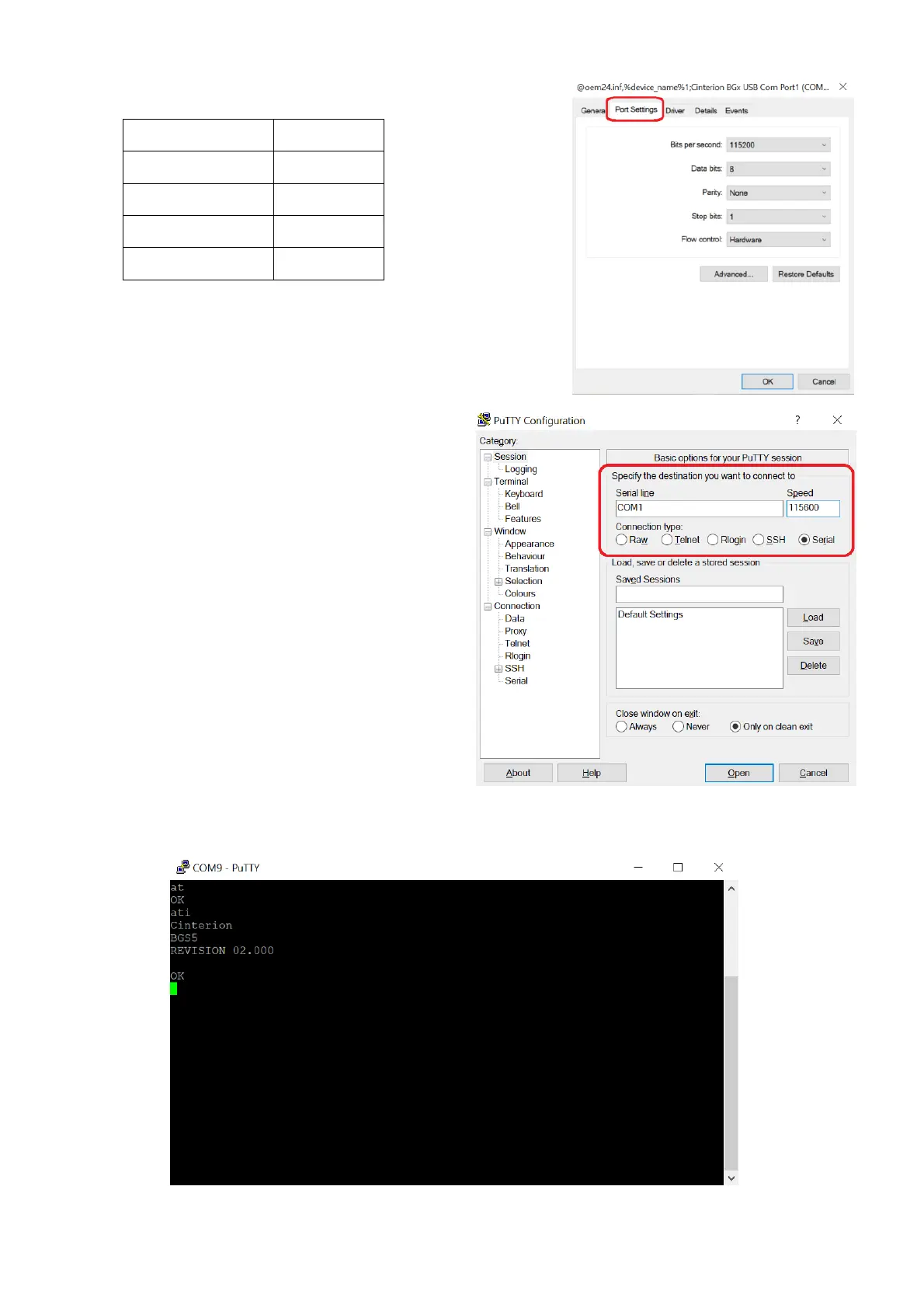
5) If you selected PuTTY, the session
options must be same as the ones in
the device.
The important part is COM port,
which serves for communication
with the terminal.
6) After clicking the Open button, you
reach the console window. You can
now test the correct connection
using AT commands AT and ATI. The
device responds with OK and its
Firmware version.



 To Next Page