Using the terminal as modem
A quick guide for how to use the data connection of the terminal to connect to the internet. For this type of
connection, a data-enabled SIM card. Please contact your operator for more information if necessary.
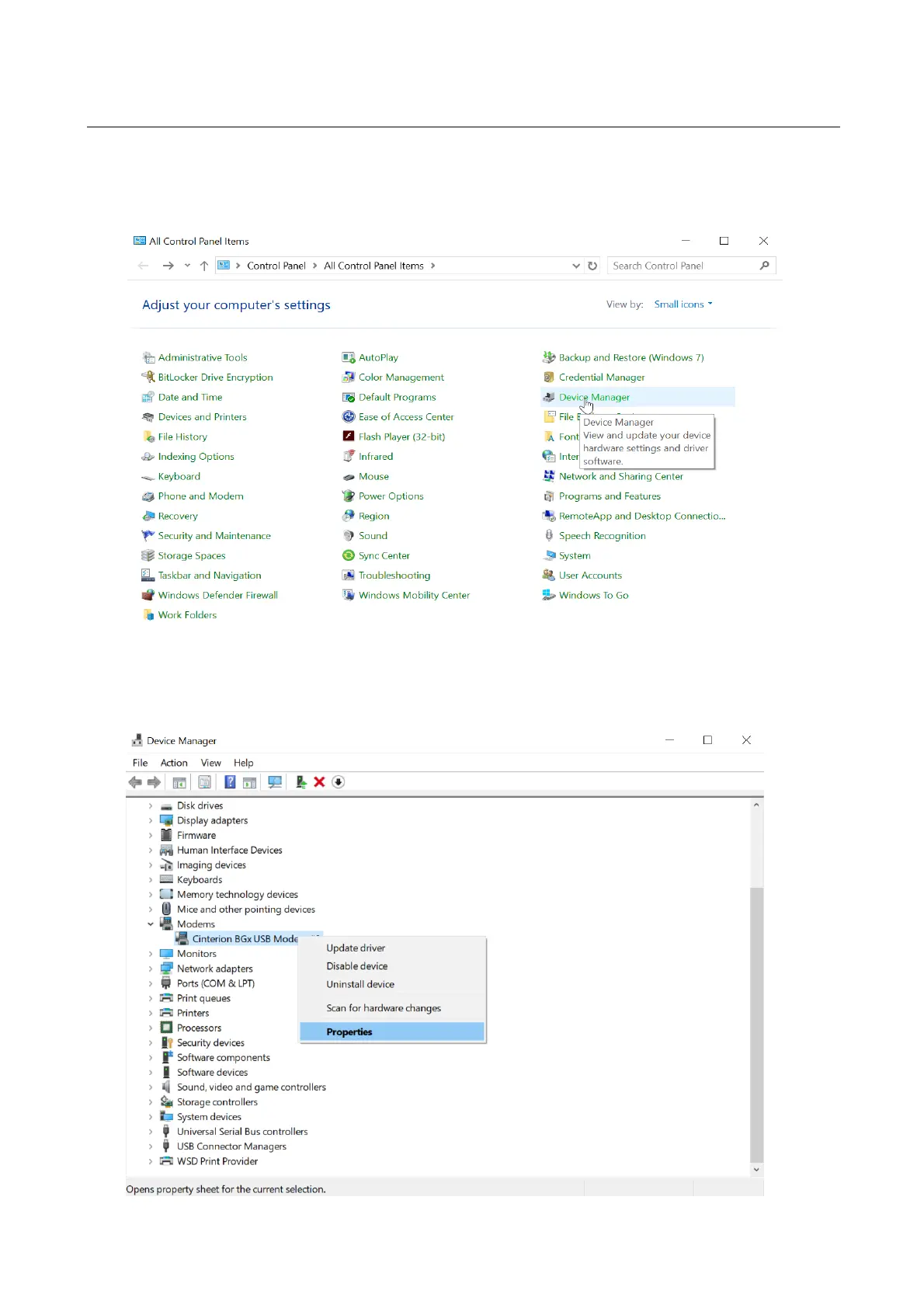
1) Now go to start -> control panels -> device manager.
2) In the Modems tab, select the corresponding modem -> right click -> properties



 To Next Page