Terminal connection to PC and its operation
This manual is universal for all mentioned terminals and modems. The manual is written with regard to users
with basic knowledge of the issue.
1) Unpack the device and connect the antenna (s) properly.
2) Insert an activated SIM card that has the PIN code and voicemail deactivated.
3) Connect the power supply.
4) Connect the RS-232 or USB data cable.
5) Follow the connection instructions.
CONNECTION TO PC VIA RS-232
1) Připojte sériový kabel k terminalu a k PC
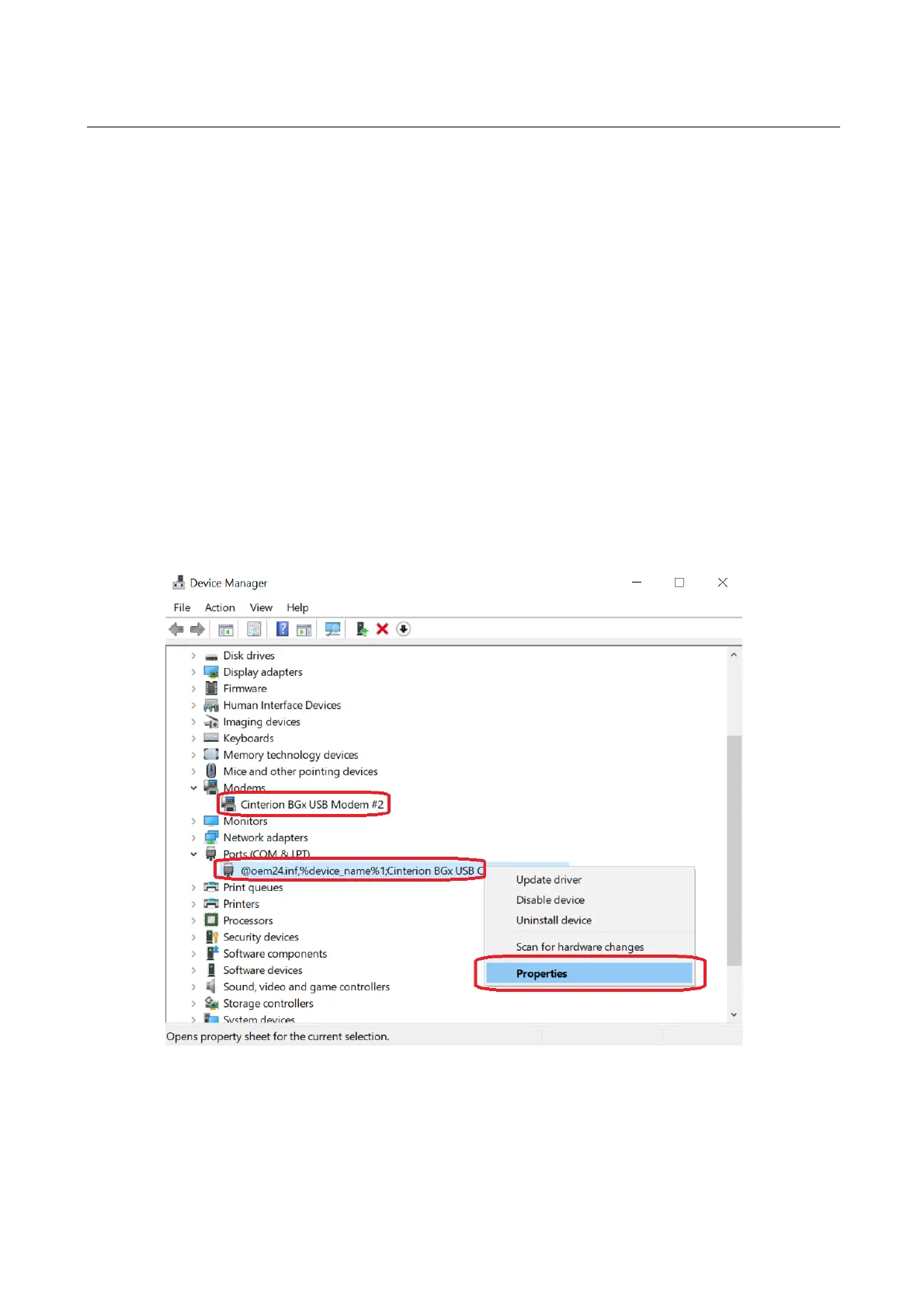
2) V operačním systému Windows zvolte:
Start -> Ovládací panely -> Systém -> Správce zařízení.
3) V záložce Porty (COM a LPT)
Zvolíme komunikační port, do kterého je terminal připojen. Klikneme pravým tlačítkem myši ->
Vlastnosti -> záložka nastavení portu



 To Next Page