CONNECTING TO PC VIA RS-232 USING A USB ADAPTOR
1) Connect serial cable with adaptor for USB to terminal and to PC.
2) Install the adaptor’s driver
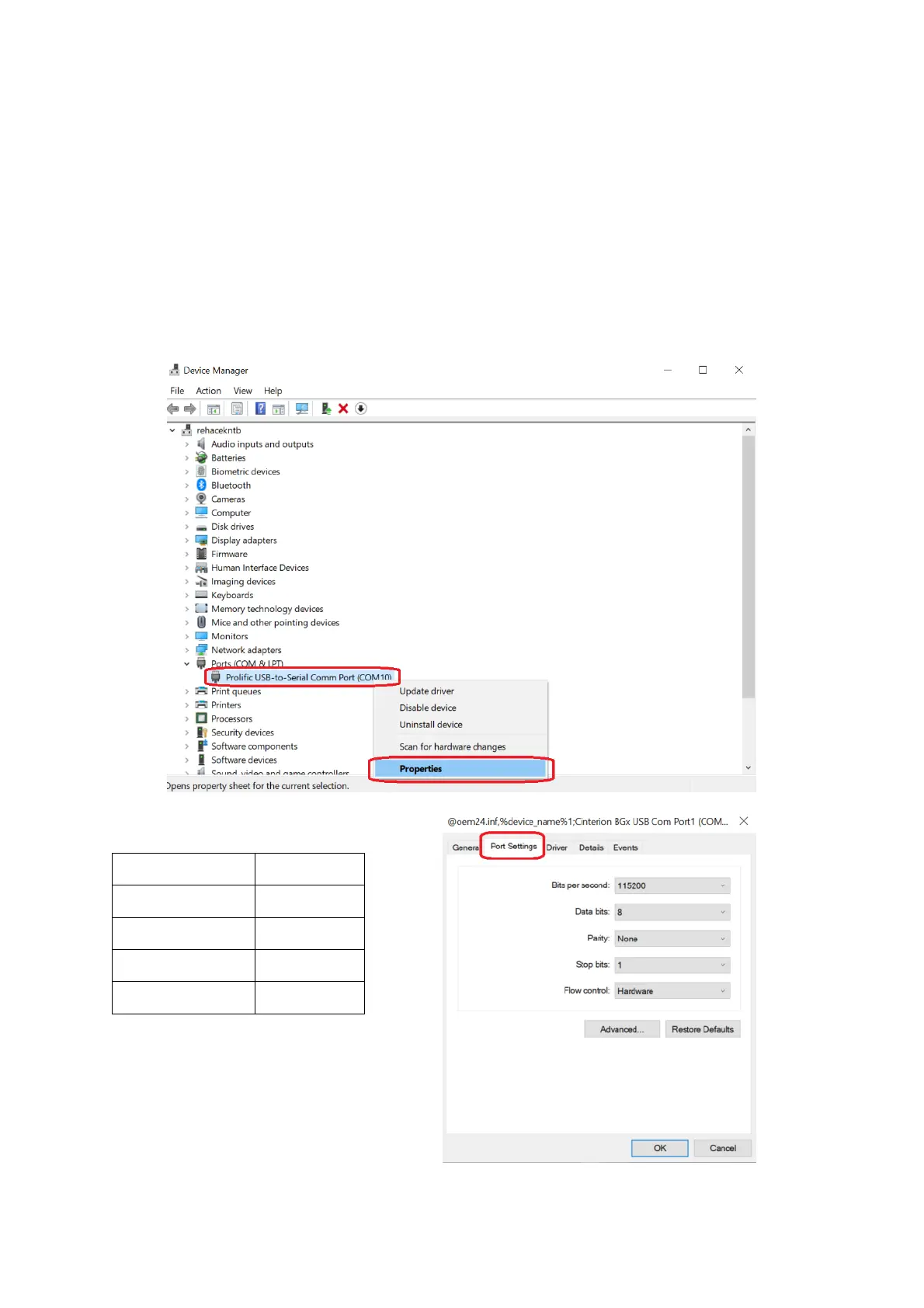
3) In Windows OS, go to:
Start -> Control panels -> System -> Device manager.
4) In “Ports (COM & LPT)” tab
Select the COM port to corresponding to your terminal. Right click the COM port -> Properties -> Port
Settings tab
5) Setup the following:



 To Next Page