SECTION 9 PROGRAMMING INSTRUCTIONS
Doc No.: A05160691 REV Q ECO 12425 Date: 03/27/17 28
Latching Fire Alarm
This feature when enabled will keep the door unlocked after the fire alarm is cleared you will need to enter the
reset code at the panel for the locks to lock again.
Factory Default Disabled
To Enable the Latching Fire Alarm
1. Enter *567( or currently programmed secondary code ) *9876543214
2. Two confirmation beeps = change accepted
To Disable the Latching Fire Alarm
1. Enter *567( or currently programmed secondary code ) *9876543214
2. One confirmation beep = change accepted
Life Safety Lock
You can lock all Life Safety 101 features. This will lock the delayed egress and fire alarm settings. This feature is NON
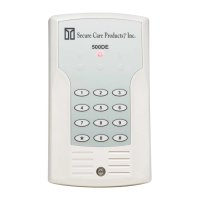
REVERSIBLE and cannot be undone by initializing the SMT Advantage 500DE Exit Panel. Make sure the Life Safety
101 features are correct and meet your local authorities requirements before locking the feature .To undo this feature the
panel will have to be sent back to Secure Care Products to be reprogrammed.
To LOCK Life Safety Features:
Enter *567 (or currently programmed secondary code) then *9876543219#999#
Software Version
Software Version Verification:
To verify the version of the software installed in the panel, enter *567 (secondary code) *9876543215 and count the
number of times the LED’s blink. This will be the Software Version.
Example: 3 blinks… 7 blinks…10 blinks 9 blinks, the software version would be 3.7.0.9


 To Next Page