3 of 6
Model 26-500
QUICK START GUIDE
ADVANTAGE DKE
A1
Additional Programming
6
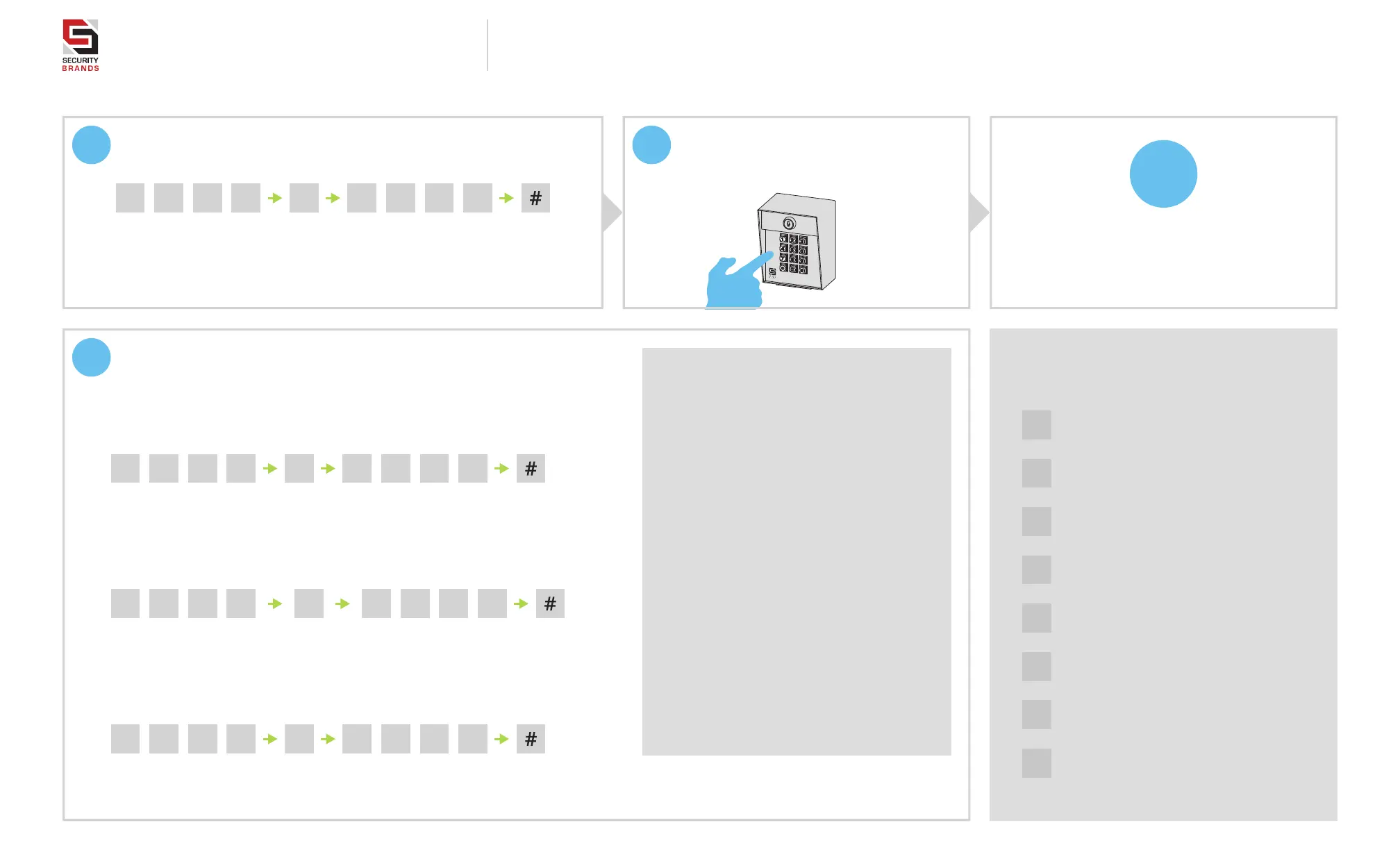
Add Access Code(s) to Relay A.
(To add multiple codes, enter each of them before pressing pound key)
7
Make sure gate path is clear; then
enter access code on keypad and
confirm gate opens.
11 12 5 _ _ _ _
Access Code(s)
(4 digits; numbers only)
Master Code
(1251 is default)
Sub Mode
Sub Mode
Sub Mode
Sub Mode
21 12 5 _ _ _ _
Code(s) to Be Deleted
(4 digits; numbers only)
Master Code
(1251 is default)
51 12 5 _ _ _ _
Latch Code
(4 digits; numbers only)
Master Code
(1251 is default)
Set Latch Code
Your system is ready to use.
INSTALLATION COMPLETE!
N
1
Programming Sub Modes
Add Access Code(s) to Relay A
7
Add Access Code(s) to Relay B
9
Configure Event Input
0
Delete All Codes
2
Delete Code(s)
3
Change Master Code
5
Set Latch Code (Relay A ONLY)
6
Set Relay Output Time
NOTE: The Master Code is for programming only and will not trigger the relay. The green
arrow indicates a “good” tone on the keypad. An incorrect entry will sound a “bad” tone.
Delete Code(s)
(To delete multiple codes, enter each of them before pressing pound key)
31 12 5 _ _ _ _
New Master Code
(4 digits; numbers only)
Current Master Code
(1251 is default)
Change Master Code
Things to Know
The Star Key (*)
The star key deletes your current entry.
If you happen to make a mistake keying in a
code, simply press the star key to delete the
entire entry and start over.
The Pound Key (#)
The pound key is good for one thing and
one thing only: exiting Programming Mode.
Whenever you’re in Programming Mode,
simply press the pound key to get out.
Reset Procedures
If for some reason the Master Code is
forgotten or the unit needs to be reset to
factory defaults, two reset procedures are
available: Master Reset and Unit Reset.
These procedures can be found on Page 5
of this guide.
NOTE: Green arrow indicates “good” tone on keypad.
Always wait for good tone before moving on.


 To Next Page