5 of 6
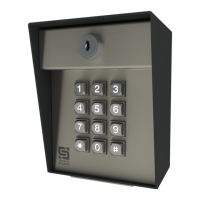
Model 26-500
QUICK START GUIDE
ADVANTAGE DKE
B
Reset Procedures
Master Reset
(Used if the Master Code is unknown, if the Latch Code is unknown and the unit is in Latch
Mode, or if the Sleep Code is unknown and the unit is in Sleep Mode. All other codes will be
retained after completing this procedure.)
Step 1 - Open front panel on unit.
Step 2 - Disconnect power.
Remove one power wire from screw terminal on circuit board by unscrewing and removing.
Step 3 - Press and hold Reset Button; reconnect power; then release Reset Button.
Insert removed power wire back into screw terminal and screw down to secure. Unit will
sound one (1) tone. Release Reset Button after you hear tone.
Step 4 - Press Star key (*) on keypad three (3) times.
Step 5 - Close front panel on unit.
The Master Code is now reset to default (1251).
NOTE: If an error is made during these procedures, an “error” tone will sound and
you must start again from the beginning.
Unit Reset
(Used to reset unit to factory default settings. All codes are erased in this procedure.)
CAUTION: FOLLOWING THIS PROCEDURE WILL DELETE ALL CODES!
Step 1 - Open front panel on unit.
Step 2 - Disconnect power.
Remove one power wire from screw terminal on circuit board by unscrewing and removing.
Step 3 - Press and hold Reset Button; reconnect power; then release Reset Button.
Insert removed power wire back into screw terminal and screw down to secure. Unit will
sound one (1) tone. Release Reset Button after you hear tone.
Step 4 - Enter Pound (#) Star (*) Pound (#) on keypad. (Unit will sound “good” tone.)
Step 5 - Enter 1251 (Master Code) on keypad. (Unit will flash status LEDs and beep.)
Step 6 - While unit is beeping, disconnect and reconnect power.
Do this the same way as before. Unit will then go through power-up procedure.
Step 7 - Close front panel on unit.
The unit is now reset to factory default settings.
Notes


 To Next Page
