Unassignment
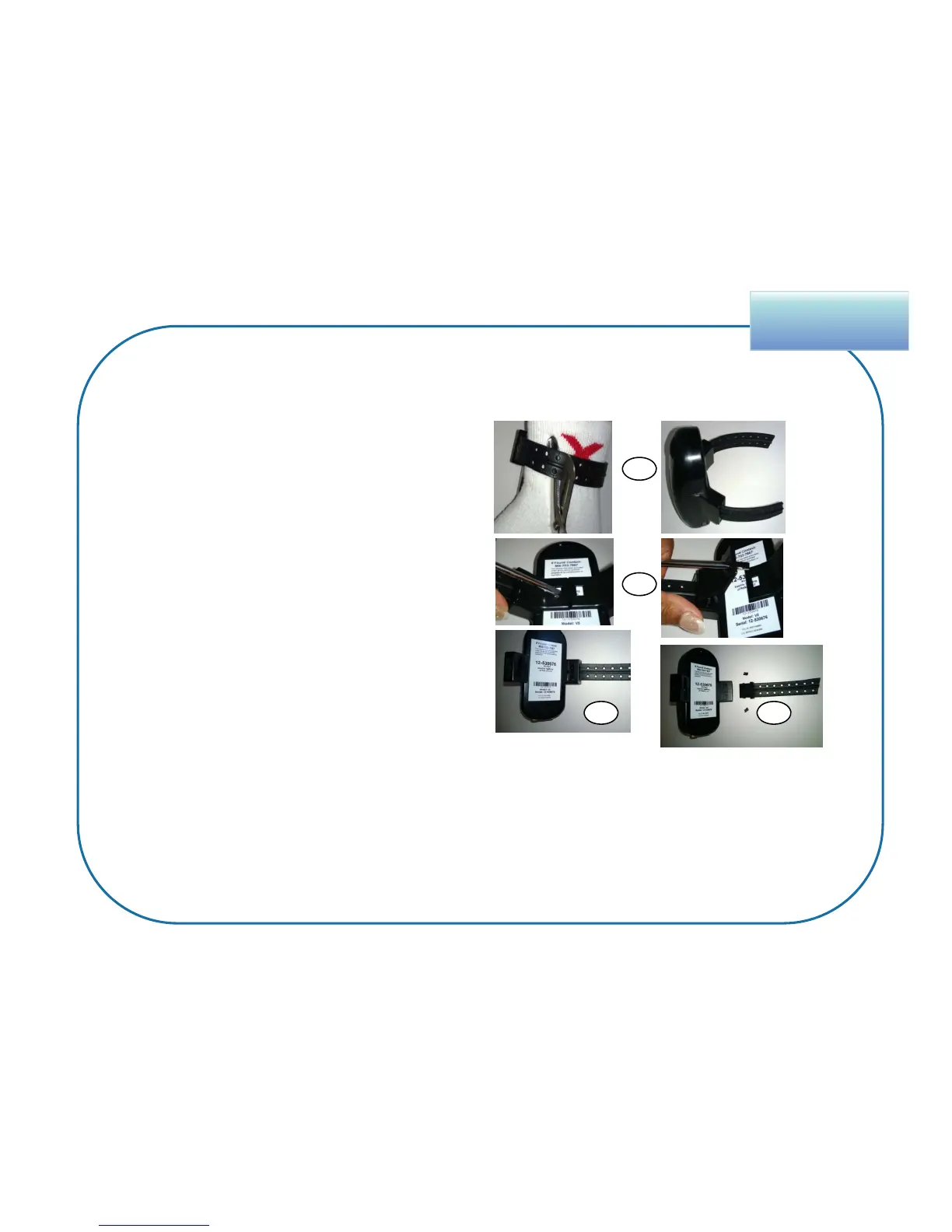
1. Cut the strap in the middle, leaving an
equal amount on both sides.
2. Insert the flathead screwdriver
underneath one
bridge clip and pry it from the wing.
3. Repeat for the other bridge clip.
4. Pull out the strap.
5. Inspect all parts for signs of tampering.
6. Clean the lens and surrounding area of
any dirt build up.
82
Remove BluTag From Enrollee
The following steps are to be completed after unassigning the enrollee in VeriTracks.
1
3 4
• If the enrollee has completed the program, no signs of tampering exist, and the unit is
not needed for evidence, place the device back into inventory.
• If you had to unassign the enrollee and plan to reuse the bracelet, make sure to place
BluTag back on the charger to power it back on.
• If you sense a problem with the device, send it back to STOP.
2


 To Previous Page