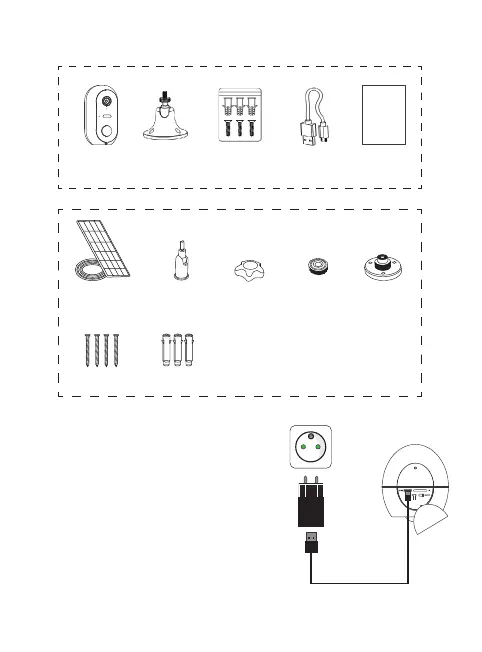
Step 1: Charging the batteries
Please fully charge the camera’s batteries
before installation. Use the supplied Micro
USB cord to connect the camera to a USB
power supply (not supplied). For optimum
charging time (2-3 hours), it is recommended
to use a USB charger of 1A or higher and keep
the camera switched o (power switch OFF).
Once plugged in, the charging indicator will
light up red.
Caméra
sur batteries
Panneau
Solaire
Fixation
orientable
Contre
écrou
Base
fixation
Ecrou de
serrage
Fixation
murale
Vis &
Chevilles
Cordon
Micro USB
Notice
d’installation
Notice
d’installation
rapide
Vis Chevilles
Chargeur USB
non fourni
Solar panel
Camera
Solar panel
not included
Counter nut
Installation
instructions
Camera batteries


 To Next Page