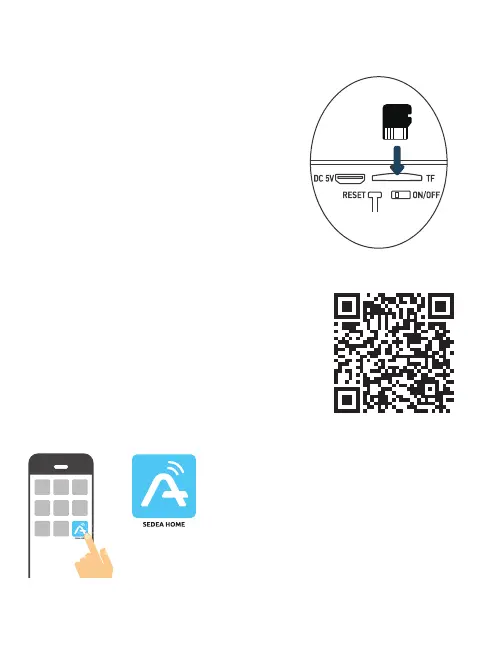
Step 2: Installation of a Micro SD card (optional: card not supplied)
Note: If you do not wish to use a Micro SD card
for recording, you can skip to step 3.
The Micro SD card reader is located on the
bottom of the camera.
Lift the sealing cap and insert the card in the
direction shown in the diagram opposite:
CAUTION: do not force the Micro SD card, it
must be easily inserted. If the card is blocked,
remove it and then reposition it correctly.
Step 3: Download and install the SEDEA Home
applicati
3.1 Download the SEDEA Home application available on Google Play and on the
App store.
If you do not have access to the Playstore, we invite
you to scan the QR Code below in order to download
the installation le of the application on your phone.
3.2 Click to open the SEDEA Home application and
follow the instructions on your screen.
Please note that when you launch it, you may
be asked to allow installation from unknown
sources, if this is the case, please congure
your phone accordingly.


 To Next Page