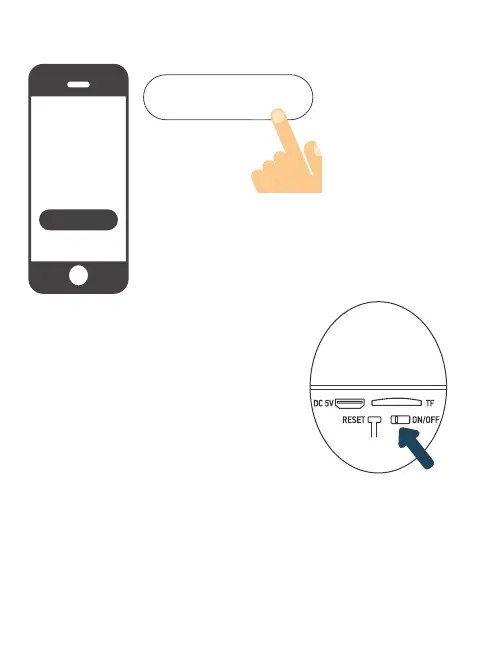
3.4 Create your account rst! You can use your e-mail address or your mobile
number.
To verify your email address or phone number, a code will
be sent to you and you will need to create a password to
nalise your account.
Step 4: Switching on the camera
The ON/OFF button is located on the bottom
of the camera. Lift the sealing cap and turn the
switch to ON (to the left):
A voice conrms that the camera is ready to
be paired: «the camera is now ready to begin
pairing» (the camera is now ready to start
pairing): status lights ash (red: fast ashing /
blue: slow ashing)
Créer un nouveau compte
Créer un nouveau compte


 To Next Page