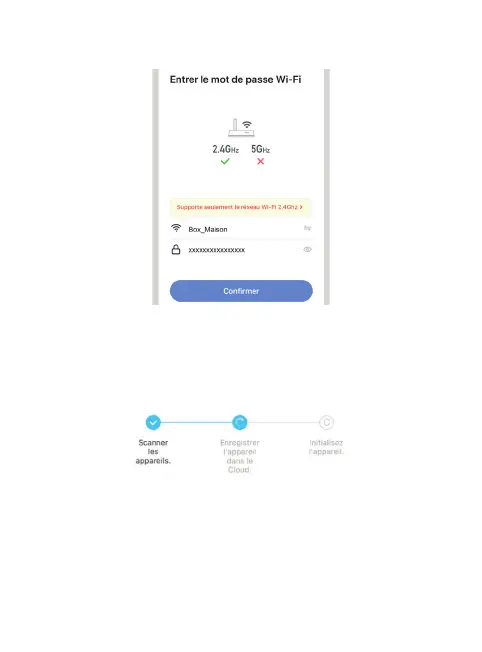
5.2.4 Enter the password of your WiFi network when prompted. (2,4GHz WiFi
network to which your smartphone is connected)
5.2.5 The SEDEA Home application will search for a device on your network.
Once the camera is recognised, it emits a series of beeps. Conrm that you
have heard the beeps on your smartphone. The camera is now connected to the
Wi-Fi network and associated with your SEDEA Home account. Another beep
will sound and the camera will be registered in the SEDEA Home Cloud:
You can then view the images and enjoy all the smart features of this device!


 To Next Page