EasyManua.ls Logo

Seeley MagIQcool - User Manual

Seeley MagIQcool
23 pages
Print Icon
To Next Page IconTo Next Page
Loading...
SERVICE GUIDE
MagIQtouch & MagIQcool Controller compatible
Breezair, Braemar & Coolair models 2015/2016
®
®
Original English Instructions
Question and Answer IconNeed help?

Do you have a question about the Seeley MagIQcool and is the answer not in the manual?

Summary

MagIQtouch;MagIQcool Compatible Coolers

Fault Management System

How faults are displayed, resolved, and components tested via the service menu.

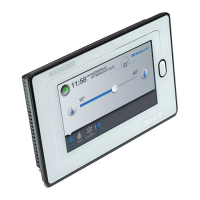
MagIQtouch Controller

Controller Mounting Location

Guidelines for optimal placement of the controller for accurate temperature sensing.

Link Module Connectivity and Setup

Setting Link Module Dipswitches

Table for setting dipswitches based on connected products for correct operation.

Understanding the MagIQtouch System

Component Addressing Requirements

Explains the need for unique addresses for each component and management.

Pre-Power Up Checks

Crucial checks before powering up for correct component addressing.

Installation Wizard and Options

Installation Wizard Phases

Covers System Definition (Phase 1) and Installation guidance (Phase 2).

MagIQtouch Settings Menu

General Settings Configuration

Configuration for time, date, language, access lock, screen brightness, and system info.

Managing Faults and Categories

Fault Classification

Explains four fault categories: Auto Reset, Running, Service, and Service Agent.

Component Management

Adding New System Components

Process for connecting and powering new components, one at a time.

Replacing Faulty Components

Component Replacement Procedure

Steps to replace a faulty component, including ignoring and then replacing.

MagIQcool Controller Parameter Mode

Parameter List and Settings

Details adjustable parameters (A1-AA) and their factory default values.

Managing the MagIQtouch Controller

Summary

MagIQtouch;MagIQcool Compatible Coolers

Fault Management System

How faults are displayed, resolved, and components tested via the service menu.

MagIQtouch Controller

Controller Mounting Location

Guidelines for optimal placement of the controller for accurate temperature sensing.

Link Module Connectivity and Setup

Setting Link Module Dipswitches

Table for setting dipswitches based on connected products for correct operation.

Understanding the MagIQtouch System

Component Addressing Requirements

Explains the need for unique addresses for each component and management.

Pre-Power Up Checks

Crucial checks before powering up for correct component addressing.

Installation Wizard and Options

Installation Wizard Phases

Covers System Definition (Phase 1) and Installation guidance (Phase 2).

MagIQtouch Settings Menu

General Settings Configuration

Configuration for time, date, language, access lock, screen brightness, and system info.

Managing Faults and Categories

Fault Classification

Explains four fault categories: Auto Reset, Running, Service, and Service Agent.

Component Management

Adding New System Components

Process for connecting and powering new components, one at a time.

Replacing Faulty Components

Component Replacement Procedure

Steps to replace a faulty component, including ignoring and then replacing.

MagIQcool Controller Parameter Mode

Parameter List and Settings

Details adjustable parameters (A1-AA) and their factory default values.

Managing the MagIQtouch Controller

Seeley MagIQcool Specifications

General IconGeneral
BrandSeeley
ModelMagIQcool
CategoryNetwork Router
LanguageEnglish

Related product manuals