3
2. WATCH FUNCTIONS
Time Mode
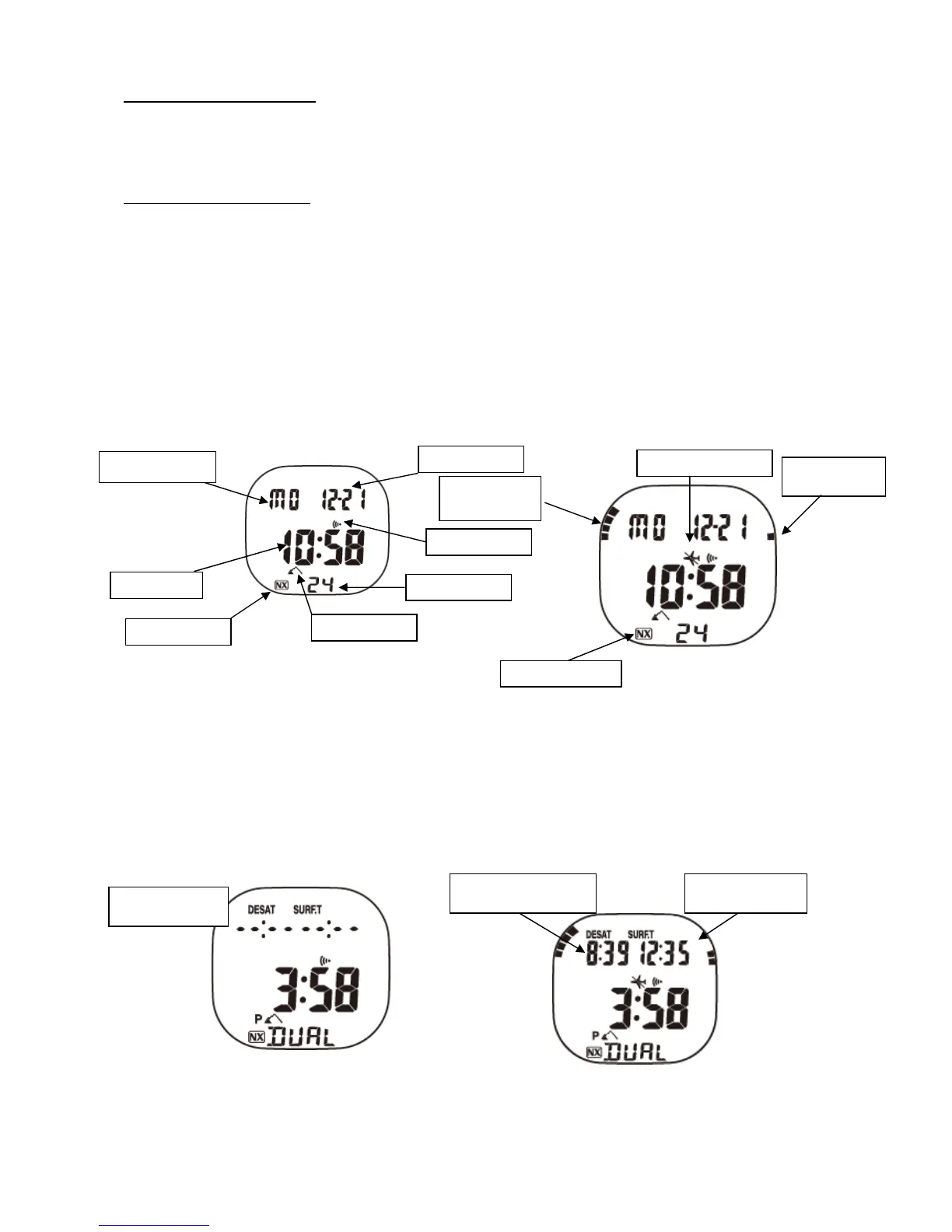
If you use your XP EINS on the surface, it will run in the Time Mode. Your computer has two different displays in this mode: Normal and
Alternative. After changing any setting, and five minutes after finishing a dive it will return to this mode
(Fig. 1).
Displayed information in Time Mode
1) Current time
2) Current date
3) Battery power indicator (only displayed when battery power is low)
4) Altitude-Symbol
5) Nitrox-Symbol
6) PGT-bar graph (Pressure Gas in Tissue max. 9 Bars)
7) OLI-bar graph(Oxygen Limited Indicator max. 8 Bars)
8) Do-not-Fly-Symbol
9) Alarm symbol Current time
By pressing the ‘Select’ (C-key) the secondary time zone, the desaturation time and the duration of the surface interval are displayed.
<NORMAL> <AFTER A DIVE>
<ALTERNATIVE DISPLAY>
<NORMAL> <AFTER A DIVE>
Current time and date
These values can be changed. Press the ‘Mode’ key (seven times) until the time is displayed with the wording ‘SET’. By pressing the
‘Select’ key the seconds-indicator starts to flash. To zero the value of the seconds-indicator, press the ‘light/set’ key. After pressing the
Time
Day of the week
Day and Month
Seconds
Alarm-Symbol
Nitrox-Symbol
Altitude-Symbol
NITROX-Symbol
Do-not-Fly-Symbol
Oxygen Limited
Indicator
Nitrogen bar
graph
Secondary time
zone
Duration of
surface interval
Desaturation time



 To Next Page