7
The alarm clock triggers an audible alarm at a set time every day. To set the alarm time, press the ‘mode’ key until ‘AL’ appears in the
lower part of the screen. Use the ‘select’ key to enable or disable the alarm. Pressing the ‘select’ key again will result in a flashing
minute indicator. Pressing the ‘light/set’ key will increase the value shown. By holding the key pressed, the speed increases. After
pressing the ‘select’ key once more the hour indicator starts to flash. You can again change it with the ‘light/select’ key. Pressing and
holding the ‘mode’ key for a long time will take you back to Time Mode.
5. ADVANCED DIVE COMPUTER FUNCTIONS
Viewing the level of nitrogen saturation
A bar graph with nine LCD-bars will be shown on the left-hand side of the display during the dive. These match the colour scale to the
side of the display. More segments will be activated with an increasing nitrogen saturation calculated by the algorithm. If all segments
are activated, decompression stops are necessary for the dive.
Sometimes the bar graph is activated on the surface when changing altitude (decrease of the barometric pressure). If all nine segments
of the bar graph are active, dive mode is not available and an audible alarm is triggered when the computer comes into contact with
water.
View oxygen saturation – oxygen toxicity alarm
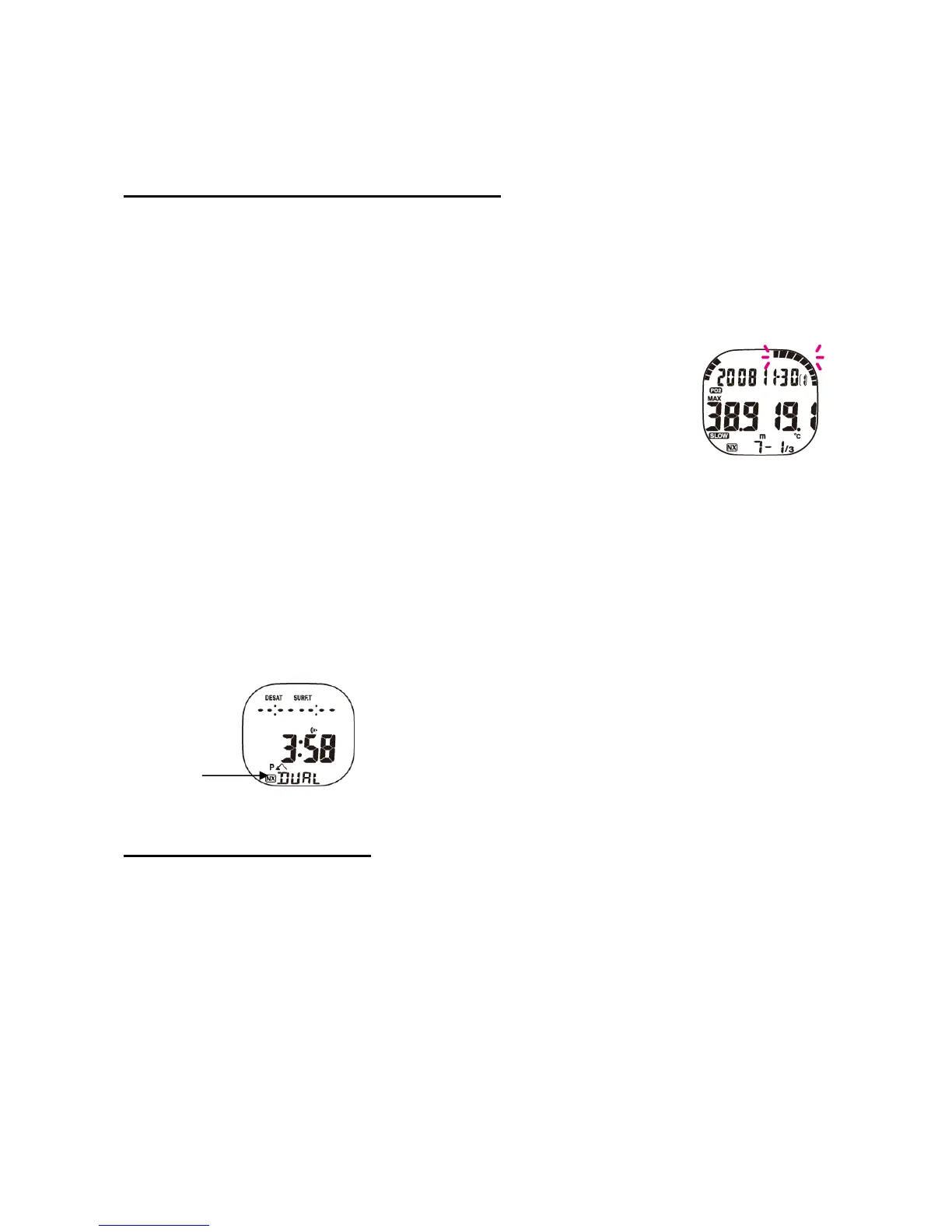
The bar graph on the right-hand side of the display shows the level of oxygen toxicity in the CNS and is
divided into eight bars. These are activated in relation to the diver’s exposure to an increased partial oxygen
pressure. If the seventh bar is activated (Fig. 9), the entire bar graph will flash for 15 seconds and two 3-
second long audible alarms are triggered. If segment number eight is triggered, the same audible alarm
starts and the bar graph flashes. The alarm will be saved in the log. These alarms will also be triggered on
the surface, if the saturation at levels seven or eight and the water contact recognises the start of a dive.
Fig. 9
Partial oxygen pressure view mode
If you are at a depth in excess of 1.5 metres (5 ft.) and the partial pressure of oxygen (FO2) of the gas mixture set to a value is higher
than 22%, the ppO2-display is shown.
Security blockage
If the operational limits of the XP EINS are exceeded or a decompression stop is skipped, the display will be blocked:
All segments on the display start to flash and you have no access to the dive planner, setup or the dive modes. The blockage will be
released after 48 hours.
Surface interval
Ten minutes after finishing a dive, the XP EINS will show the surface interval, measured in 48 hours, and shown by pressing the ‘select’
key. After a period of more than 48 hours only ‘-:- -’ will be shown (Fig. 10)
Mode indicator
Fig. 10
6. CHANGING THE SETTINGS
Choosing the unit
The default units are shown in metric measurements (metres and degrees Celsius). These can be changed to imperial measurements
for depth and temperature (ft. and Fahrenheit). To set the desired units, press the ‘mode’ key until you reach ‘FO2’ mode, and hold the
keys ‘select’ and ‘light/set’ pressed for five seconds. For a further change of units, repeat the process.
Dive planner
Your XP EINS includes a dive planner that shows the Non-Deco times between 9 and 48 metres. Pressing the ‘mode’ key until the
mode ‘plan’ is shown in the lower part of the display activates the planner. The keys ‘select’ and ‘light/set’ increase or decrease the
shown depth. If XP EINS for NITROX gas mixtures is set, the planner shows the permitted times with the relevant FO2 value, as well as
the partial oxygen pressure at the described depth. If the partial pressure of 1.4 bars is exceeded, ‘ ’ is shown instead of minutes. If the
computer is security blocked, the dive planner is not available.
Reset FO2
If you use NITROX (FO2 equals or exceeds 22%) the XP EINS changes to the default setting (‘ -’) at midnight and the NITROX symbol
(NX) starts to flash. If you access dive mode after resetting the FO2 an alarm will be triggered. In case you should ignore the alarm and
start a dive without the setup of a new FO2-value, the XP EINS will start its calculations with a gas mixture of 99% O2 – 79% nitrogen.



 To Next Page
 Loading...