EasyManua.ls Logo

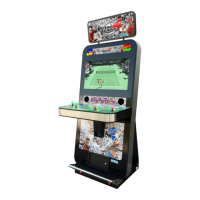
Sega Virtua Tennis 4 - User Manual

Sega Virtua Tennis 4
136 pages
Print Icon
To Next Page IconTo Next Page
Loading...
IMPORTANT
Before using this product, read this manual carefully to understand the
contents herein stated.
After reading this manual, be sure to keep it near the product or in a
convenient place for easy reference when necessary.
Sega Amusements Europe Limited.
42 Barwell Business Park, Leatherhead Road, Chessington, Surrey, KT9 2NY. United Kingdom.
Telephone: +44 (0) 208 391 8090 Facsimile: +44 (0) 208 391 8099
email: mailbox@sega.co.uk Web: http://www.sega-amusements.co.uk
© SEGA
420-0015-00UK
2
nd
Printing
OWNER'S MANUALVIRTUA TENNIS 4 UPRIGHT
420-0015-00UK

Table of Contents

Questions and Answers

  • G
    Gary EstradaAug 14, 2025
    What to do if Sega Arcade Game Machines won't turn on?
    • S
      Shannon NguyenAug 14, 2025
      If your Sega Arcade Game Machine isn't turning on, there might be a few reasons: * Ensure the power plug is firmly inserted into the outlet. * Verify that you're using the correct power source and voltage. * Check the fuse on the AC Unit or the connect board. If either has blown due to a momentary overcurrent, replace it with a fuse of the specified rating after addressing the cause of the overload.
  • M
    Michael FarmerAug 17, 2025
    How to fix sound not working on Sega Virtua Tennis 4 Arcade Game Machines?
    • R
      Raymond WalkerAug 17, 2025
      If there is no sound on your Sega Arcade Game Machine, consider the following: * Check the sound volume adjustment on the Switch Unit and adjust it as needed. * Inspect the connections for the game board, amp, speakers, and Volume connectors to ensure they are properly connected. * Perform a Sound Test to identify any malfunctioning components such as the BD, amp, or speaker.
  • B
    Bryan WhiteAug 21, 2025
    Why are the colors on my Sega Virtua Tennis 4 monitor screen strange?
    • T
      Tina HallAug 21, 2025
      If the colors on your Sega Arcade Game Machines monitor screen appear strange, it could be due to: * A faulty connection for the visual signal connector. Check the connection and ensure it is securely attached. * Inappropriate screen adjustment. Make the necessary adjustments to the screen settings.
  • M
    Michael FordAug 25, 2025
    What to do if Sega Arcade Game Machines has sound but no picture?
    • G
      Gabriel LewisAug 25, 2025
      If your Sega Arcade Game Machine has sound and the lamps are lit, but the screen is black, consider the following: * Check the connections for the monitor and game board connectors to ensure they are properly connected. * There may be a faulty LCD Display.
  • K
    Kelly KimAug 27, 2025
    Why won't my Sega Arcade Game Machines accept switch or volume inputs?
    • S
      Sarah BakerAug 27, 2025
      If your Sega Arcade Game Machine isn't accepting input from any switch or volume, the following might help: * Check the connection for the I/O Board and Cabinet connector. * Check the power for the I/O Board.
  • J
    Jennifer YorkAug 30, 2025
    Why does the screen image sway or shrink on my Sega Arcade Game Machines?
    • S
      Shari GrantAug 30, 2025
      If the on-screen image of your Sega Arcade Game Machine sways or shrinks, the cause may be an incorrect power source and voltage. Ensure that the power supply and voltage are correct.
  • C
    campbellmichelleSep 3, 2025
    How to troubleshoot LCD display not powering on Sega Virtua Tennis 4 Arcade Game Machines?
    • J
      Jonathan JosephSep 3, 2025
      If the LCD display on your Sega Arcade Game Machine is not powering on, check the connections to the LCD Unit to ensure they are properly connected.
  • T
    Todd AyalaSep 6, 2025
    What to do if start button doesn't work on Sega Arcade Game Machines?
    • T
      Todd WeberSep 6, 2025
      If the start button input on your Sega Arcade Game Machine does not work, check the connections for the connectors between the I/O Board, the cabinet and the control panel, as well as those inside the control panel.
  • J
    justinramosSep 10, 2025
    What to do if Sega Virtua Tennis 4 doesn't accept input from the reset button?
    • B
      Brian ParkerSep 10, 2025
      If your Sega Arcade Game Machine does not accept input from the Reset Button unit, check the connections between the I/O Board, the Cabinet, and the Reset Button Unit. Also, the Microswitch may be faulty; consider replacing it.

Summary

Essential Pre-Operation Guidance

Key Safety Instructions

Crucial safety guidelines and warnings to be read before operating the product.

Handling Precautions

Installation Precautions

Operation Precautions

Assembly and Installation Guide

Cabinet Installation Steps

Step-by-step instructions for assembling and installing the main cabinet unit.

Electrical Connections and Power Up

Guidance on connecting the power supply and other necessary electrical connections.

Machine Moving Safety

Virtua Tennis 4 Gameplay

Test and Data Display Functions

System Test Mode Navigation

Guide to navigating and using the system test mode for configuration and diagnostics.

Coin Acceptance and Pricing Configuration

Configuration options for coin acceptance, credit rates, and game cost.

Game Test Mode Functions

Overview of the game test mode and its various diagnostic functions.

Control Panel Components

Monitor and Display System

Monitor Safety Precautions

Critical safety precautions and warnings when handling the monitor assembly.

Coin Mechanism Management

Coin Acceptor Troubleshooting

Troubleshooting guide for common issues encountered with the coin acceptor.

Setting Game Play Costs

Steps for configuring the coin acceptor settings to determine the price of play.

Cabinet Lighting System

Problem Diagnosis and Resolution

General Troubleshooting Steps

Guide to diagnosing and resolving common problems that do not display error codes.

Main Fuse Replacement Guide

Instructions for safely replacing blown fuses in the machine.

RingEDGE Game Board System

Game Board Handling Safety

Safety guidelines for installing, removing, and handling the game board.

Game Board Error Code Reference

Guide to understanding and resolving error codes displayed by the game board.

Button Battery Replacement Procedure

Step-by-step instructions for replacing the battery on the game board.

Fuse Replacement Procedures

Main Fuse Replacement Steps

Detailed steps for safely replacing the main fuse in the machine.

Circuit and Wiring Diagrams

Sega Virtua Tennis 4 Specifications

General IconGeneral
Release Year2011
DeveloperSega
PublisherSega
GenreSports
PlatformArcade
Players1-4
MonitorLCD
CabinetUpright
InputButtons
Game ModesExhibition

Related product manuals