
 Need help?
Do you have a question about the Segway MAX and is the answer not in the manual?
Detailed specifications for the MAX 2.0 model, including speed, weight, battery, and components.
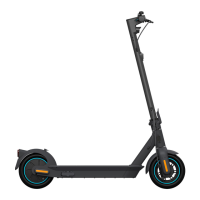
Identification and labeling of all major scooter components with a visual diagram.
Overview of scooter functions and detailed explanation of the display icons and modes.
Key specifications for the scooter's battery, including voltage, capacity, and cycle life.
Instructions on how to charge the scooter, including visual cues and charging time.
Important safety guidelines and recommendations for charging the battery to ensure longevity.
Recommended ambient temperature ranges for operating and storing the scooter.
List of required tools and specific torque values for maintenance tasks.
A checklist for routine inspections to ensure the scooter is in good working order.
Standard Operating Procedures for replacing frequently used parts.
Guide to identifying and understanding error codes and potential system failures.
Instructions for keeping the scooter's firmware up-to-date via management systems or apps.
Essential safety advice for operating the scooter, including speed limits and road conditions.
Information on controller limits, BMS temperature feedback, and ambient operating conditions.
Guidelines for handling, charging, and disposing of the battery to prevent damage or injury.
The Segway Discovery MAX is a kick scooter designed for personal transportation, offering a blend of functionality, user-friendly features, and maintenance considerations. This manual provides comprehensive guidance on its operation, upkeep, and safety.
The Segway Discovery MAX serves as an electric kick scooter, providing an efficient and eco-friendly mode of personal transport. It is designed for single-rider use and offers various modes to suit different riding preferences and conditions. The scooter is equipped with a motor that drives the rear wheel, and it features both drum and electronic braking systems for reliable stopping power. Its design emphasizes ease of use, with a display that provides essential information to the rider, including speed, battery level, and error indicators. The scooter also incorporates a transportation mode, which is crucial for maintaining battery health during long periods of storage or transit, preventing over-discharge.
The Segway Discovery MAX is designed with several features to enhance the riding experience and ensure user safety.
Display and Modes: The scooter's display is a central hub for information, showing current speed, battery capacity, and any error codes. It also indicates the active riding mode. There are three distinct riding modes:
Riders can easily switch between these modes by double-clicking the power button on the display. When riding, specific icons on the display will illuminate to indicate the scooter's status.
Walking Assistance Mode: For situations where the scooter needs to be moved alongside the rider, a walking assistance mode can be activated by long-pressing the throttle while the scooter is stationary. This feature is particularly useful in pedestrian-heavy areas or when navigating tight spaces.
Starting and Riding: To begin riding, the user should wear appropriate protective gear, stand on the footrest with one foot, and push off with the ground with the other foot to gain initial momentum. Once an initial speed of at least 2.5 mph is reached, pressing the throttle will engage the motor. Steering is achieved by shifting body weight and slightly turning the handle. The throttle on the right hand controls acceleration, while releasing it slows the scooter down. The mechanical brake handlebar activates both the front drum brake and the rear electrical brake simultaneously, with the rear light flashing continuously to signal braking.
Safety on Riding: The manual emphasizes several safety precautions for riding:
The Segway Discovery MAX incorporates several design and operational aspects that facilitate maintenance and ensure longevity.
Battery and Charging: The scooter uses a non-swappable 36V 551Wh Lithium Battery. Charging is straightforward: the charger's LED indicates charging status (red for charging, green for fully charged). A full charge typically takes about 4 hours with the external 5A charger or 6 hours with the built-in 2.9A charger. The display shows battery level during charging and can be checked by pressing the power button for 2 seconds when not charging.
Charging Precautions:
Firmware Updates: Customers are encouraged to keep the scooter's firmware updated via the backend management system ("Dashboard") or the mobile app launcher. Segway Discovery Engineer support is available for alternative upgrade methods or problem reporting.
Tool and Torque Value List: The manual provides a list of specific tools and their corresponding wrench head sizes (e.g., PH1-L, PH2-S, S2.5-S, T10hollow-S, etc.) and wrench lever torque values (25N.M, 100N.M). This information is crucial for proper assembly, disassembly, and maintenance tasks, ensuring components are tightened to the correct specifications.
Regular Check List: A comprehensive checklist for regular maintenance is available through the customer support system. This resource guides users through routine inspections to ensure the scooter remains in optimal condition.
Replacement of Common Parts: The manual lists Standard Operating Procedures (SOPs) for replacing common parts, such as the display, throttle, front/rear wheels, battery, built-in charger, controller, and display cover. It also includes SOPs for addressing issues like shaking in riding or flat tires, providing a structured approach to repairs.
Failure Diagnosis: A table of error codes is provided, linking diagnostic indices (e.g., MAX-10, MAX-11) to problem descriptions (e.g., communication abnormality, motor current sampling abnormality, flash saves error). This allows users to identify and understand issues, with further solutions available through the customer support system.
Battery Safety: Strict safety guidelines are provided for battery handling:
Storage and Operating Temperature: Recommended ambient temperatures for both operating (14 - 104 °F / -10℃~40℃) and storage (-4 - 122°F / -20℃~50℃) are specified to ensure optimal performance and battery longevity.
The Segway Discovery MAX is designed to be a reliable and enjoyable personal mobility device, with clear instructions for both its operation and upkeep to ensure a safe and long-lasting user experience.
 General
| Top Speed | 18.6 mph (30 km/h) |
|---|---|
| Motor Power | 350W |
| Battery Capacity | 551 Wh |
| Weight | 41.2 lbs (18.7 kg) |
| Max Load | 220 lbs (100 kg) |
| Charging Time | 6 hours |
| Tire Size | 10 inches |
| Tire Type | Pneumatic |
| Water Resistance | IPX5 |
| Foldable | Yes |
| Display | LED |
| Lights | Front and rear LED lights |
| Range | 40.4 miles (65 km) |
| Brake Type | Front Drum Brake, Rear Electronic Brake |



 To Next Page