139
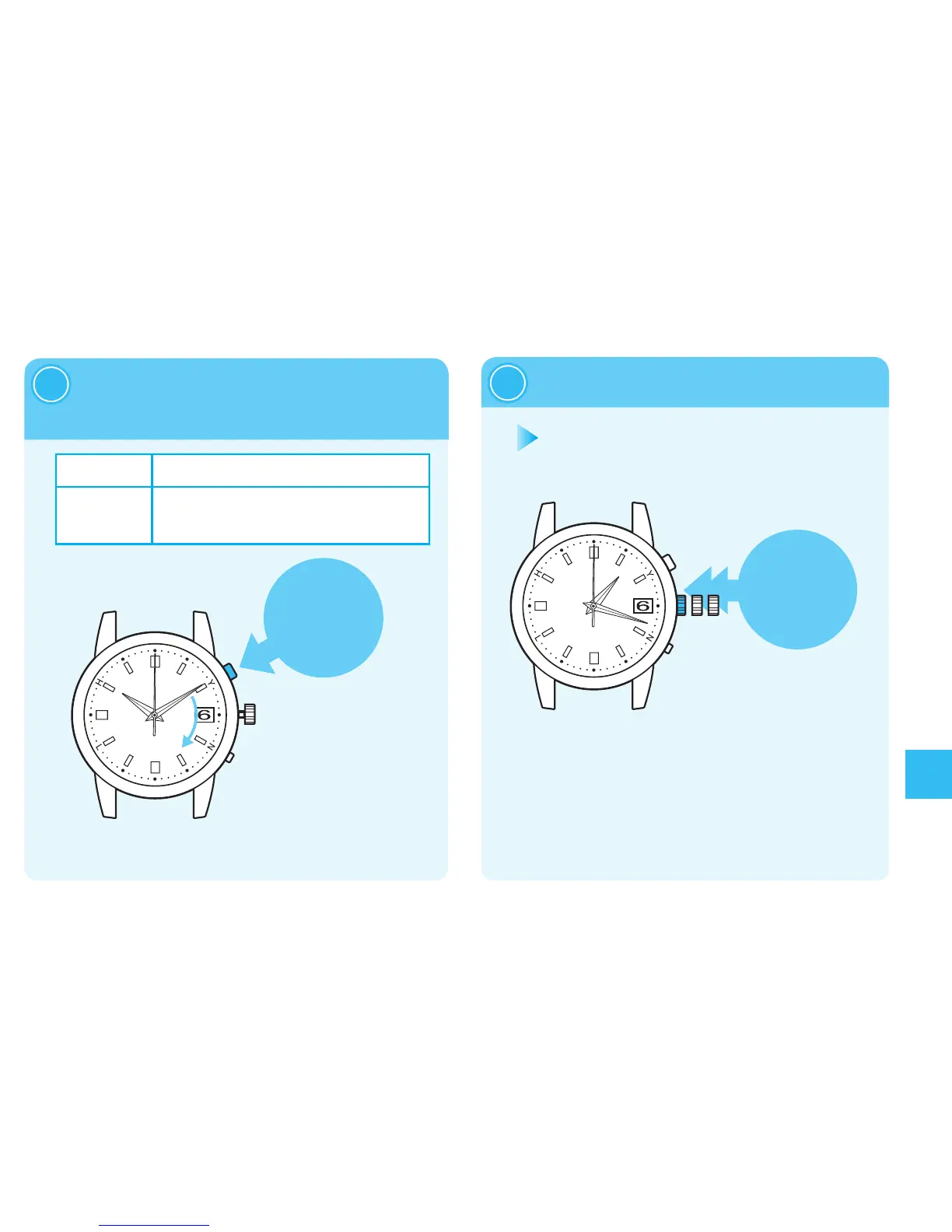
PressButtonAtoset
thetime.
2
PushthecrownbackIn.
3
Troubleshooting
※
Thehandwillnotmove
byturningthecrown.
※
Advancethehand
toadjustthetime.
Thehandcannotbe
turnedreversely.
※
Thepointinwhichthedatechangesat0:00AM(12:00PM).
AdjustthetimetakingintoconsiderationthatitissetduringtheAMandPM.
OneminuteAdvance
PressButtonAonceandthenreleaseit.
Continuous
Advance
WhenButtonAiskeptpressedfortwo
secondsorlonger,thehandwillstarttomove.
PressButtonAagaintostop.
Thewatchwillresumeitsnormalmovement
afterpushingthecrownbackin.
Pushthecrownbackinaccordingtothe
timesignal.
Operationhasbeencompleted.
Thewatchresumesitsnormalmovement.
※When the crown
isascrewlock
type,unlockit. →
page91



 To Next Page