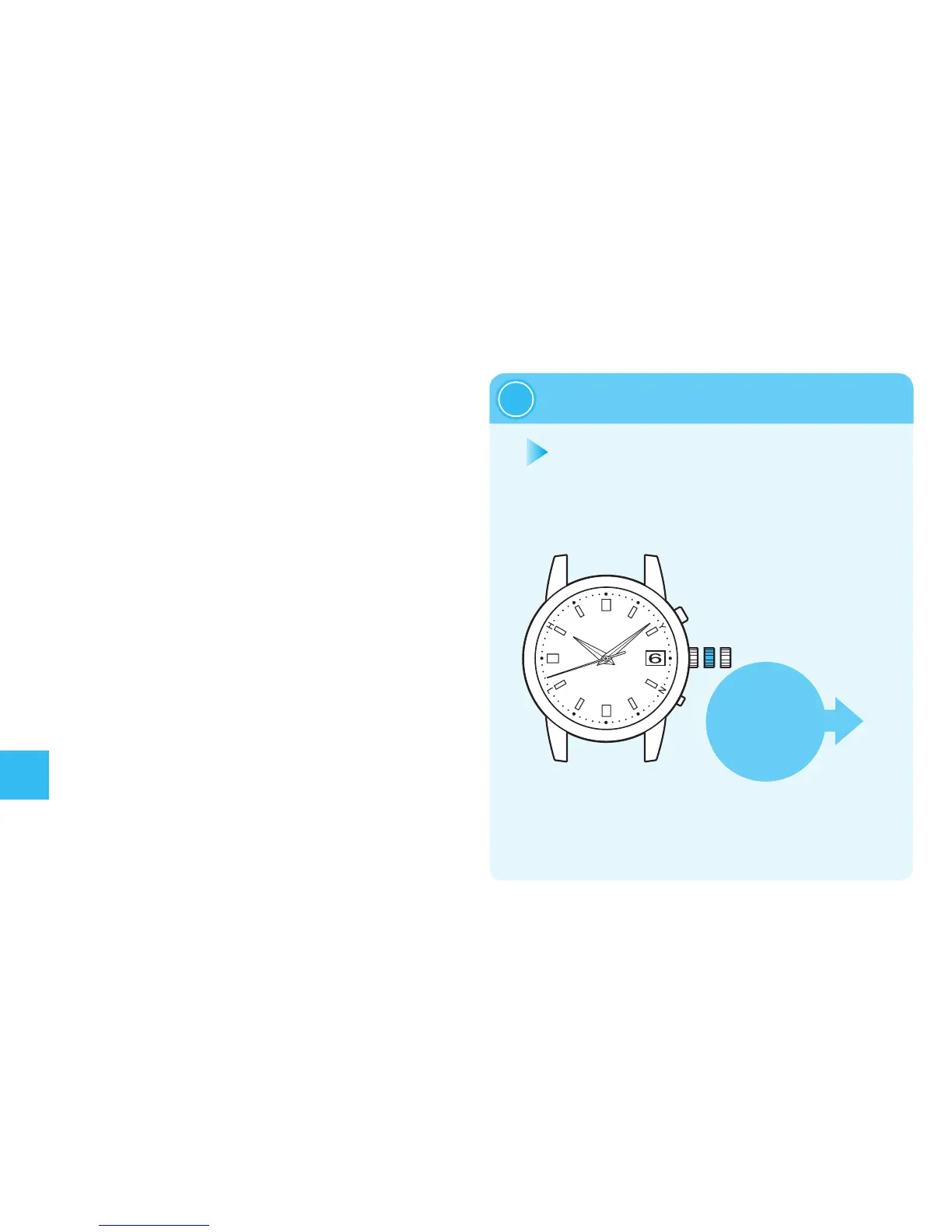
■Howtomanuallysetthedate
Thewatchentersthemanualdate
settingmode.
(Thewatchkeepsmoving.)
When the date is not changed due to
an environment in which the watch is
unabletoreceivearadiosignal(when
changingfrom monthswith30 daysto
monthswith31daysorless),adjust
thedatemanually.
・
Thedatecanbeadjustedindependently
regardlessofthetime.
・
Whenthewatchreceivesaradiosignal
afterconductingmanualadjustmentof
thedate,itdisplaysthereceiveddate.
・
Whenusingthewatchagaininregionsinwhich
thewatchisabletoreceivetheradiosignals,itis
recommendedtoperform“ManualReception.”
→
Howtoconductmanualreceptiononpages136-137
Pullingthecrowntotherstclick
1
※
Whenthedateisnotcorrectevenifthewatchsuccessfullyreceives
aradiosignal,thepreliminarypositionofthedatemaybemisaligned.
Settingthepreliminarypositionforthedate→page144
140
Troubleshooting
※When the crown is
ascrewlocktype,
unlockit.→page91


 To Next Page