145
Troubleshooting
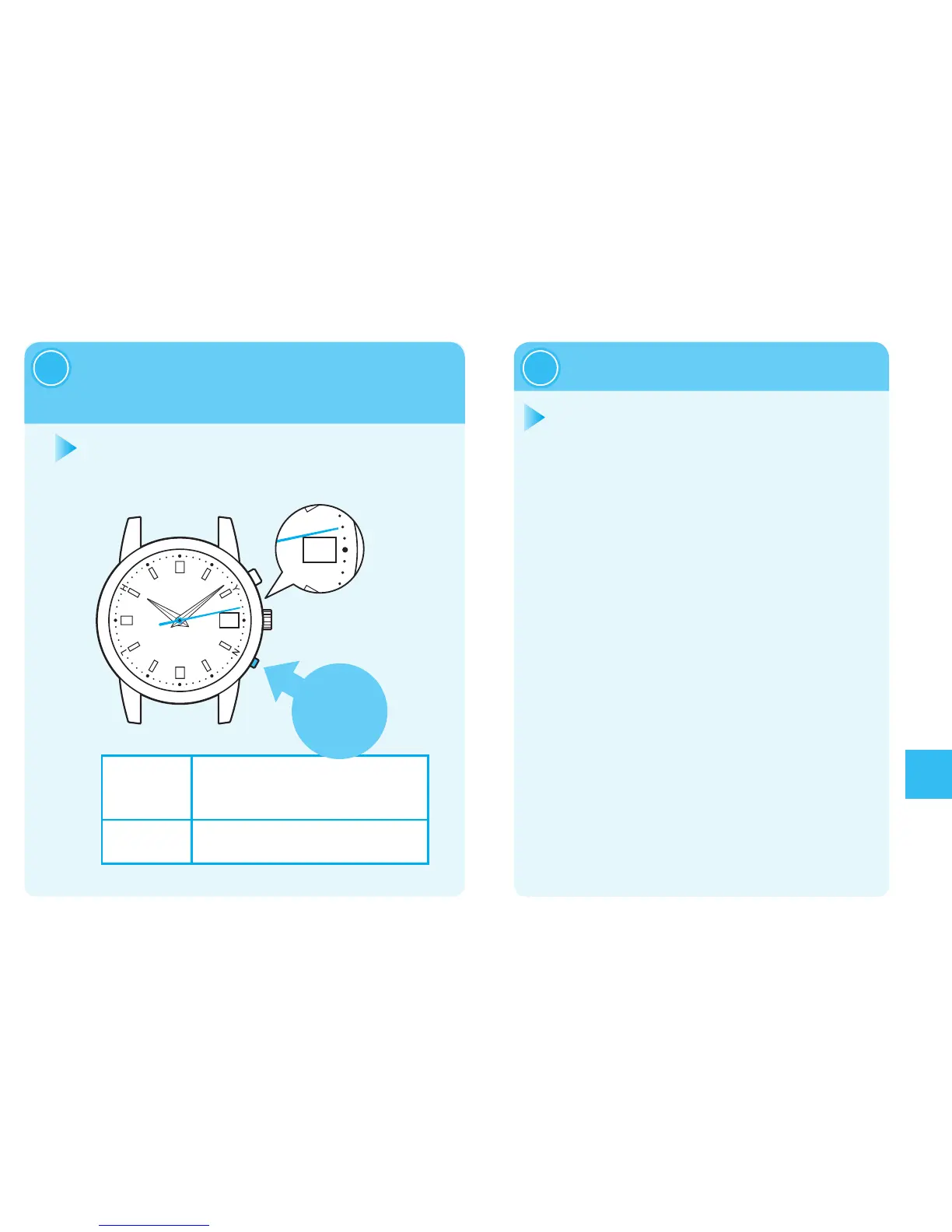
Pressing Button B to set
thedatetothe“1.”
2
When thedate movement stops, the
preliminaryposition adjustmentmode
willbeterminatedintenseconds.
Conrmwhetherthedateiscorrectafter
thewatchresumesdisplayingtime.
Inthecasethatthedateisnotcorrect,
adjustthedate.
Adjustingthedatebyreceiving
aradiosignal.
Howtoconductmanualreception
→page136
Ifthewatchisunabletoreceiveradiosignals
Howtomanuallysetthedate→page140
Automaticmodetermination
3
※
Thedatecanonlybeadvanced.Itcannotbeturnedback.
Continuous
advancement
IfButtonBiskeptpressedfortwoseconds
orlonger,thedatesadvancecontinuously.
PressButtonBagaintostop.
Fine-tuning:
EachpressingofButton B advancesthe
dategradually.
Setthepreliminarypositiontotheprecisedate.
Adjustthedatesothatthepositionof“1”willlocate
atthecenterofthewindow.



 To Next Page